

Salesforce Mobile File Management Made Simple



.svg)
Table of Contents


Salesforce is the heartbeat of many sales and service teams, but on mobile, handling files can feel like running in slow motion. Scattered attachments, limited previews, no easy way to see related records’ files—it all adds unnecessary friction.
For field reps and salespeople on the move, these roadblocks are more than an inconvenience. They can stall client conversations, delay decisions, and cost opportunities. That’s why Salesforce Mobile File Management with Media Manager is a game-changer—bringing the full power of desktop file handling to your phone or tablet.
Why Mobile Capability is a Game-Changer
When you work on the go, you can’t afford to dig through multiple records or email chains just to find a file. You need:
- A clear way to view and navigate files
- Full visibility into related records’ media
- The ability to take action without switching devices
That’s exactly what Media Manager delivers for Salesforce Mobile File Management.
Mobile Features That Transform the Experience
Multiple Views for Any Situation
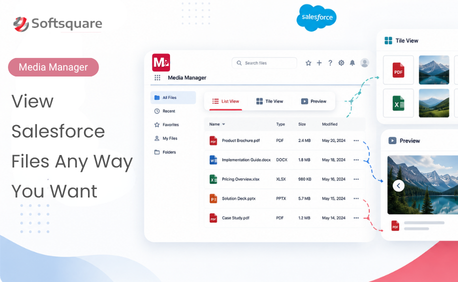
Media Manager offers three mobile-friendly views to match your workflow. Switch between:
- Slider View is perfect for swiping through presentations or images during client meetings
- List View provides a clean, data-rich layout ideal for scanning file metadata and quickly finding what you need.
- Tile View displays compact file cards for quick visual recognition—especially useful when you know what you’re looking for by sight rather than name.
.webp)
.webp)
.webp)
Switching between views is instant, so you can adapt on the fly.
Full Related Files Visibility
In Salesforce mobile, files are often tied to individual records, meaning you need to jump between multiple objects to piece together the full picture. Media Manager solves this by letting View files from both the primary record and related records without jumping screens.
- Access Account files alongside related Opportunities, Cases, and Contacts.
- See the bigger picture without breaking workflow.
- Reduce missed file references in meetings or service calls.
.webp)
Multi-Format Previews Without Leaving the App
Forget opening third-party apps or converting files just to view them. Media Manager supports native previews, no more switching apps or downloading just to view a file.
- Preview PDFs, Word, Excel, PowerPoint, images (including HEIC), and videos.
- Stay in Salesforce mobile—no conversions or extra steps.
- Keep the conversation flowing with instant access.
.webp)
.webp)
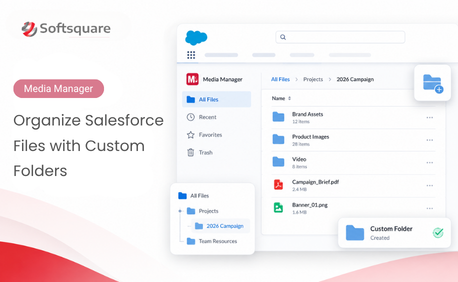
Smart Grouping & Folder Navigation
Mobile file chaos ends here. Bring order to mobile file chaos with grouping and folders.
- Group by file type, related record, or object.
- Navigate nested folders without losing your place.
- Keep large projects organized, even across multiple records.
.webp)
.webp)
.webp)
Act Instantly on the Files You Find
Mobile doesn’t mean limited. Media Manager allows you to perform file tasks in seconds without switching between screens.
- Share, rename, move, or delete files.
- Execute bulk actions for multiple files at once.
- Respond quickly to file requests in the moment.
.webp)
Use Case – A Sales Rep’s Best Friend
A sales rep walks into a client meeting, only to have the client request a product brochure, an updated price list, and a past case study—all on the spot. Without Media Manager, this would mean endless record-hopping, possible missing files, and delays.
With Media Manager mobile, they:
- Use Tile View for quick visual browsing.
- Pull a case study from Related Files.
- Preview pricing via Multi-Format Preview.
- Share all three instantly—keeping momentum strong.
.webp)
.webp)
.webp)
The Bottom Line
Salesforce Mobile File Management isn’t just about convenience—it’s about keeping business moving when you’re away from your desk. Media Manager ensures you can find, preview, edit, organize, and share any Salesforce file—anywhere, anytime—without missing a beat.
Explore the full mobile feature set in the Media Manager Manual or contact us for a live demo to see how it can transform your mobile workflow.
Want to Manage Files Anywhere?
More Insights for you







Ready to Transform Your Business with Salesforce & AI?
