

Faster File Downloads in Salesforce



.svg)
Table of Contents


Why File Downloads in Salesforce Slow Teams Down
Salesforce users have been asking for one simple thing for years: Native bulk file download. Yet there’s still no “Download All” button for records, related lists, or search results. The result? Teams waste time on tedious; one-by-one clicks or turn to risky, external workarounds——wasting time and inviting mistakes.
The frustration is echoed in the community:
- Download attachments as a ZIP file – Salesforce IdeaExchange
- Download record Files to zip folder – Trailblazer Community
Many admins searching for a “mass download” options often end up with partial solutions like weekly exports, custom scripts, or third-party tools. Media Manager eliminates these gaps—bringing Salesforce file downloads directly into the places users already work.
Single Salesforce File Download — Faster Access
The Problem:
While Salesforce allows single file downloads, the option is often buried in the preview window. Users often have to open a preview window or drill into the Files tab just to get to the download button. This adds extra clicks, delays, and user frustration.
Example:
A customer service agent reviewing a claim need to quickly grab just one image attachment. Instead, they navigate to the Files tab, search for the right file, and click multiple times to reach “Download.”
Media Manager Advantage:
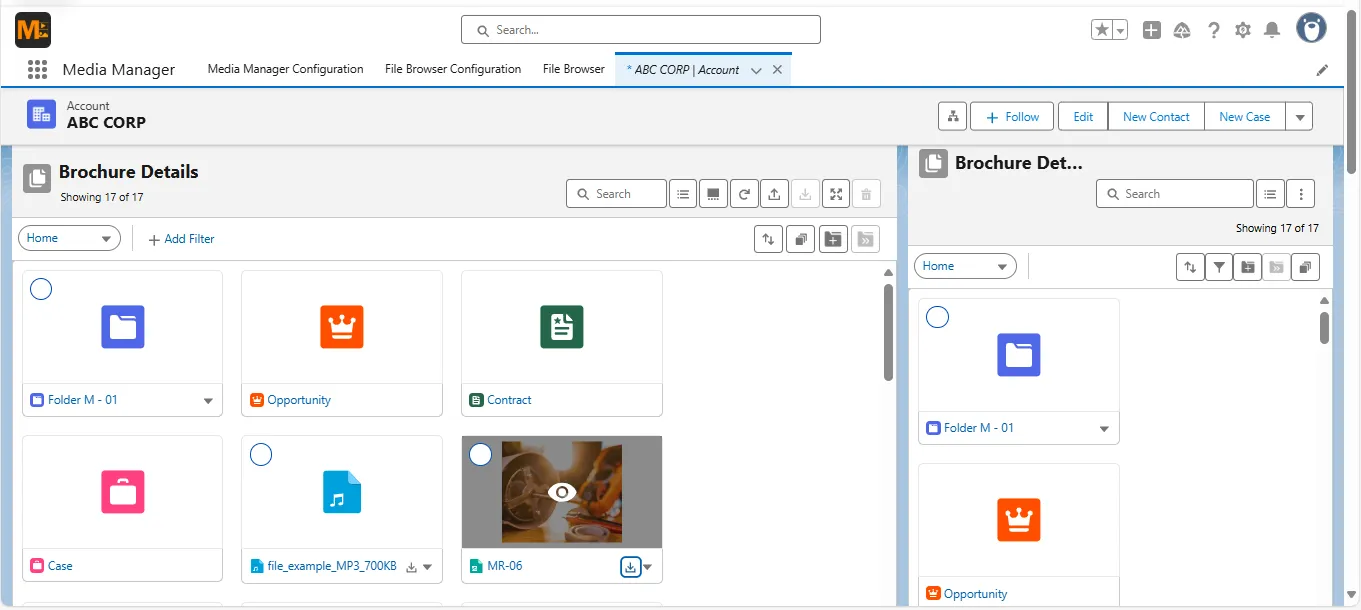
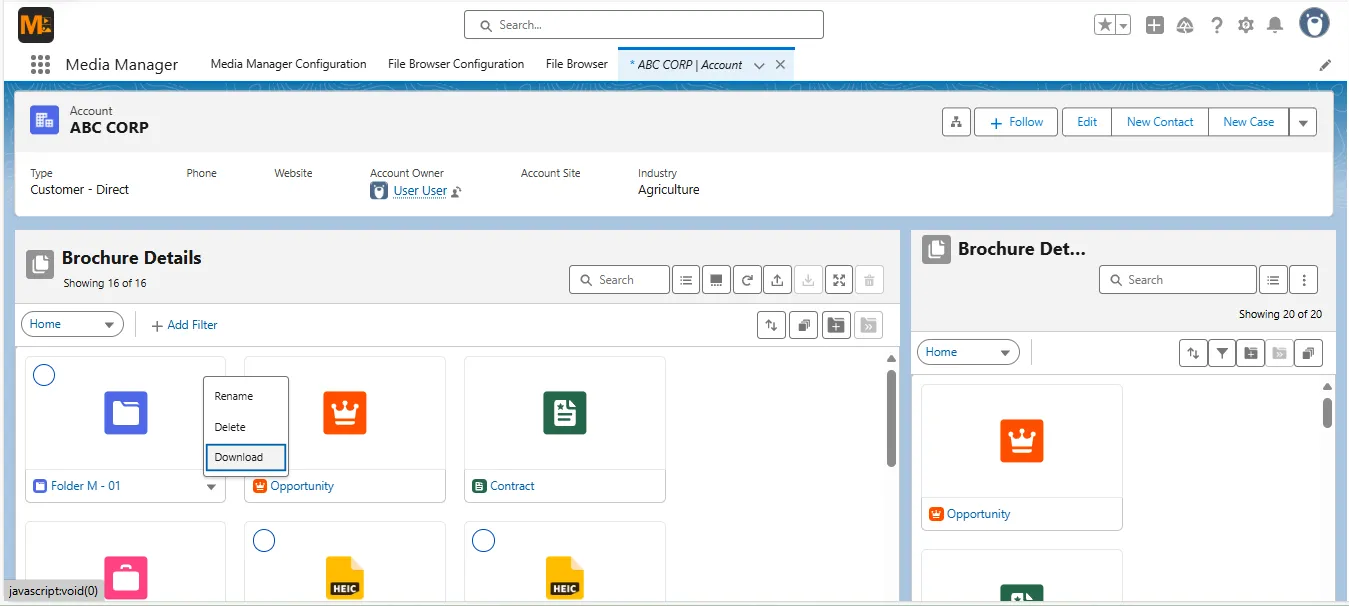
- One-click download from List, Tile, Slider, or File Browser views
- No need to open the file preview first
- Works across standard records, related lists, and File Browser results
Result: Removes unnecessary friction from everyday Salesforce file downloads, adding up to hours saved across large teams.

Bulk File Downloads in Salesforce — One Click
There’s no native way to bulk download files in Salesforce. When dozens of files are linked to a record, downloading them individually is inefficient and error-prone.
Example:
A legal assistant preparing a case needs all 25 related documents. They click “Download” 25 times, track progress manually, and double-check that nothing was missed.
Media Manager Advantage:
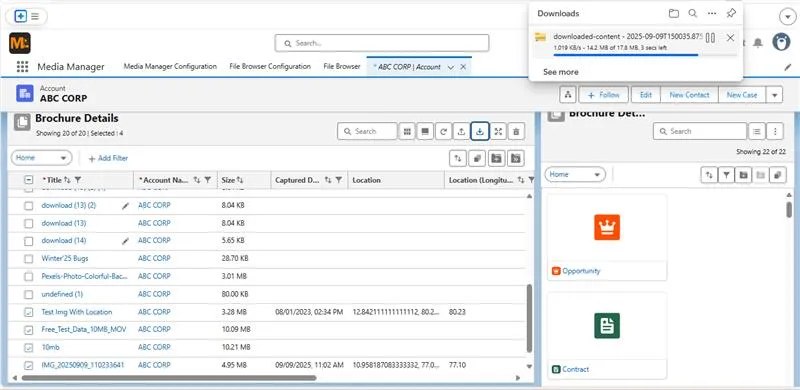
- Select multiple files from a record view and download as a single ZIP
- Works in List, Tile, and Slider views
- Preserves original filenames
Result: Cuts a multi-minute, high-risk task to a single action—boosting productivity and accuracy.
Salesforce File Browser Bulk Downloads (Media Manager Exclusive)
Salesforce has no central location to view, filter, and download files across the org. Users must open each record separately, losing time and context.
Example:
A marketing manager needs every “Approved” campaign asset across multiple records. Without a file browser, they waste hours navigating record by record.
Media Manager Advantage:
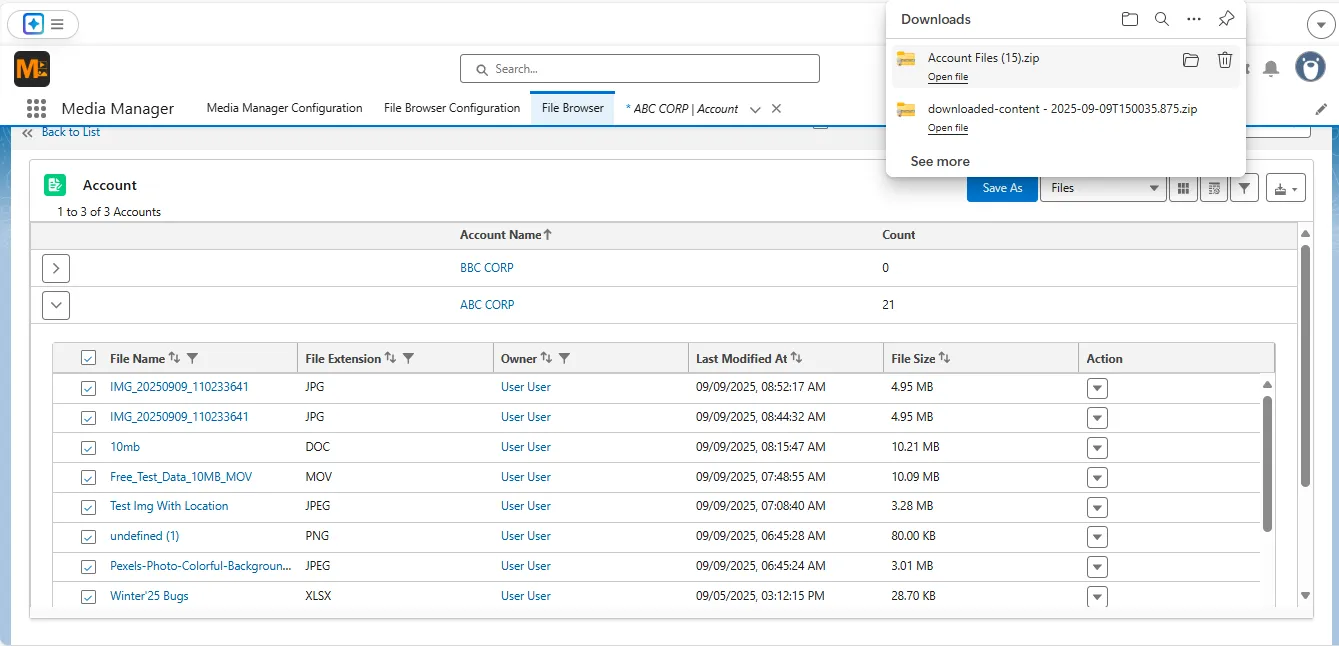
- Exclusive File Browser view with filters for object, owner, type, date, and more
- Select and bulk download any filtered results as a ZIP
- Export CSV with file metadata for reporting
Result: Transforms Salesforce file downloads from record-by-record chores into targeted, organization-wide retrieval.

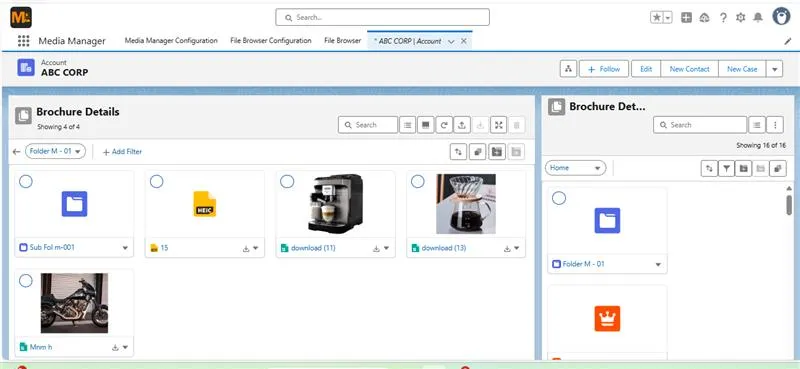
Download Entire Custom Folders
Salesforce doesn’t provide a way to group related files into custom folders or download them as a set. Files tied to a project, customer, or department often end up scattered across records, making bulk sharing and archiving time-consuming and error-prone.
Example:
A consulting team needs to send all deliverables for “Project X” to a client. They have to track down each file across multiple records before downloading.
Media Manager Advantage:
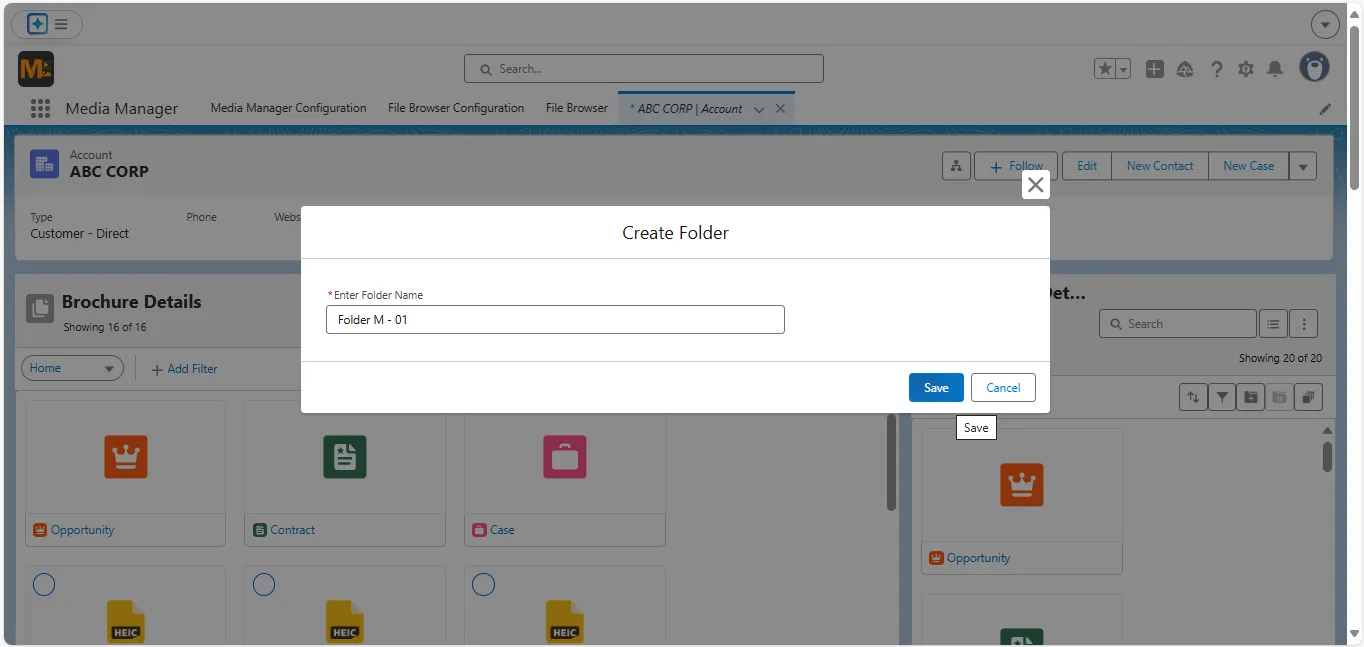
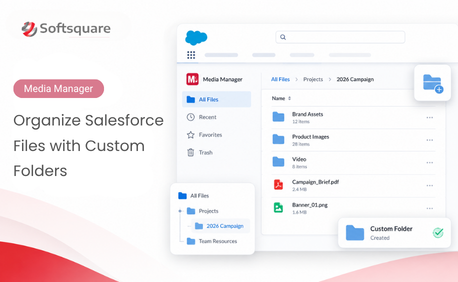
- Create custom folders in Media Manager to group related files
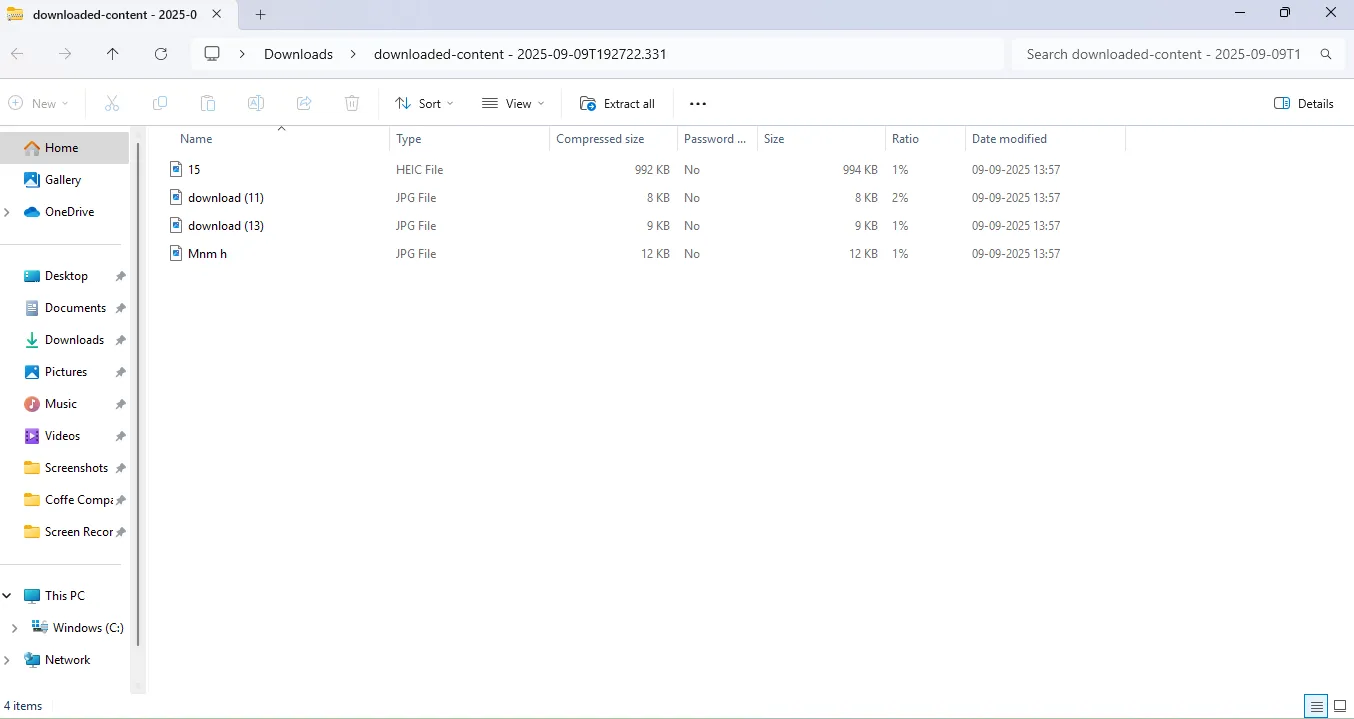
- Download entire folders—including subfolders—in one click
- Preserve folder structure for recipients
Result: Streamlines handovers, audits, and client deliveries while keeping Salesforce file downloads structured and fast.
Final Word: Downloads Built for Real Work
From grabbing a single PDF to archiving entire client folders, Media Manager’s download actions give Salesforce users the speed and control they’ve been missing.
- Single File Download—Instant, from anywhere
- Bulk Download—One click for many files
- File Browser Download—Export search results without limits
- Custom Folder Download—Package entire workspaces at once
👉 Stop clicking through every file.
Start your free trial of Media Manager today and make Salesforce downloads match the pace of your business.
Want to Download Files Faster?
More Insights for you







Ready to Transform Your Business with Salesforce & AI?
