

What Is Agentforce in Slack?


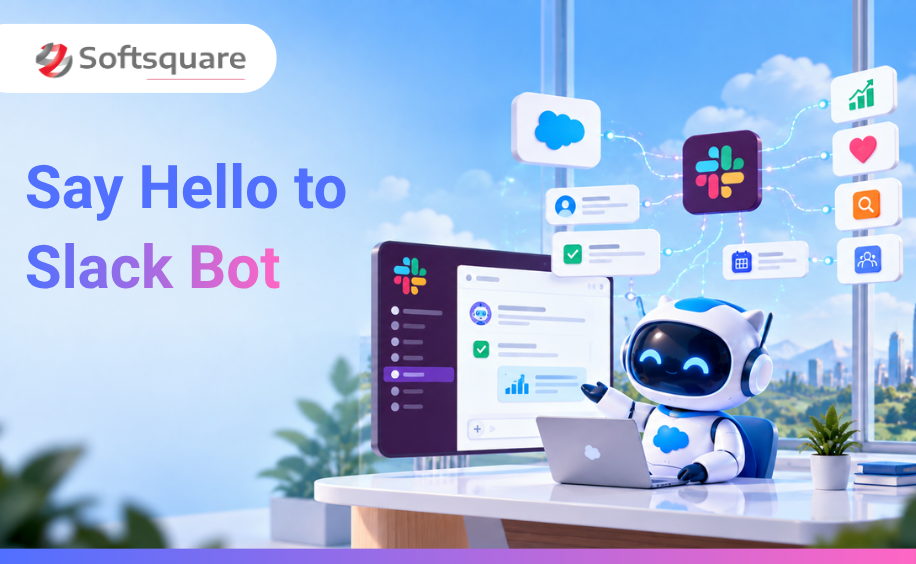
Table of Contents


Most enterprise AI tools have the same adoption problem. They are powerful in theory, but they require your team to log into a separate interface, learn a new workflow, and remember to use them. In practice, they sit unused three weeks after launch.
Salesforce's answer to that problem is Slack.
Rather than asking your team to come to the AI, this Agentforce Slack integration brings Agentforce 360 agents into Slack the interface where your people already communicate, collaborate, and make decisions every day. Agents surface insights, trigger actions, and handle approvals directly inside the channels where your teams are already working.
This blog explains what Agentforce in Slack actually does, how it works technically, what Slackbot is and why it matters, and how your Sales, Service, and IT teams benefit from agents that live inside Slack.
This blog is part of the Softsquare Agentic Enterprise series. Read the full overview → softsquare.biz/blogs/agentic-enterprise-salesforce-dreamforce-2026
How Agentforce and Slack Work Together in the Agentic Enterprise
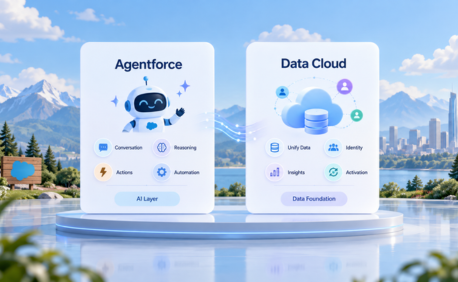
Salesforce describes the Agentic Enterprise as a four-layer architecture. Each layer plays a specific role:
- Data 360 : the context layer: real-time, unified business data
- Customer 360 apps : the work layer: Sales Cloud, Service Cloud, Marketing Cloud, and other Salesforce apps
- Agentforce : the agency layer: AI agents that reason and act
- Slack : the engagement layer: where humans and agents work together
Slack is not an add-on to this architecture. It is the interface layer the place where every agent surfaces its outputs and where every human interacts with the system. Without Slack, agents complete tasks silently in the background. With Slack, they become collaborative, visible, conversational, and actionable.
The shift Slack represents: previously, Salesforce data lived in Salesforce and conversations lived in Slack. They were separate. Now, the Slack Agentforce experience connects the two agents query CRM data, take action on CRM records, and deliver outputs directly inside Slack channels, without your team needing to open Salesforce.
Slackbot: The Front Door to the Agentic Enterprise
In January 2026, Salesforce announced the general availability of the new Slackbot and it is a fundamentally different product from the Slackbot teams have used for years.
The old Slackbot was a basic assistant: it sent reminders, answered simple questions, and ran scripted responses. The new Slackbot is a conversational gateway to the entire Agentforce 360 platform.
What Slackbot Does Now
- Understands natural language requests : you type what you need in plain English, and Slackbot interprets the intent
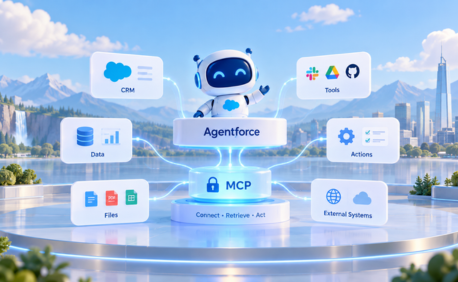
- Queries live Salesforce data : it reads from Customer 360 apps in real time via the Model Context Protocol (MCP), Salesforce's open standard for connecting agents to data sources
- Takes action : it can update records, trigger workflows, route approvals, and send notifications directly inside Slack
- Orchestrates multiple agents : for complex requests that span sales, service, and operations, Slackbot coordinates the right agents to handle each part
- Applies your guardrails : every action Slackbot takes respects your Salesforce permission sets and the Einstein Trust Layer's security controls
Parker Harris, Co-Founder of Salesforce and CTO of Slack, described it this way: Slackbot is not another copilot or AI assistant it is the front door to the Agentic Enterprise, grounded in your company's data, workflows, and Slack conversations, right in the flow of work.
How Slackbot Differs from Traditional Slack Bots
How Agentforce in Slack Works: Step by Step
Here is what happens from the moment a Slack message triggers an agent action to the moment a result arrives in the channel.
Step 1: A Request Arrives
A team member types a message or command in Slack either directly to Slackbot, or by tagging @agentforce in a channel. The request can be in plain English: 'Summarise the Q3 pipeline for the EMEA team' or 'Route this support ticket to Tier 2' or 'Who approved this expense?'
Step 2: Slackbot Classifies the Intent
The Atlas Reasoning Engine interprets the request and classifies it into the right Topic the defined scope of what an agent is responsible for. If the request spans multiple topics (sales data plus service history), the orchestration layer coordinates the right agents.
Step 3: The Agent Queries Salesforce Data
The agent pulls live data from Customer 360 apps via MCP the open standard that gives agents a standardised way to connect to data sources without requiring a custom integration for each one. This data comes from the same records your Sales, Service, and Operations teams work from in Salesforce every day.
Step 4: The Agent Takes Action or Surfaces a Response
Depending on the request, the agent either:
- Delivers a summary or answer directly in the Slack channel or thread
- Presents an approval card a structured message with action buttons that let a manager approve, reject, or escalate with one click
- Updates a Salesforce record in the background and confirms the action in Slack
- Triggers a downstream workflow a case routing rule, an escalation flow, or a notification to another team
Step 5: The Human Reviews and Acts
For actions that require human judgment approvals, escalations, complex decisions the agent surfaces the relevant context and waits for input. The team member sees everything they need in Slack and responds with a click. They never need to open Salesforce.
Salesforce Channels and Slack AI Agent Integration
One of the most significant Slack announcements at Dreamforce 2026 was Salesforce Channels a feature that embeds CRM records directly inside Slack channels.
A Salesforce Channel is a Slack channel tied to a specific Salesforce record an account, an opportunity, a case, or a project. Inside that channel:
- The CRM record is visible without opening Salesforce fields, status, owner, and recent activity are all surfaced directly in Slack
- Updates made in Salesforce appear in the channel automatically no manual notifications needed
- Agentforce agents operate inside the channel they can read the record, take actions on it, and post updates as the work progresses
- Your team communicates in the same space discussion, files, and agent outputs all live together in one channel
This removes the context-switching that slows every Salesforce team down. The deal, the case, or the project becomes a shared workspace not a record that half the team has to log in to see.
What Agentforce in Slack Does by Team
Sales Teams
Sales agents surface the CRM in Slack so reps spend less time in Salesforce and more time selling.
- Pipeline summaries delivered to the channel before a weekly sales call pulled live from Salesforce Opportunities
- Deal alert notifications when a high-value opportunity goes stale with a recommended next action and a one-click option to log a follow-up
- Account briefings before a customer meeting contact name, recent interactions, open cases, contract status, all surfaced by the agent without the rep searching
- Approval requests for non-standard discounts the agent posts the deal summary to the manager's channel with Approve / Reject buttons
- CRM update confirmation after a call the agent logs the outcome and asks the rep to confirm the next step, all without opening Salesforce
Service Teams
Service agents reduce resolution time by bringing case context and expert collaboration into Slack.
- Case routing alerts posted to the right team channel the moment a case is created or escalated with full case context attached
- Expert swarming when a complex case needs specialist input, the agent identifies the right person and pulls them into a dedicated Slack thread with the case history pre-loaded
- Proactive customer updates when a case status changes, the agent drafts the customer communication and posts it for a service agent to review and send with one click
- SLA breach warnings the agent flags cases approaching SLA limits before they breach, with the case summary and recommended action in the channel
- Knowledge article suggestions when a common question arrives, the agent posts the relevant knowledge article to the channel so the team member can confirm and send
IT and Operations Teams
IT agents reduce manual triage and status updates by operating directly where the IT team already communicates.
- Incident alerts posted to the #incidents channel the moment a system event is detected with log summary, likely root cause, and recommended remediation
- Change approval workflows the agent posts a proposed change with impact analysis to the approvers' channel; managers approve or reject without leaving Slack
- Status update automation when an incident is resolved, the agent posts the summary and closes the ticket, without the engineer updating Salesforce manually
- Access request handling routine access requests are processed by the agent and confirmed in Slack, with escalation to a human only when the request is outside standard policy
ChatGPT in Slack: What the OpenAI Partnership Adds
As part of Salesforce's expanded partnership with OpenAI in 2026, ChatGPT is now directly accessible inside Slack. This is separate from Agentforce it adds general AI capability alongside the Salesforce-grounded agent capability.
What this means in practice:
- Teams can use ChatGPT in Slack for content drafting, meeting summarisation, and general research without leaving the Slack interface
- Slack search results are improved by incorporating internal knowledge from ChatGPT-connected tools making enterprise search more intelligent
- Codex, OpenAI's coding agent, can be tagged in Slack channels to write or edit code, pick the right environment, and return the completed output
The distinction worth understanding: ChatGPT in Slack handles general tasks using the LLM's broad knowledge. Agentforce in Slack handles Salesforce-specific tasks grounded in your actual CRM data. Both operate inside the same Slack interface your team uses whichever is right for the task.
Security and Governance in Agentforce Slack
One of the most common concerns when teams hear 'AI agents operating in Slack' is security. Who can the agent see? What can it do? Who controls it?
Each Agentforce Slack AI agent inherits your existing Salesforce permission model. The agent can only access the records and data that the configured user has permission to see in Salesforce. It does not bypass field-level security, object permissions, or sharing rules.
Four controls matter most:
- Permission sets : which Salesforce records and fields the agent can query are determined by the permission set assigned to the agent's connected user
- Einstein Trust Layer : sensitive data (PII, financial information, health records) is masked before it reaches the underlying AI model, even when surfaced in a Slack message
- Action guardrails : you define which actions an agent can take autonomously and which require human approval before executing
- Audit logging : every agent action is logged in Salesforce for compliance review, including what data was accessed, what action was taken, and when
For IT and compliance teams evaluating enterprise AI adoption, this governance model is what makes Agentforce in Slack deployable in regulated industries.
How to Connect Agentforce to Slack
Getting Agentforce working inside Slack is a three-part process. The technical configuration is straightforward — the harder work is deciding what agents should do and what guardrails they need.
1. Connect Slack to Your Salesforce Org
Install the Salesforce for Slack app from the Slack App Directory or the Salesforce AppExchange. Configure the connection to your Salesforce org and authenticate the service account that agents will use to query data. Ensure permission sets are correctly scoped before agents are activated.
2. Define What Agents Will Do in Slack
Before configuring agents, decide which use cases you are starting with. The best first candidates are high-volume, repetitive tasks where the agent's output is easy to validate: pipeline summaries, case routing alerts, approval requests. Start with one use case per team. Prove it works. Then expand.
3. Set Up Agentforce Topics and Actions for Slack
In Agentforce Builder, define Topics that correspond to your chosen Slack use cases. Configure the Actions each Topic can trigger Salesforce Flows for record updates, Prompt Templates for summaries and drafts, MCP connections for external data. Configure the approval thresholds: which actions agents can take autonomously and which require a human to confirm via Slack.
4. Test in a Sandbox Workspace
Test every agent scenario in a sandbox Slack workspace connected to your Salesforce sandbox org. Validate that the agent retrieves the right data, surfaces the right context, and triggers the right actions. Test escalation paths: what happens when the agent cannot resolve a request, and does it hand off correctly with full context attached.
5. Launch and Monitor
Deploy to production with Agentforce Command Center monitoring switched on. Watch resolution rates, escalation frequency, and user adoption in the first two weeks. The patterns you see will tell you whether your Topics and guardrails need adjustment before you scale to additional use cases.
Why Softsquare for Agentforce Integration with Slack
Softsquare is a Salesforce Summit Partner with 30+ certified Agentforce specialists who have built and deployed agents across Sales Cloud, Service Cloud, and Slack integrations for clients in financial services, healthcare, manufacturing, and consumer goods.
We understand that the Slack integration is where agents become visible to your entire organisation not just the Salesforce admins and developers who built them. That means the design of what agents do in Slack, and the guardrails they operate within, matters as much as the technical configuration.
What we deliver:
- Agentforce in Slack readiness assessment : reviewing your Salesforce org, Slack setup, and permission model before any configuration
- Use case design : defining which agent interactions belong in Slack and what each agent needs to do, query, and confirm
- Topic and Action configuration : building agent logic in Agentforce Builder for your specific Slack use cases
- Salesforce Channels setup : embedding CRM records in Slack for your sales and service teams
- Security and governance review : ensuring permission sets, Einstein Trust Layer configuration, and action guardrails are correct before go-live
- Training and adoption support : helping your teams understand how to work with agents in Slack from day one
Conclusion
Agentforce in Slack solves the adoption problem that has slowed enterprise AI for years. Agents that live where your people already work get used. Agents that require a separate login do not.
Slackbot, Salesforce Channels, and the Agentforce MCP integration together make Slack the operational interface of the Agentic Enterprise not a messaging tool that happens to have a Salesforce connection.
For Sales, Service, and IT teams, this means less time in Salesforce, fewer context switches, faster decisions, and AI that actually integrates into how work gets done not how it gets planned.
Ready to Transform with AI?
Frequently Asked Questions
Agentforce in Slack brings Salesforce AI agents into Slack so teams can access CRM context, receive insights, and complete supported actions without switching tools.
Agents can surface Salesforce data, provide summaries, update records, trigger workflows, route approvals, and post results directly in Slack.
The newer Slackbot acts as a conversational entry point for AI-powered work in Slack, helping users ask questions and initiate connected actions.
Yes. With configured actions and permissions, Agentforce can update records or trigger Salesforce Flows and then confirm the result in Slack.
Salesforce Channels connect Slack conversations with Salesforce records so teams can collaborate around account, opportunity, case, or other CRM context.
Agentforce follows Salesforce permissions, action guardrails, and trust controls so users and agents only access data and actions they are allowed to use.
Teams connect Slack with Salesforce, define agent use cases, configure Topics and Actions, test the experience, and then deploy with monitoring.
More Insights for you








Ready to Transform Your Business with Salesforce & AI?
