

Salesforce CRM Integration: Integrate Slack, QuickBooks & More


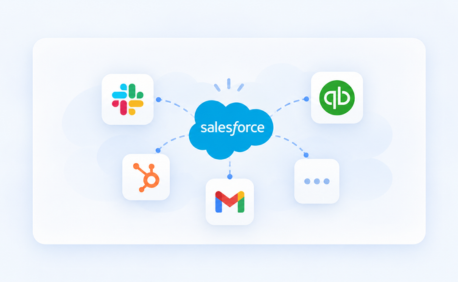
Table of Contents


Introduction
Salesforce delivers the most value when it operates as the central system across your business, not as an isolated CRM.
In most organizations, critical data is spread across multiple platforms: finance systems like QuickBooks, collaboration tools like Slack, support platforms, identity systems, and internal applications. When these systems are not properly connected, teams face delayed updates, duplicate records, fragmented reporting, and inefficient manual processes.
This is where salesforce CRM integration services become essential.
Salesforce CRM integration connects Salesforce with external systems to enable seamless data exchange, ensuring that the right information is available where and when it is needed. Instead of forcing teams to work across disconnected tools, integration in Salesforce CRM creates a unified operational layer across sales, service, finance, and operations.
The goal is not just connectivity but consistency, reliability, and scalability of data and processes.
Why Businesses Need Salesforce CRM Integration
Salesforce often sits at the center of customer operations, but without integration, its impact remains limited.
Reducing manual data handling across systems
In many organizations, teams still rely on manual processes:
- Sales teams re-enter customer or deal data into finance systems
- Finance teams track invoices outside Salesforce
- Support updates live in separate platforms
- Internal collaboration happens without system-level visibility
These gaps slow down operations and increase the risk of errors. With salesforce CRM integration, data movement can be automated using APIs, event-driven processes, or middleware, eliminating repetitive manual work.
Maintaining data consistency across objects and systems
Integration is not just about syncing fields - it is about maintaining data integrity across Salesforce objects and external systems.
This requires careful design of:
- Account and Contact relationships
- Opportunity-to-revenue mapping
- Custom object dependencies
- Source-of-truth ownership
- Sync direction and timing
When done correctly, Salesforce becomes a reliable system for forecasting, reporting, and operational workflows.
Improving reporting and business visibility
Disconnected systems create fragmented reporting. Sales, finance, and service teams often rely on different data sources, leading to inconsistencies in business insights.
With a strong integration in salesforce CRM strategy:
- Revenue tracking becomes more accurate
- Pipeline visibility improves
- Customer lifecycle insights become clearer
- Leadership decisions are based on consistent data
Enhancing customer and internal experiences
Integration reduces friction for both users and customers.
Sales teams can see invoice status without switching systems. Support teams can access full customer context. Finance teams can align billing with sales activity. Internal teams collaborate faster because data reflects real-time business activity.
Popular Salesforce Integrations
Organizations invest in salesforce CRM integration services to connect Salesforce with systems that support their daily operations.
Slack and Salesforce integration
Slack and Salesforce integration enables real-time collaboration around CRM data.
Typical use cases include:
- Notifications for opportunity stage changes
- Alerts for case escalations or SLA risks
- Approval workflows triggered within Slack
- Shared visibility into account or deal updates
The real value lies in enabling action at the right moment. Teams can respond to changes without constantly monitoring Salesforce, improving responsiveness and coordination.
Integrating Salesforce and QuickBooks
Integrating Salesforce and QuickBooks connects CRM and financial systems to align sales and finance processes.
With quickbooks online integration with salesforce, organizations can:
- Automatically sync invoices and payment status
- Display financial data within Salesforce records
- Reduce manual reconciliation between systems
- Improve visibility across revenue operations
A well-designed integration must clearly define:
- Which system owns financial data
- When data is created and updated
- How records are matched and maintained
- How exceptions and sync failures are handled
Without this clarity, integrations can lead to duplicate records and inconsistent financial reporting.
Other key Salesforce integrations
Beyond Slack and QuickBooks, Salesforce is commonly integrated with:
- Automation platforms: To orchestrate cross-system workflows and approvals.
- ERP and eCommerce systems: To synchronize orders, inventory, and transactional data.
- Support and service platforms: To connect case management and customer service operations.
- Analytics and reporting tools: To combine data for dashboards and business insights.
- Authentication systems: To manage user access and identity through tools like Okta or Azure AD.
- Document management and eSignature tools: To streamline contracts, proposals, and approval workflows.
- AI and machine learning platforms: To enable predictive insights, classification, and automation within Salesforce processes.
Types of Salesforce Integration Methods
Selecting the right integration approach depends on system complexity, performance requirements, and scalability.
Native Salesforce integrations
Native integrations are built into Salesforce or available through AppExchange.
They are:
- Faster to implement
- Suitable for standard use cases
- Limited in customization
These are ideal when business requirements align with predefined capabilities.
API-based integrations
API-based integrations provide flexibility and control over how systems interact.
Key considerations include:
- REST or SOAP API usage
- Real-time vs batch synchronization
- Upsert and deduplication logic
- Error handling and retry mechanisms
- API usage limits
This method is suitable for complex workflows requiring custom logic and precise control.
Middleware platforms
Middleware platforms such as MuleSoft provide a centralized integration layer.
They are useful for:
- Connecting multiple systems
- Managing transformations across data formats
- Enabling reusable APIs
- Providing centralized monitoring and governance
Middleware is often the preferred approach for enterprise-scale integrations.
Challenges in Salesforce CRM Integration
While Salesforce integration provides significant benefits, poor implementation can create operational risks.
Data mapping and relationship issues
A common mistake is treating integration as simple field mapping.
In reality, integrations must account for:
- Object relationships
- Lookup dependencies
- Validation rules
- Automation triggers
- Reporting structures
Poor mapping leads to duplicate records, broken relationships, and unreliable reporting.
API limits and performance considerations
Salesforce enforces API usage limits. Poorly designed integrations may:
- Exceed limits
- Trigger unnecessary updates
- Cause performance degradation
Effective design includes selective data sync, bulk processing, and optimized update logic.
Security and compliance risks
Integrations involve data movement across systems, increasing exposure risk.
Organizations must ensure:
- Secure authentication mechanisms
- Controlled access permissions
- Encrypted data transfer
- Compliance with regulatory standards
Scalability challenges
Many integrations work initially but fail as business complexity increases.
As new systems are added and data volume grows, integrations must scale without breaking workflows or degrading performance.
How to Choose the Right Salesforce Integration Partner
Choosing the right partner is critical to successful salesforce CRM integration.
An experienced partner should understand:
- Salesforce data architecture
- Object relationships and dependencies
- Automation and workflow impact
- API design and limitations
- Integration patterns and scalability
Beyond technical execution, the partner should align integration with business processes and long-term goals.
Key capabilities to look for include:
- System discovery and assessment
- Data and object mapping expertise
- API and middleware experience
- Testing and validation processes
- Ongoing monitoring and optimization
How Softsquare’s Salesforce CRM Integration Services Help
At Softsquare, salesforce CRM integration services are designed with a Salesforce-first approach.
Integration is not treated as a simple connector between systems. It is designed as part of the overall Salesforce architecture, ensuring data integrity, process alignment, and scalability.
Our approach
- System assessment: Analyze existing systems, workflows, and data ownership.
- Integration roadmap design: Define architecture, integration methods, and scalability approach.
- mplementation: Build integrations using APIs, middleware, or native tools with a focus on Salesforce data models and automation.
- Testing and validation: Ensure accurate data movement, correct behavior of records, and alignment with business processes.
- Continuous optimization: Monitor integration performance, handle exceptions, and refine processes as the business evolves.
Why this approach works
A well-designed Salesforce integration:
- Reduces operational friction
- Improves data accuracy
- Strengthens reporting reliability
- Enables better automation
- Supports long-term scalability
This transforms Salesforce from a standalone CRM into a connected business platform.
Final Thoughts
A successful salesforce CRM integration strategy goes beyond connecting systems—it ensures that Salesforce becomes the central, reliable system across the organization.
When integrations are designed with the right architecture and Salesforce expertise, businesses gain:
- Consistent cross-system data
- Improved operational efficiency
- Stronger collaboration across teams
- Scalable processes for future growth
Integration done right is not just technical—it is foundational to how modern businesses operate.
Ready to integrate Salesforce with your entire business ecosystem?
- Talk to our Salesforce integration experts: https://www.softsquare.biz/contact-us
- Explore Salesforce Integration Services: https://www.softsquare.biz/services/salesforce-integration-services
Ready to Transform with AI?






Ready to Transform Your Business with Salesforce & AI?
