

How InstallWizard Agent Puts the Right Installation Step in Every User’s Hands - Instantly


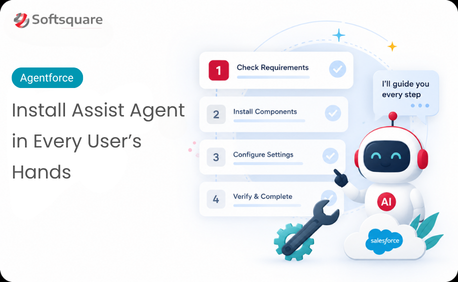
Table of Contents


Installation guides are written to cover every scenario. Which means they’re long, complex, and rarely match exactly what the user is looking at right now. A user facing “Error code 403 during OAuth configuration” doesn’t need a 60-page PDF. They need page 34, section 4.2 — right now.
The problem isn’t that the documentation doesn’t cover it. It almost always does. The problem is that finding the right section, at the right moment, in the right level of detail, is slower than it needs to be and that gap between question and answer is where support tickets are raised and installations stall.
InstallWizard Agent closes that gap.
Why Installation Support Is Harder Than It Looks
Product documentation is comprehensive by design. A single installation guide might cover ten different operating environments, five authentication methods, and three fallback procedures for each major step. That coverage is necessary. But it means users who know exactly what they’re trying to do have to navigate documentation written for everyone — and most of them give up and raise a ticket before they find the relevant section.
Support teams end up serving as a search interface for documentation that already contains the answer. It’s a solvable problem — the knowledge exists. What’s been missing is an agent that can retrieve the right part of it and present it clearly.
How InstallWizard Agent Works: Upload, Search, Guide
InstallWizard Agent built on Data Cloud and Prompt Builder turns your uploaded installation and troubleshooting guides into an intelligent, queryable knowledge layer. Three steps.
- Upload: Installation guides, setup documentation, and troubleshooting references are uploaded to Data Cloud. The agent indexes them semantically — understanding structure, steps, and context, not just keywords.
- Search: A user describes their situation in natural language — what they’re installing, what step they’re on, what error they’re seeing. Data Cloud retrieves the most relevant section of the documentation instantly.
- Guide: Prompt Builder generates a clear, step-by-step response drawn directly from the relevant documentation formatted for the user’s specific situation, not a generic excerpt from the full guide.
What Happens When Users Can Find the Right Step Instantly
Why InstallWizard Agent and Why Data Cloud + Prompt Builder
A documentation search tool returns links. InstallWizard Agent returns answers. Here’s what makes the difference:
“Users used to raise tickets for things that were on page 12 of the guide. InstallWizard Agent finds page 12 for them in ten seconds. Our installation support volume dropped in the first week.” — Product Support Lead · Softsquare
The Results Support Teams Are Seeing
Softsquare deployed InstallWizard Agent to support external users during product installation and troubleshooting.
Impact: Installation-related support tickets reduced significantly; users now resolve common setup and configuration queries independently, without waiting for support team availability.
- Ticket deflection: Common installation queries resolved without raising a support ticket
- Speed: Right step found in seconds — not after navigating a 60-page guide
- Accuracy: Responses drawn from your actual documentation — no generic advice
- 24/7 availability: Users get step-by-step help at any hour, not just during support hours
- Easy to maintain: Update the guide, re-upload, and the agent reflects the change immediately
Conclusion
Your installation guides cover the scenario. They always have. The gap has never been the documentation — it’s been the distance between what the user is experiencing and the section of the guide that addresses it.
InstallWizard Agent closes that distance. Every question, every error message, every “I’m stuck on step 7” — answered in seconds from the documentation you’ve already written.
Ready to put your documentation to work? Talk to Softsquare today →
Ready to Transform with AI?
Frequently Asked Questions
InstallWizard Agent is an AI-guided installation and troubleshooting assistant that retrieves relevant instructions from approved product documentation.
Users can describe the step or error they are facing and receive relevant instructions without manually searching through a long installation guide.
Yes. If the troubleshooting steps exist in the connected documentation, the agent can retrieve and present the relevant guidance.
No. The documentation remains the source of truth; the agent makes the relevant sections easier to find and understand at the moment they are needed.
Yes. If an error code and its resolution are documented, the agent can retrieve the relevant section and provide step-by-step guidance.
Data Cloud can support indexing and retrieval of installation documentation so relevant content can be found based on the user’s question.
Prompt Builder can help turn retrieved documentation into a clear, structured response while keeping the answer grounded in the approved source content.
More Insights for you


















Ready to Transform Your Business with Salesforce & AI?
