

Group Salesforce List Views with AGrid




Table of Contents


Why Salesforce List View Grouping Matters to Users
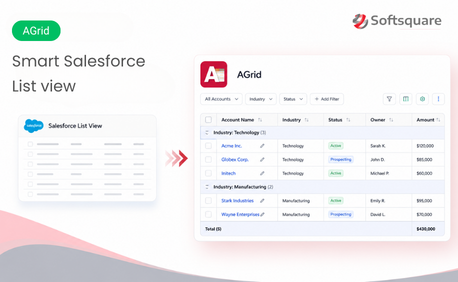
Salesforce list views and related list views are where Salesforce users search, scan, and act. AGrid keeps that flow familiar—but sharper. Update fields in place, run everyday actions without opening records, spot risk with clear highlights, and see totals and counts at a glance. Group those improved views together and more decisions (and updates) happen on a single page. That’s the promise when you Group Salesforce List Views with AGrid.
Key AGrid Features for Salesforce List Views
AGrid elevates the everyday experience of working with list views in Salesforce without changing user muscle memory: inline editing for quick updates, row/list actions where work happens, visual highlights for urgency or risk, summaries for instant totals and counts, and intelligent related lists so surrounding records sit next to the primary list. Once these are in place, grouping becomes the obvious step.
Example setup (see it first, name it later)
- Contacts (Related List): show key people tied to the current Account so reps keep context in view.
- Leads (Intelligent Related List): pull leads whose Lead Email = Account Email to catch hand-raisers connected to this customer.
- Tasks (Standalone List): surface today’s to-dos (overdue + due today) so nothing slips.
Three lists. Three answers. One place. Now turn them into a single workspace.
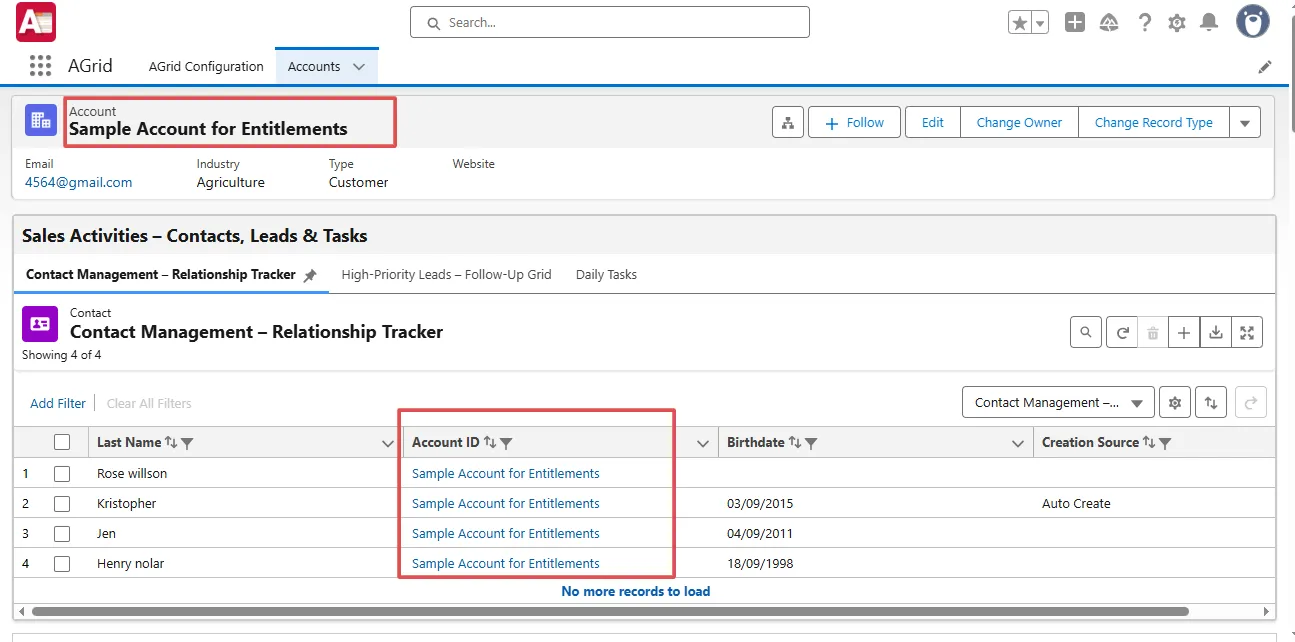
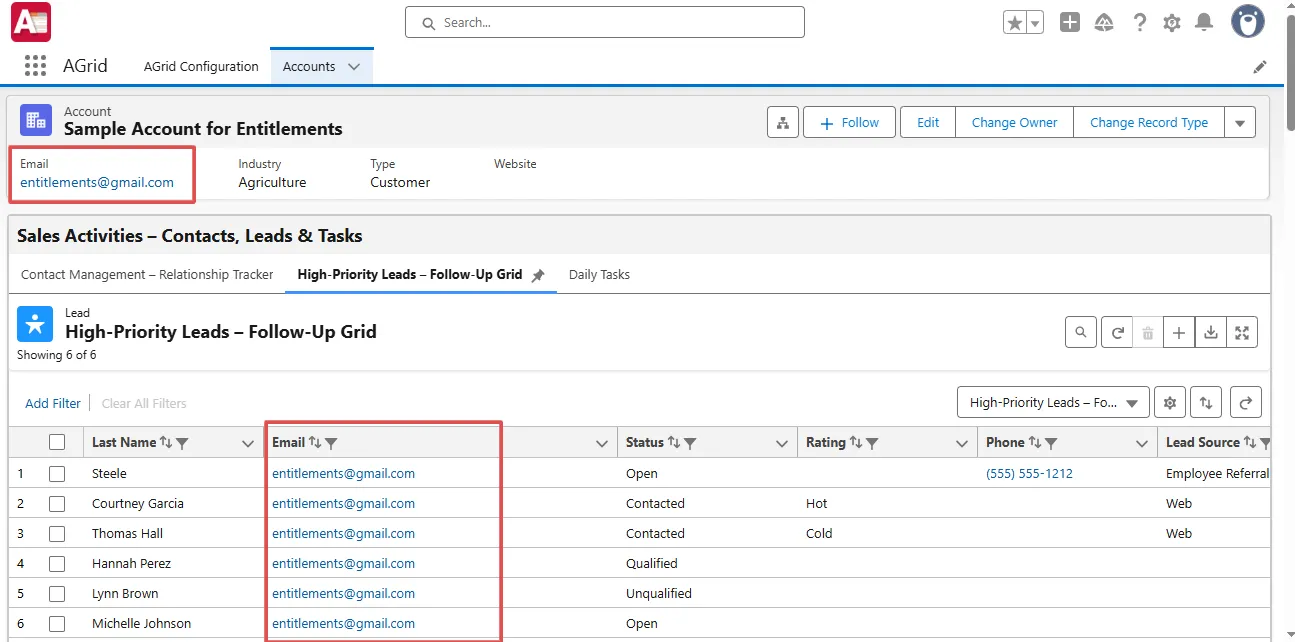
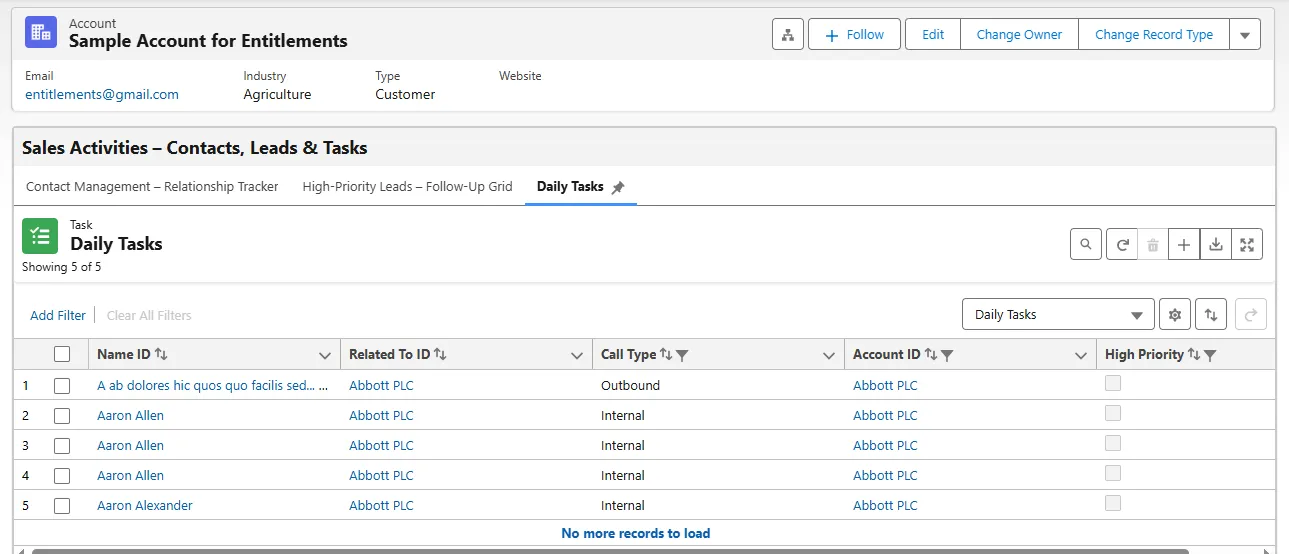
From multiple lists to one workspace
Instead of treating each list as a separate stop, bundle them into a switchable set of tabs (or an accordion/dropdown) you can place on the Lightning pages your teams use most. Define it once, assign it to the right audience, and every improvement cascades wherever it appears. This is how you Group Salesforce List Views into a clean, repeatable workspace.
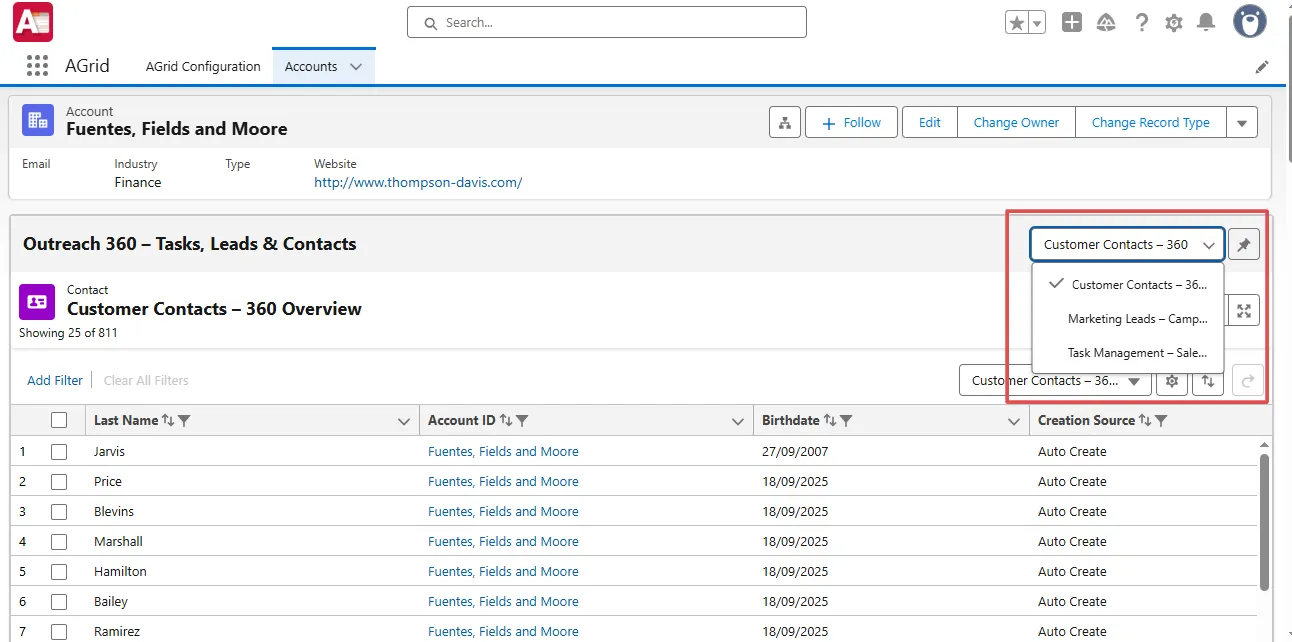
Grouped Lists: capabilities & impact (what you actually get)
- One workspace, many lists: Put must-have lists and related lists side-by-side—context is obvious and complete.
- Audience targeting: Share with users (internal & external), permission sets or groups, roles, and profiles—so each team sees only what’s relevant.
- Act in place: Inline edits and one-click actions work across every list—fewer detours, faster progress.
- Know the scale: Summaries (totals, counts, averages) reveal pipeline, workload, and exceptions at a glance.
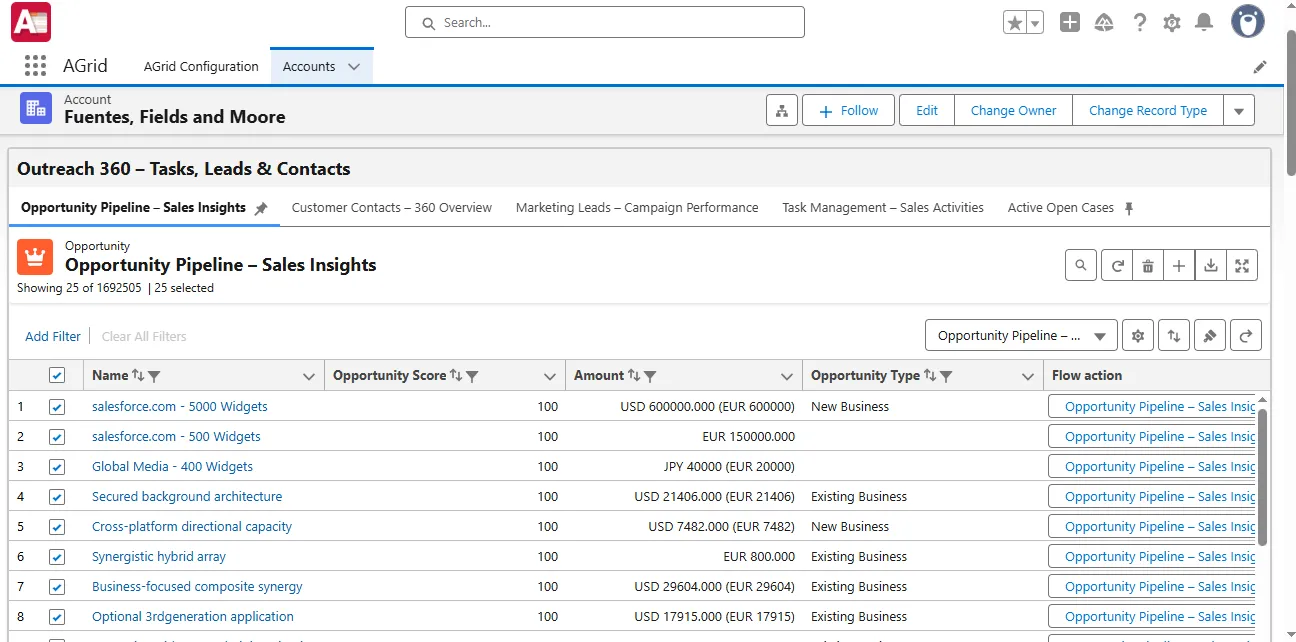

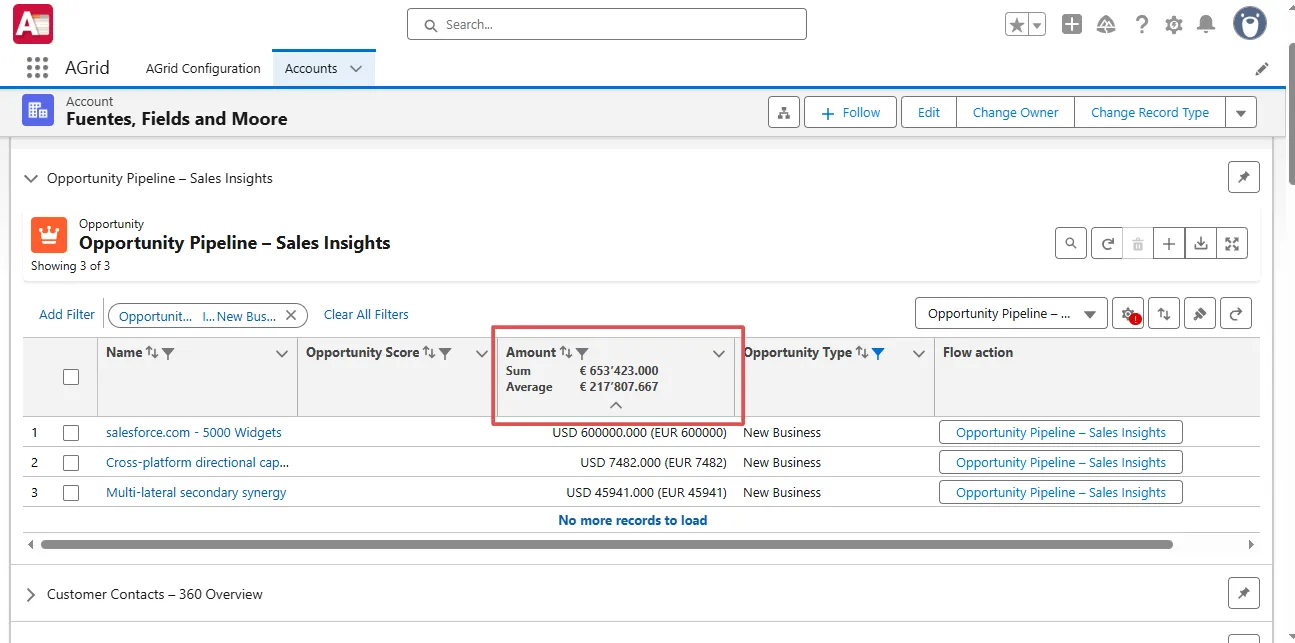
- Define once, reuse anywhere: Drop the same grouped workspace into multiple Lightning pages; updates cascade automatically.
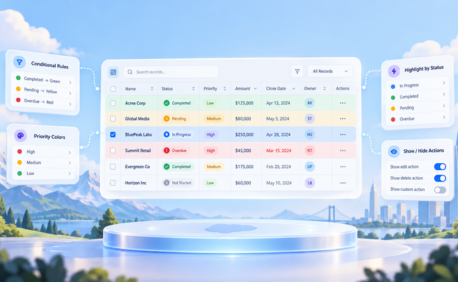
- See risk early: Highlights flag aging deals, SLA threats, or missing data across all lists in the workspace.
- Cross-object context: Mix Opportunities, Cases, and intelligent related lists (e.g., Activities for the current Account).
- Open with record context: Launch the grouped workspace from a row action to see the “full picture” instantly.
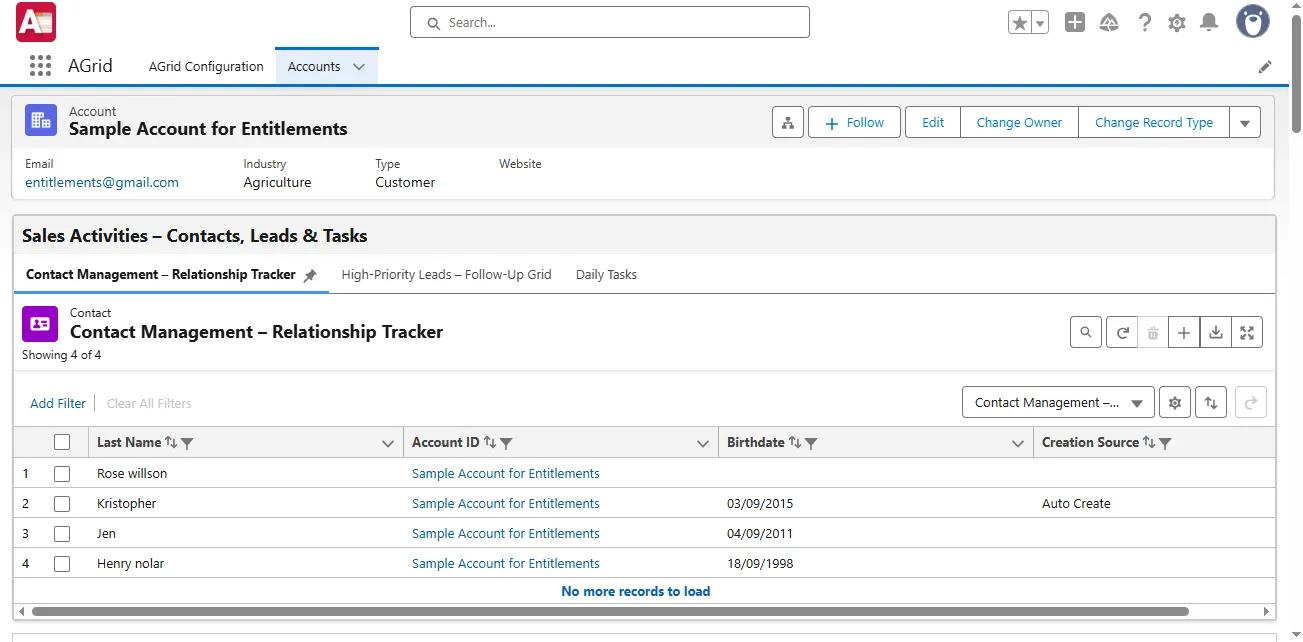
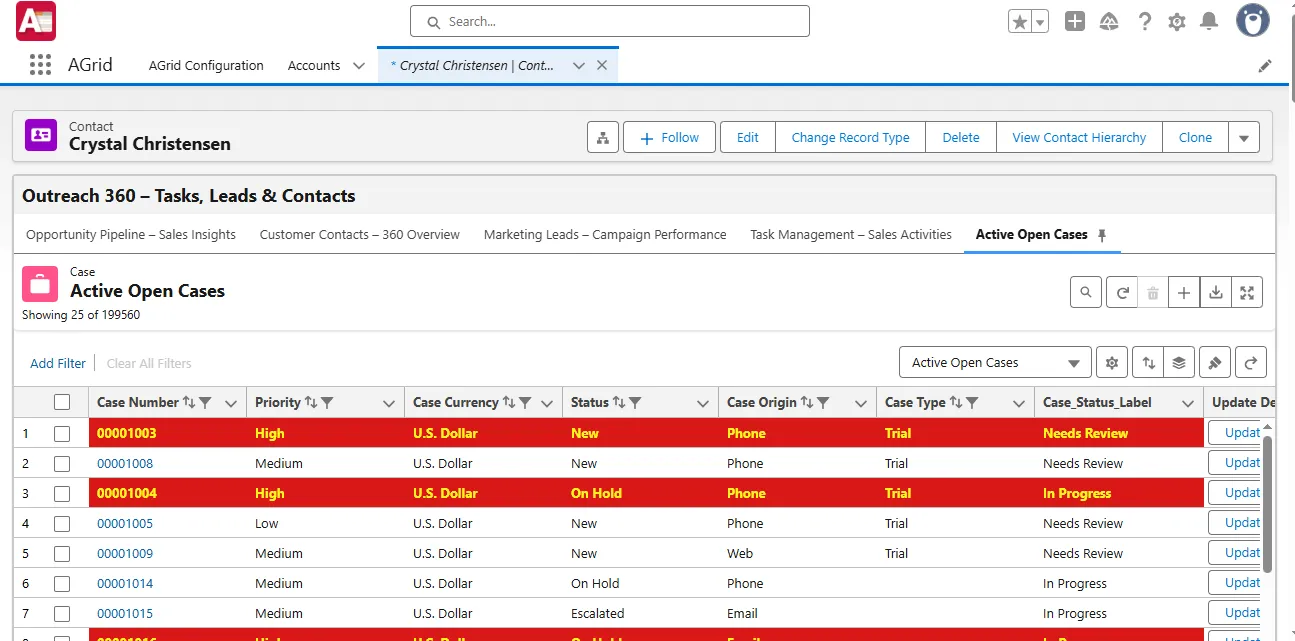
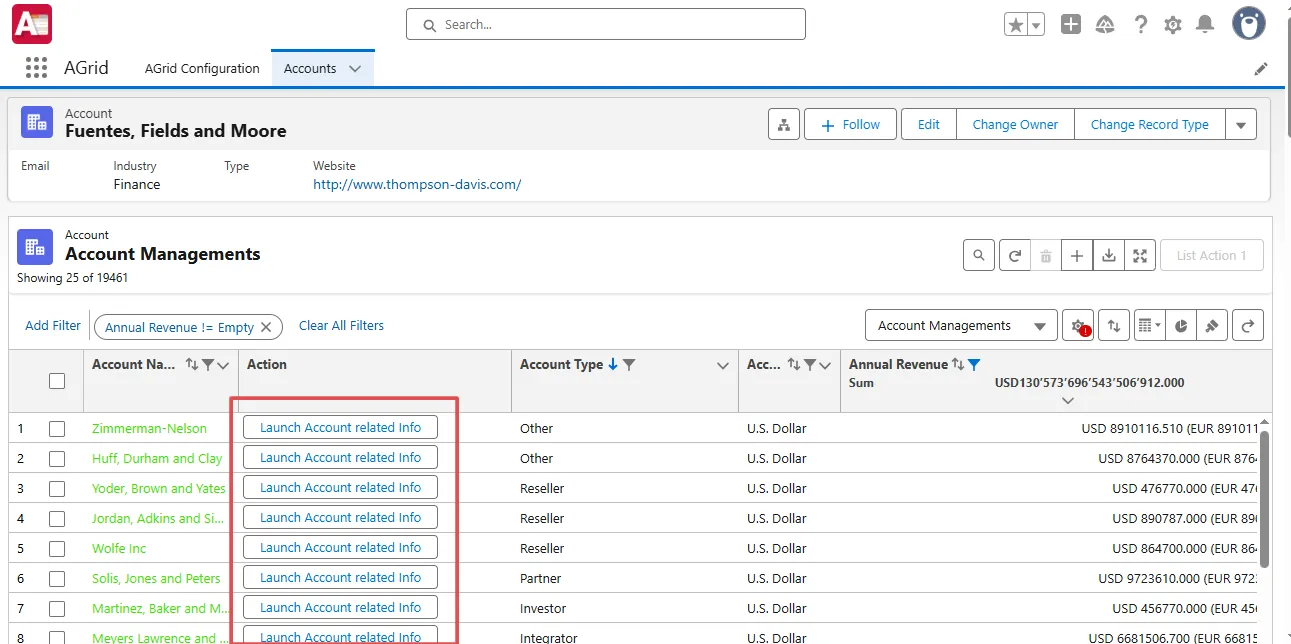
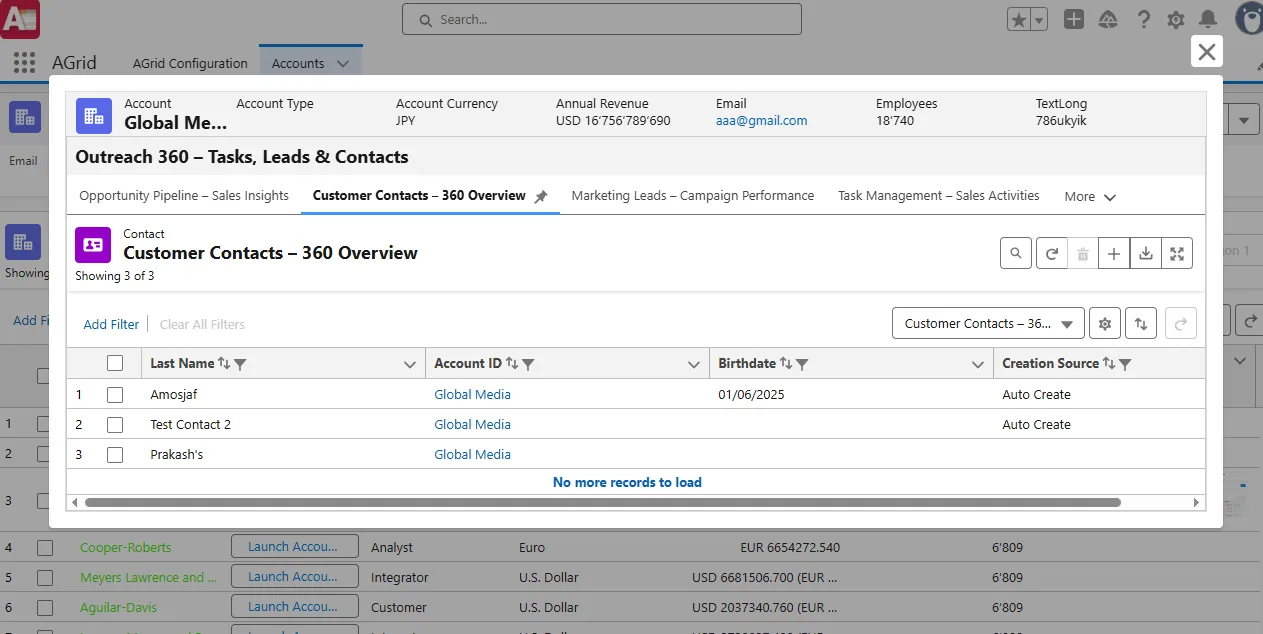
Day-to-day effect: fewer clicks, clearer context, and a shared “source of truth.” Users stop bouncing between pages; admins stop cloning look-alike views; leaders coach to the same tabs because they’re always there for the right audience. That’s what it means to Group Salesforce List Views with AGrid.
Salesforce List View Customization: Admin Controls in AGrid
AGrid gives admins fine-grained control over Salesforce list view customization, making the grouped experience feel tailor-made:
- Choose the visual style per list: Display as Table (spreadsheet-like compare) or Card (visual tiles).
- Declutter when needed: Hide Header (title/action bar) and Hide Selection (checkboxes) for your custom requirements.

- Share with precision: Private or shared; internal, external, or both; target Users, Profiles, Permission Sets, Permission Set Groups, Roles, or Public Groups.
- Launch with record context: Open the grouped workspace from a row action and pass the Record Id—see the full picture for that record and its related records instantly.
- Mix list types in one place: True Related Lists, Intelligent Related Lists (unlinked but matching), and Standalone lists can all live together in a single group.
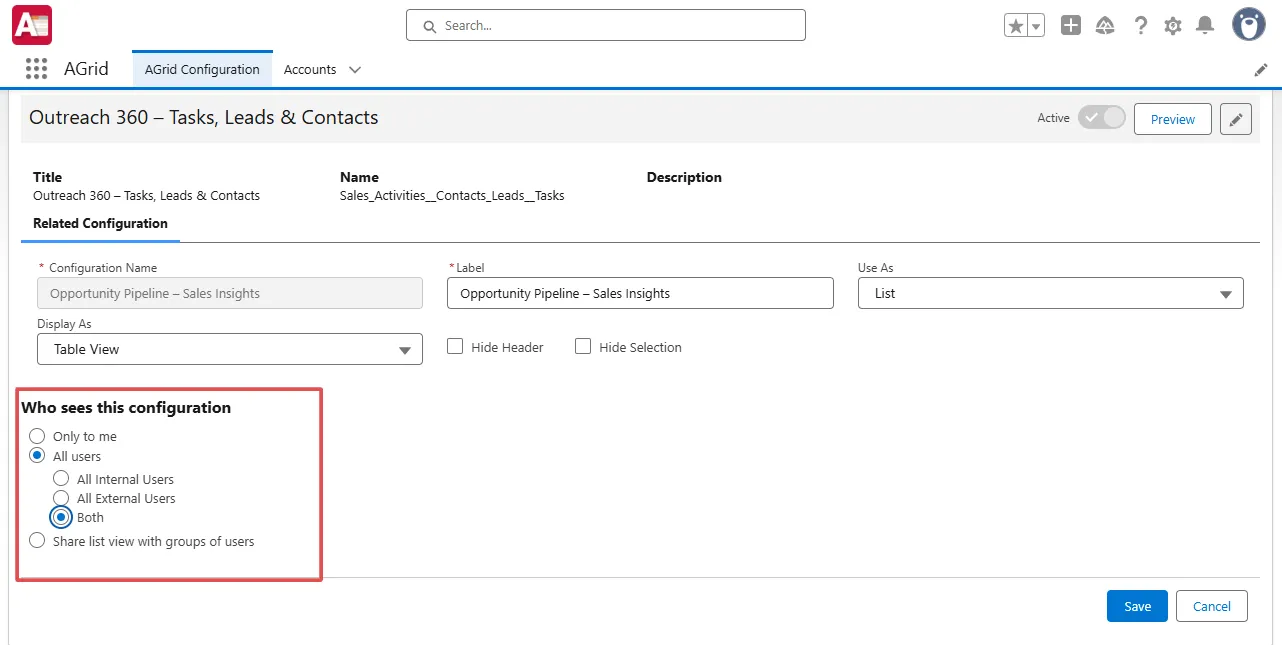

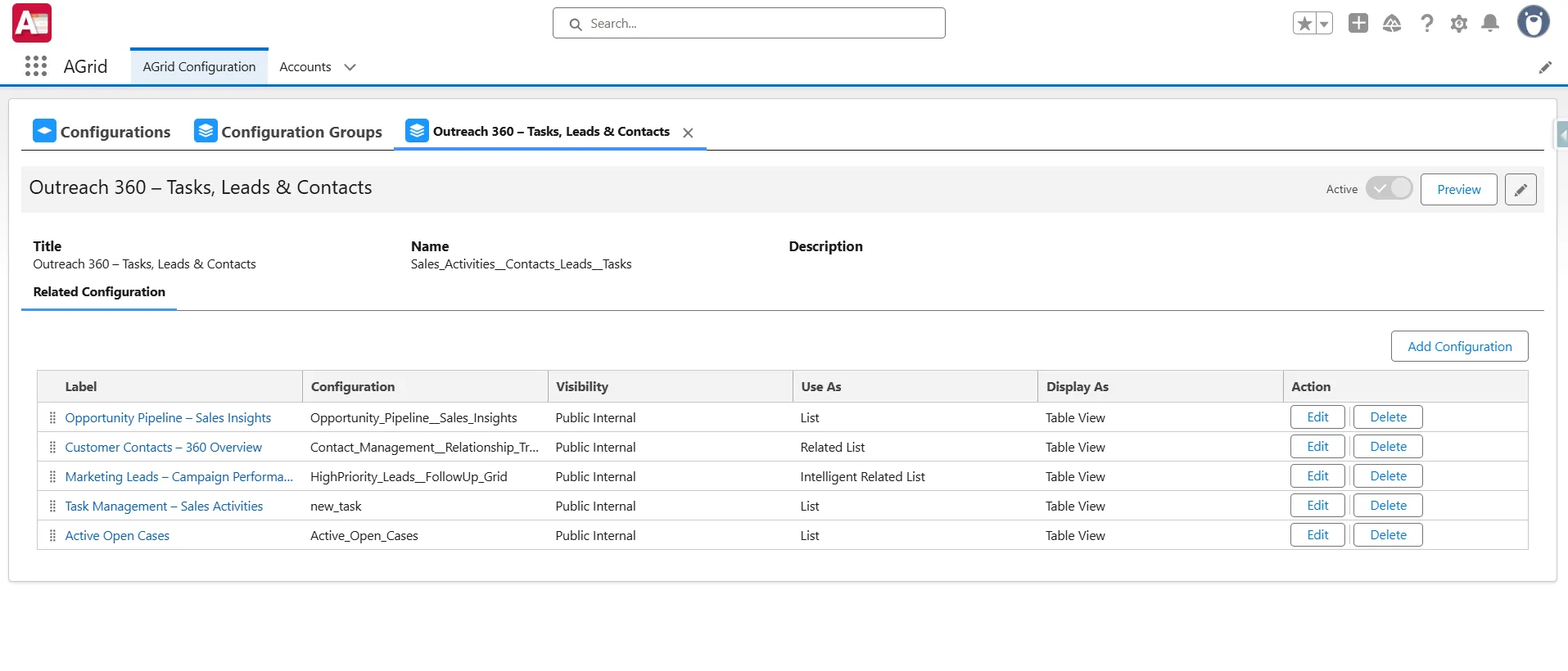
These controls are how the feature goes beyond “straightforward” AGrid lists and becomes a governed, reusable workspace.
Conclusion
When working with one list at a time slows momentum, use AGrid to group Salesforce list views into a governed, reusable workspace. Bring lists, actions, inline edits, highlights, and summaries together so users can focus and finish their work more efficiently.
Learn more: Explore Configuration Groups in the AGrid Admin Manual for options and best practices, or request a demo where we’ll map your needs to a working workspace in your org and show you how AGrid helps you manage list views in Salesforce more efficiently.
Want to Group List Views?
More Insights for you







Ready to Transform Your Business with Salesforce & AI?
