

AGrid Winter ’26 Release: Smarter Views and Better Control


.svg)
Table of Contents


AGrid’s Winter'26 Release is here and it’s focused on the things that quietly slow teams down every single day.
This release sharpens the areas that tend to cause friction over time: confusing lookups, repetitive fixes in Bulk Create, messy personalizations, unclear errors, and grids that just don’t behave the way you want them to.
We spent time revisiting these pain points because they’re the ones admins hear about the most — often after time has already been lost. The result is a set of improvements that feel practical, thoughtful, and immediately useful.
What’s included in this release:
- Lookup Filters
- Bulk Create Pre-Population Enhancements
- Reset Personalized Views
- Improved Error Messages
- Resize Support for Frozen Columns
- SLDS 2 Theme Support
What’s Improved in This Release
Ever felt like small grid issues keep piling up until they become real blockers? This release focuses on clearing those roadblocks.
Lookup Filters
Lookup fields are now easier to control and far less error prone. Admins can define lookup filters directly inside the Filter tab, ensuring users only see values that actually make sense.

- Add multiple filters using AND, OR, or custom logic
- Define clear error messages when lookup conditions aren’t met
- Restrict lookup filter creation and management to admins
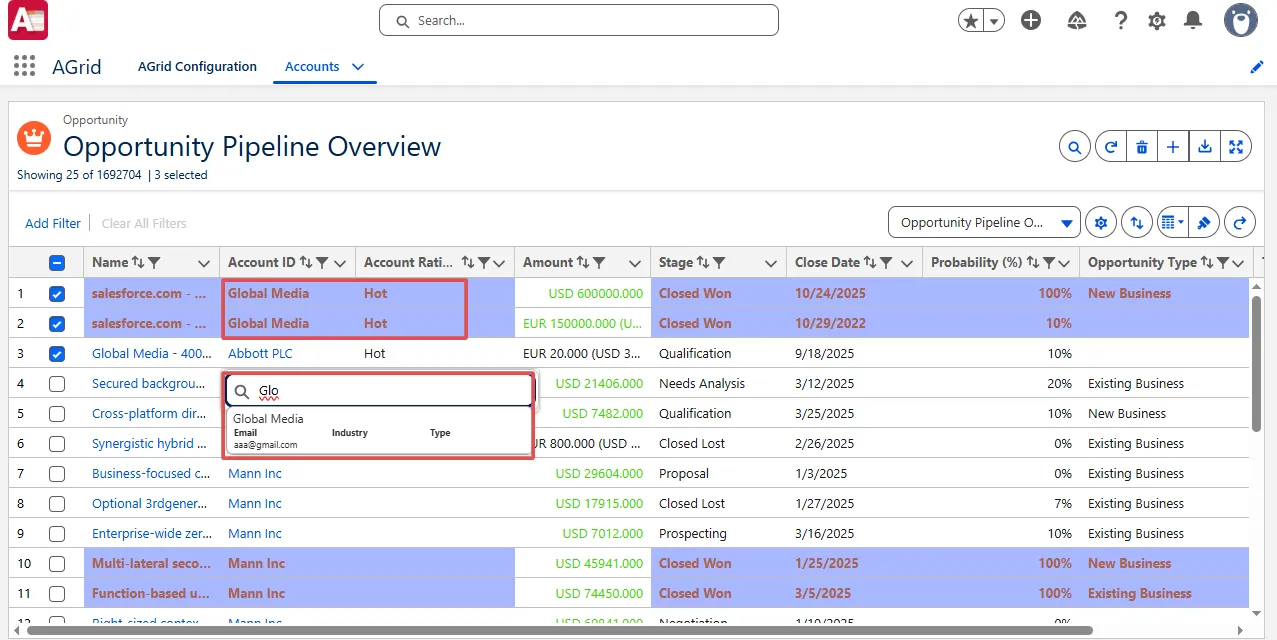
No more cleaning up incorrect selections later or explaining why a lookup value shouldn’t have been chosen, the grid now guides users correctly from the start.
Bulk Create Pre-Population Enhancements
Bulk Create now behaves in a far more predictable and controlled way when reference fields are involved — an area that previously caused confusion during large record creation and even Standard Salesforce creation.
Admins can decide exactly how default values are applied, including how child reference fields resolve their values, instead of leaving it to runtime behavior.
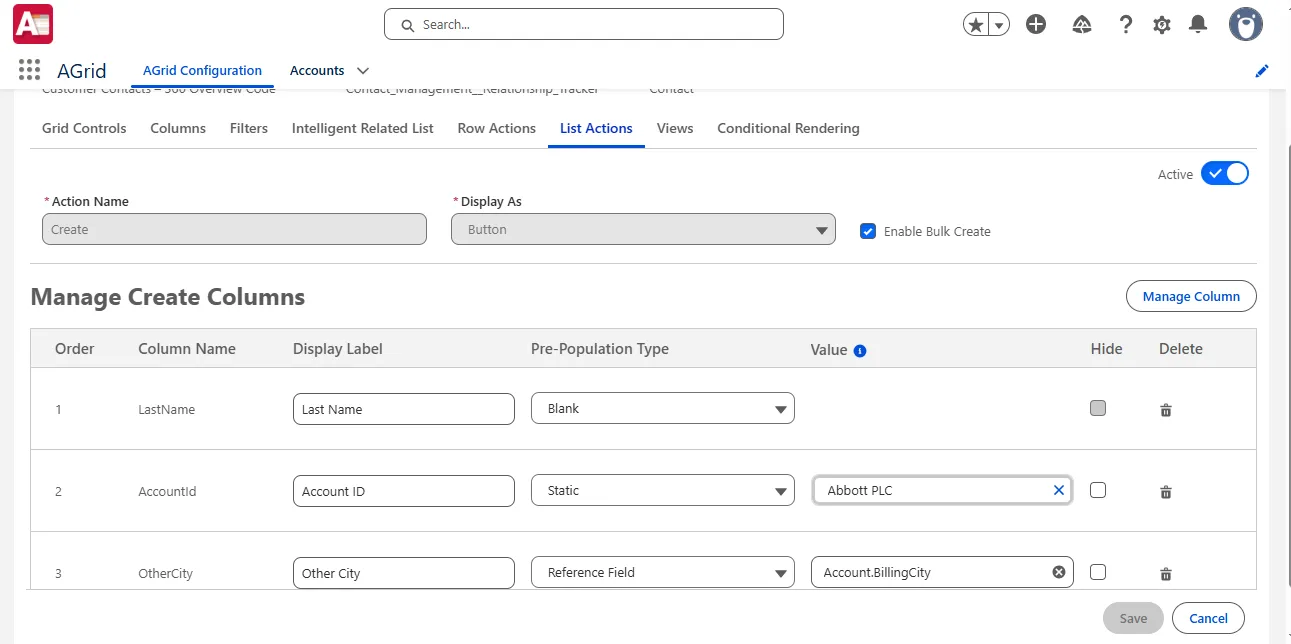
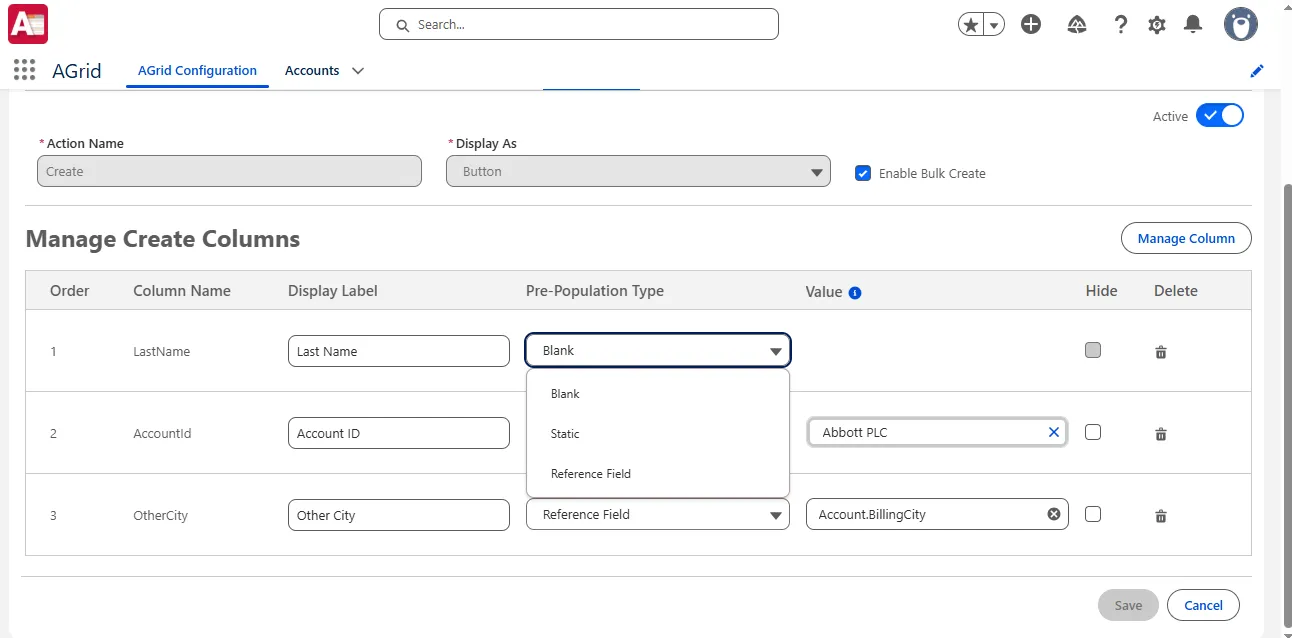
- Leave fields blank for user input
- Apply admin-defined static values
- Pre-populate fields using reference mappings from parent records
What makes this enhancement significant is how reference fields now follow clear, enforced rules — removing ambiguity during Bulk Create.
- Reference fields resolve values only from admin-defined static parent records
- If a static parent value is not provided, child reference fields do not render values
- If a user passes a Parent Field Name or Parent ID during creation, only the parent field is overridden
- Child reference fields continue using the admin-configured static parent record
- Reference mappings support up to five parent-level traversals
- Reference Field pre-population applies only when source and target fields share the same data type
Example 1:
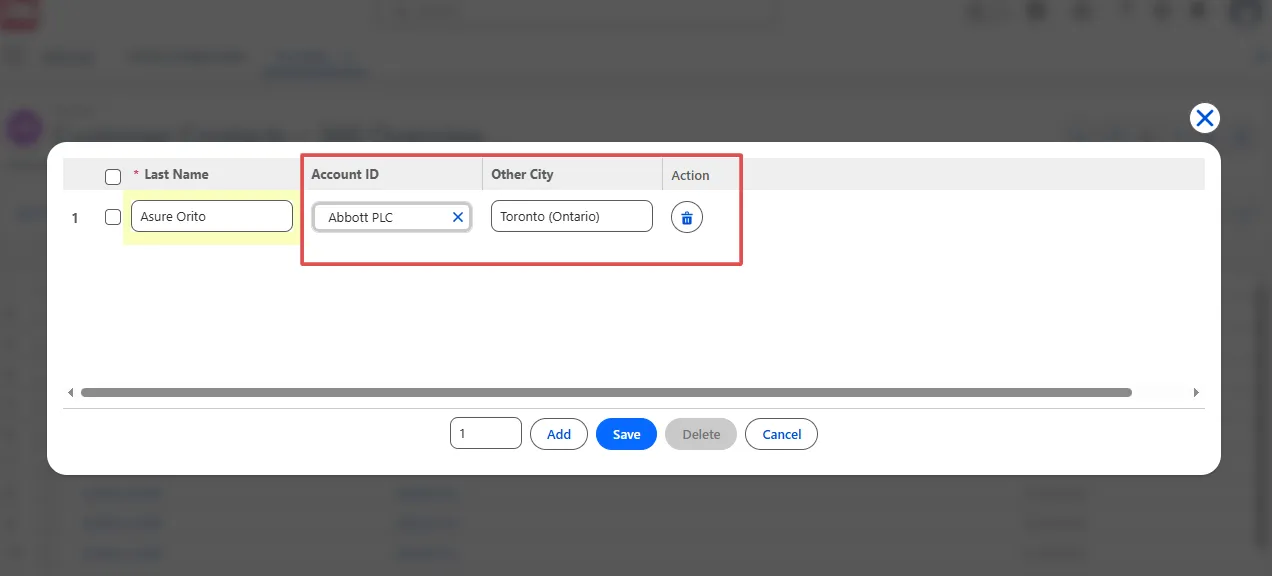
An admin sets Account as a static value and configures Contact OtherCity using a reference mapping. During Bulk Create, the OtherCity field is automatically populated from the configured account — ensuring consistency across all created records.
Example 2:
If a user supplies a different Account while creating records, only the Account field updates. All reference-mapped child fields continue using the admin-defined static Account, preventing unexpected value changes.
This ensures Bulk Create behaves exactly as configured — no hidden recalculations, no surprises, and no extra cleanup after records are created.
Reset Personalized Views
Personalized views are powerful — until they get out of hand. This release introduces a dedicated Reset Views capability so admins can clean things up without rebuilding configurations.
- Reset sorting, grouping, Kanban view, column width, text wrap, summaries, charts, and more
- Reset Managed Views, Base Configuration Views, and End-User Views
- View all personalization's created by a specific user and reset them individually
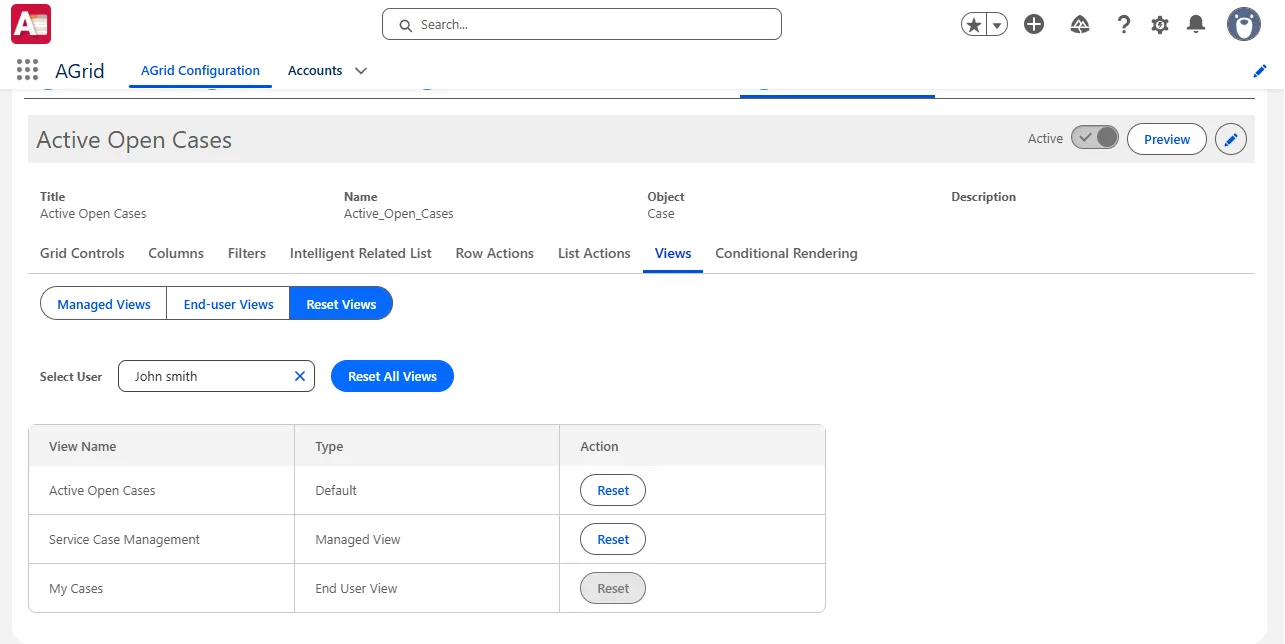
Admins can simply select a user, review their personalized views, and reset each view back to its original configuration with a single action — no guesswork, no reconfiguration.
Improved Error Messages
Configuration issues are now much easier to understand and resolve. When a field used in a configuration is renamed or removed, the error message clearly tells you what went wrong.
- Displays the missing or unavailable field name
- Identifies the exact configuration where the issue exists
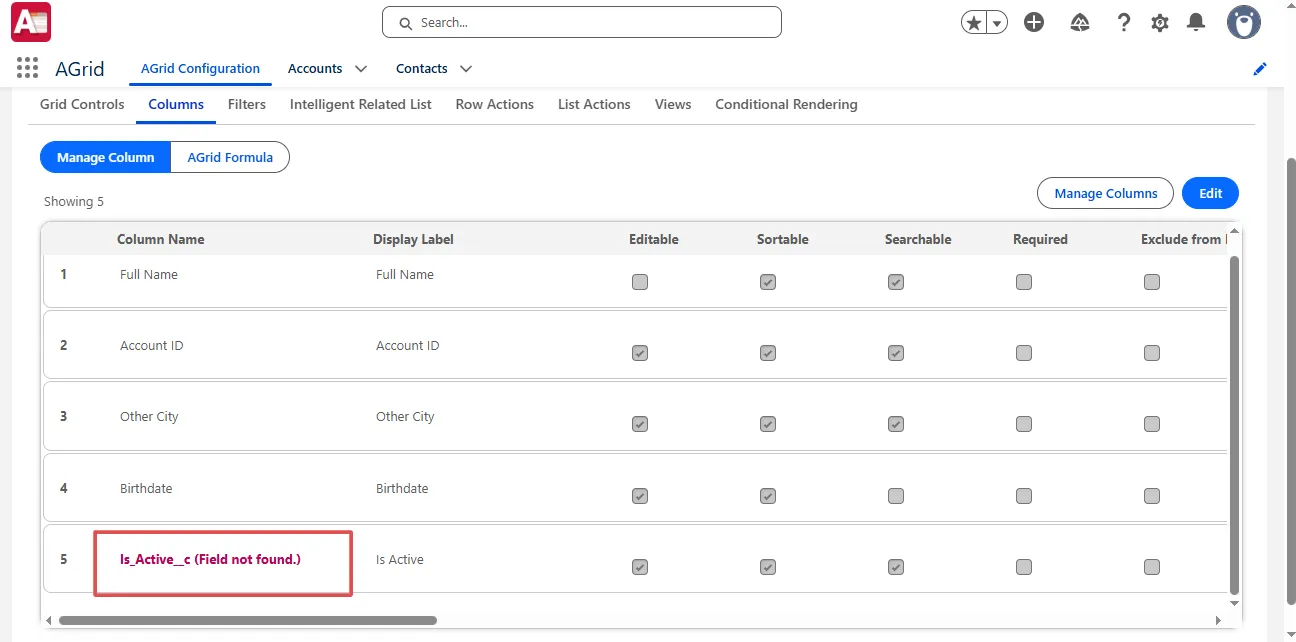
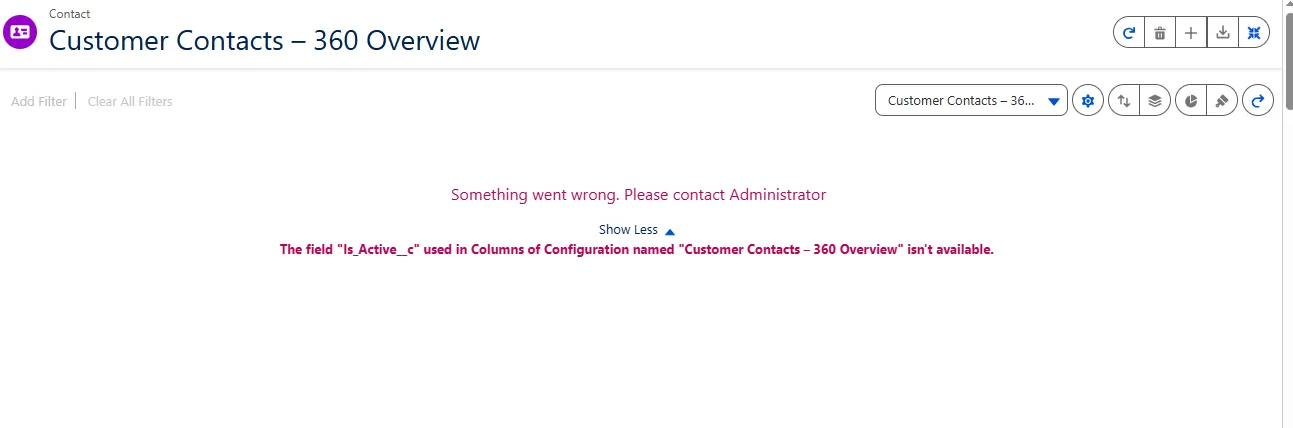
This saves time during troubleshooting — no more digging through multiple tabs or guessing which part of the configuration broke.
Resize Support for Frozen Columns
Frozen columns are now easier to work with in real-world data grids. You can resize frozen columns directly, instead of being stuck with widths that don’t fit your data.
- Freeze up to three columns
- Resize each frozen column within the grid
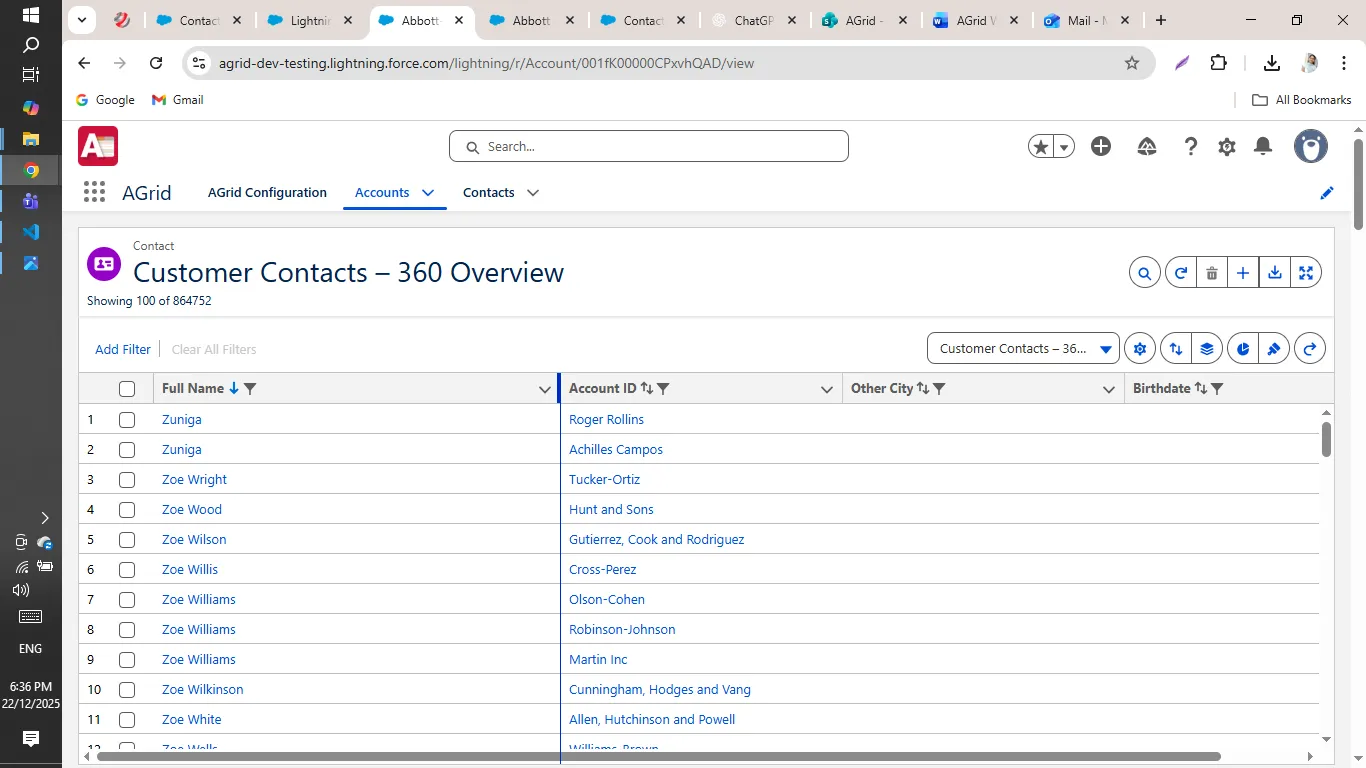
This makes a big difference when key fields need more space, especially while scrolling through large datasets with many columns.
SLDS 2 Theme Support
The grid now fully aligns with Salesforce’s SLDS 2 design system, bringing a more modern and consistent look to the UI.
- Updated buttons, borders, and UI elements
- Improved visual consistency with Lightning pages
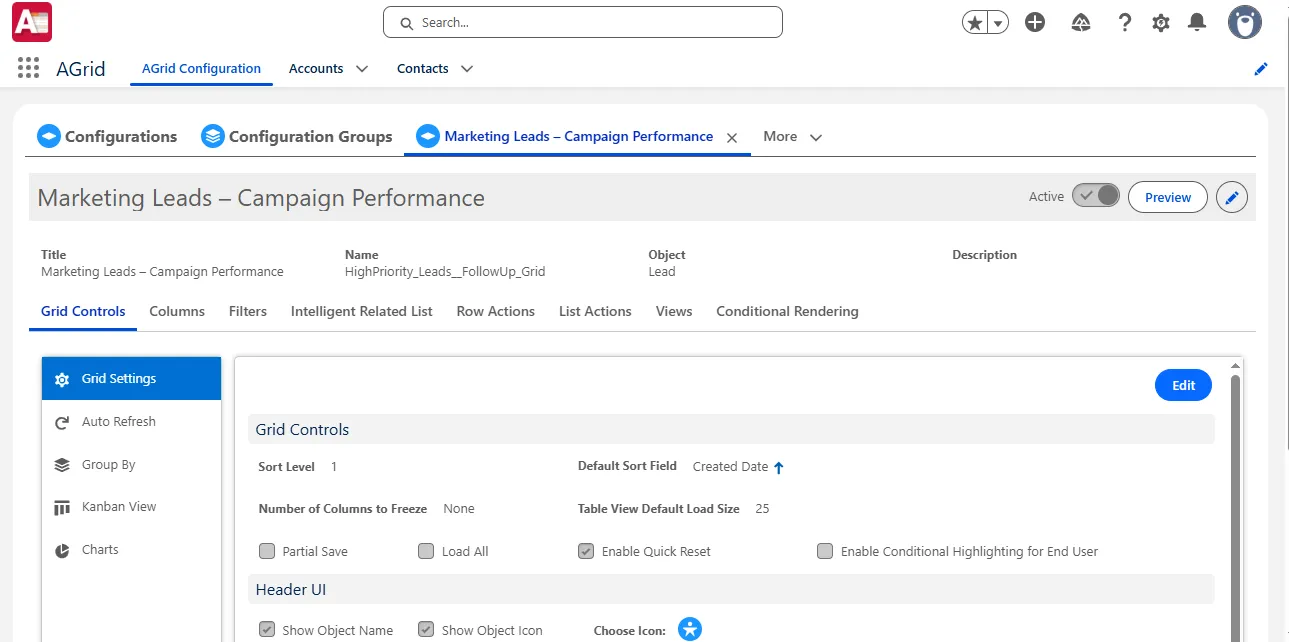
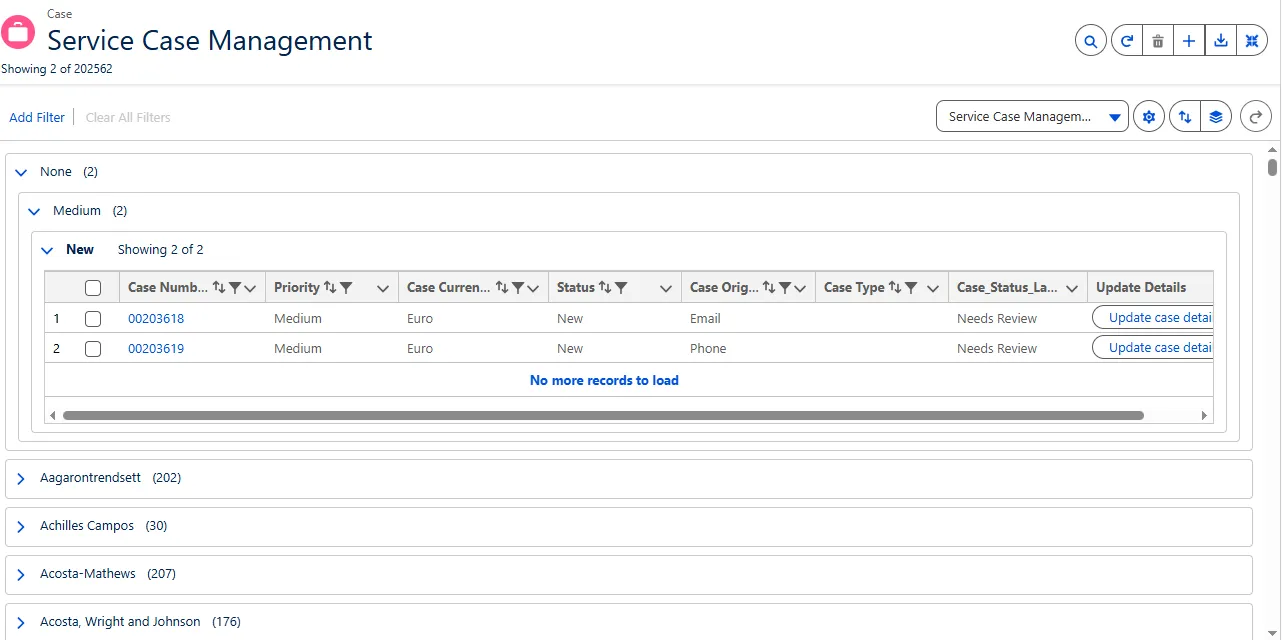
Everything feels cleaner and more in sync with the rest of Salesforce. No more visual disconnect between the grid and the surrounding UI.
What’s Next?
These enhancements are available now and they’re designed to remove the small annoyances that add up over time.
👉 Upgrade from the AppExchange to start using these improvements
👉 Check the updated manual for configuration details and examples
👉 Contact us if you have questions or want help enabling these updates
All related documentation is available for deeper insights into each enhancement.
Want to Explore What’s New?
More Insights for you








Ready to Transform Your Business with Salesforce & AI?
