

Agentforce Headless Agents: How They Work and What They Do


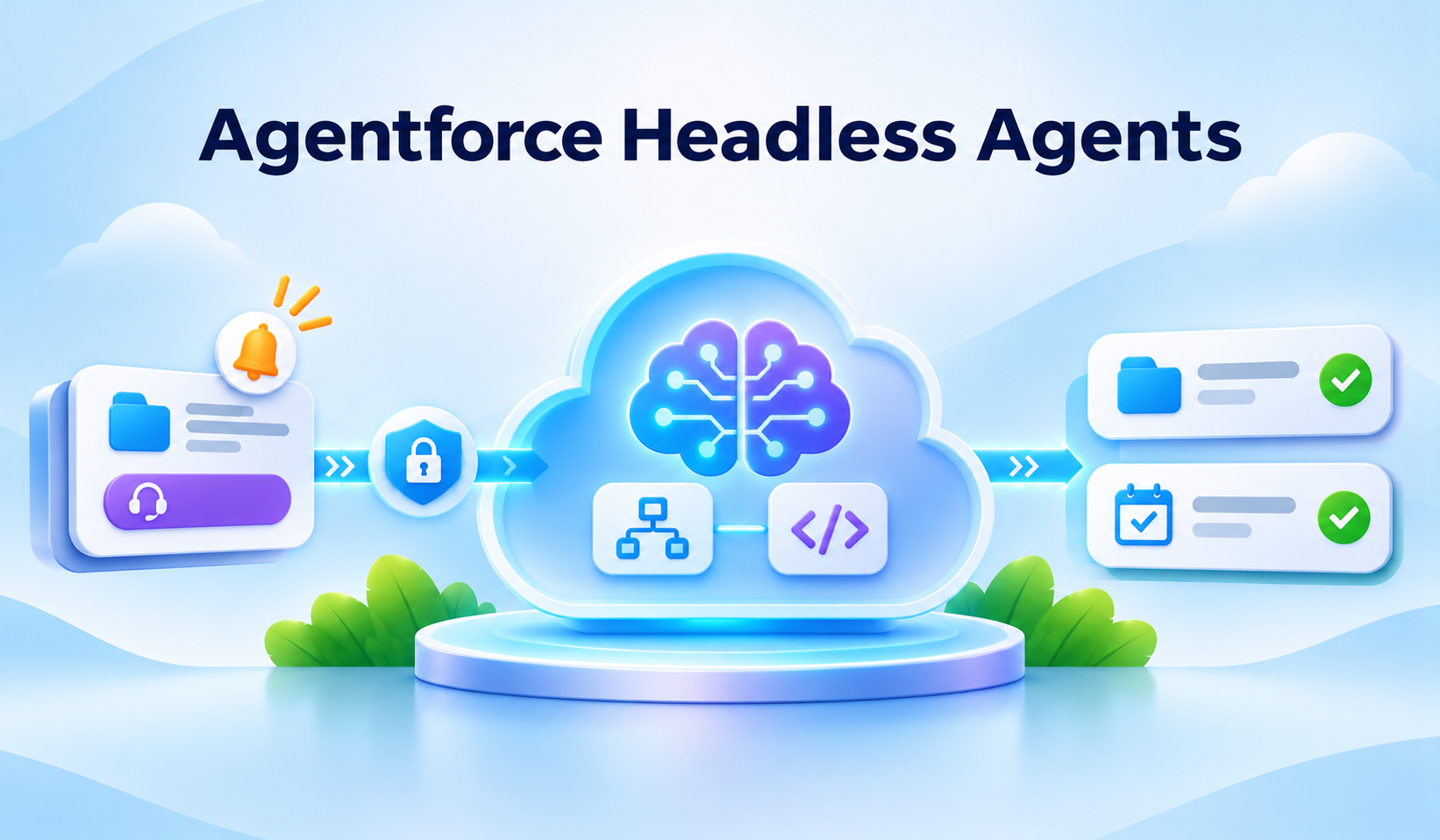
Table of Contents


Enterprise automation rarely begins with someone opening a chatbot. A support case changes status, an order arrives, a document is uploaded, or a sales opportunity needs attention. Each event can set off several steps across systems, often requiring employees to gather information and make routine updates manually.
Agentforce headless agents bring AI-driven decision support and action execution into these existing workflows. Instead of waiting for a person to type a question, an application or automation can invoke an agent, provide context, and receive a result. The agent can then use approved Salesforce actions to support a defined business process.
But what makes an agent headless, how does the integration work, and where should businesses use it? This guide explains the architecture, capabilities, implementation steps, and practical safeguards.
What Are Agentforce Headless Agents?
Agentforce headless agents are Salesforce AI agents accessed programmatically rather than through a dedicated chat interface. They use the same underlying agent capabilities - business instructions, relevant context, reasoning, and configured actions but a system initiates the interaction.
A headless agent is therefore an integration pattern, not a separate AI model. A conversational agent might help a service representative through a chat panel. A headless agent can process an incoming service event without displaying a chat window at all.
Salesforce's Agent API provides REST endpoints for external applications to start sessions, send requests, receive responses, and end sessions. Within Salesforce, supported agents can also be invoked through Flow or Apex invocable actions. This makes headless AI agents useful when automation must connect CRM intelligence with backend processes.
How Do Agentforce Headless Agents Work?
The typical flow is straightforward: business event → authenticated request → agent reasoning → approved action → result. The implementation still requires careful management of identity, context, and outcomes.
1. Request Initiation and Authentication
An application, middleware service, or scheduled process detects an event. For example, an order-management system requests a delivery-status check. The calling service authenticates with Salesforce and obtains the necessary OAuth access token.
For Agent API, Salesforce currently documents an External Client App (ECA) with the required OAuth configuration and a supported JWT-based token flow. Permissions must reflect what the integration and agent actually need.
2. Agent Invocation Through Agent API
The caller starts an Agent API session and receives a session ID. It then sends a message containing the task and relevant identifiers, such as an order number or Salesforce record ID.
The API exchanges messages with the configured agent over REST. A session-based design lets applications follow up on the same task without repeating every detail.
3. Context Understanding and Reasoning
The agent evaluates the request against its instructions, available subagents, business data, and permitted actions. For instance, it may determine that it needs a Salesforce case record before recommending a next step.
Agent reasoning should work within defined boundaries. Critical eligibility rules or approval thresholds belong in deterministic business logic, not only in natural-language instructions.
4. Executing Actions and Business Operations
Depending on configuration, the agent can invoke Salesforce Flow, Apex, or API-backed actions to retrieve information, create tasks, or update records. An external integration can also coordinate actions in other enterprise systems.
A useful design separates interpretation from execution: the agent decides which approved action is appropriate, while validated workflows enforce the actual business rules.
5. Response Delivery and Session Management
The caller receives a result, checks whether the expected operation succeeded, and records the outcome. Related messages can reuse the session ID to preserve conversation context; the integration should explicitly end sessions when finished.
Context is session-specific, not an automatic long-term memory across unrelated jobs.
What Are the Key Capabilities of Agentforce Headless Agents?
Autonomous Task Execution
A headless agent can act when a system invokes it, without needing someone to supervise every prompt. Autonomy is bounded by the permissions and actions the business has configured—not permission to perform unrestricted operations.
API-Based Application Integration
Agent API lets websites, middleware, backend services, and enterprise applications interact with agents through standardized endpoints. Teams can add intelligent handling to existing experiences without rebuilding them around a Salesforce chat panel.
MCP-Based Integration and Interoperability
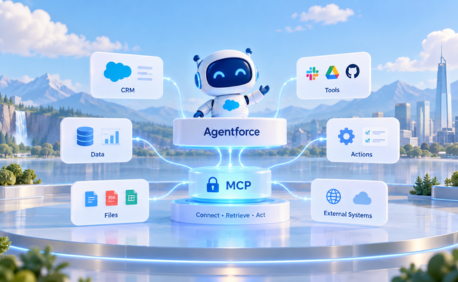
Model Context Protocol (MCP) enables Agentforce agents to connect with external tools and services through a standardized integration approach. Agents can use supported MCP server tools to retrieve information and execute approved actions across connected systems.
Supported Agentforce agents can also be exposed as MCP tools, allowing external AI assistants such as Claude or ChatGPT to invoke Salesforce-powered capabilities without a dedicated Agentforce interface. This improves interoperability and reduces the need for custom, application-specific integrations.
Background Workflow Automation
Scheduled jobs, event-driven flows, and Apex-based processes can initiate agent work using supported invocation mechanisms. This is especially useful for record enrichment, case triage, and periodic checks. The initiating automation still needs retries, logging, and sensible execution limits.
Synchronous and Streaming Processing
A synchronous Agent API request returns the completed response in one HTTP exchange. A streaming request uses Server-Sent Events (SSE) to send progress and response events as they become available.
Streaming is often described as asynchronous interaction, but it does not automatically create a durable background job. Long-running business processes may need a queue or orchestrator outside the Agent API. Salesforce also documents a 120-second Agent API timeout.
Multi-Agent Collaboration
An orchestrator can distribute work among specialized agents. In lending, one agent might evaluate submitted documents while another retrieves required policy information. The orchestrator combines outputs and applies process controls. This collaboration requires explicit architecture; creating multiple agents alone does not produce coordination.
Scalable Enterprise Automation
Reusable agent actions can support teams across sales, service, finance, and operations. Scaling depends on API limits, execution cost, throughput, secure integrations, and monitoring not simply adding more agents.
What Are the Business Use Cases of Agentforce Headless Agents?
Automated Customer Support and Case Management
A new case can trigger a headless agent to retrieve account context, identify the issue category, recommend routing, and prepare a summary. For sensitive cases, a human can approve the recommendation before any consequential record change.
Loan Application Processing
A lending workflow can coordinate document checks, information completeness, credit-data retrieval through authorized integrations, and policy validation. Agents assist with gathering and interpreting information; regulated decisions should remain subject to documented controls and human oversight where required.
Sales Operations and CRM Automation
When an opportunity reaches a milestone, an agent can assess missing CRM details, suggest follow-up tasks, or update approved fields. This reduces administrative effort without allowing inferred data to overwrite verified customer information.
Order and Inventory Management
An order event can prompt the agent to retrieve stock status, check shipment information, or initiate an exception workflow. External ERP and inventory systems remain the sources of truth for their records.
Enterprise Data Retrieval and Processing
An agent can gather relevant information from Salesforce and connected systems, assemble a concise summary, and return it to another application. This pattern supports internal reporting, service preparation, and workflow handoffs—subject to record-level access controls.
Agentforce Headless Agents vs. Traditional Conversational AI Agents
These approaches are complementary. An enterprise might use conversational AI to collect a request and a headless workflow to complete the backend steps.
How to Implement Agentforce Headless Agents in Salesforce
Step 1: Define the Business Process and Automation Requirements
Choose one measurable workflow. Document its trigger, inputs, actions, success conditions, exception paths, and systems of record. Start with a low-risk process before automating sensitive updates.
Step 2: Configure an Agentforce Agent
Create an appropriate Agentforce agent, define focused instructions, and configure its subagents and actions. Use Flow for repeatable business steps and Apex for logic that genuinely needs code. Apply least-privilege access to the agent's execution context.
Step 3: Configure Agent API Access
For an external integration, follow Salesforce's Agent API setup guide. Configure the ECA, OAuth scopes, client credentials, run-as identity, and agent access. Protect secrets and review the user context under which actions execute.
Important: Agent API does not support agents of type Agentforce (Default). Confirm compatibility before designing the integration.
Step 4: Integrate the Agent with External Applications
Build the client to start a session, submit a structured task request, process the response, and close the session. Pass only necessary identifiers and context. Keep credentials on the server rather than exposing them in a browser.
Step 5: Configure Actions and Workflow Triggers
Connect approved Flow, Apex, and external-system actions. For Salesforce-native initiation, consider the supported agent invocable actions in Flow or Apex rather than assuming every workflow must call the REST API. Use asynchronous orchestration when transaction boundaries or external dependencies demand it.
Step 6: Test Responses and Execution
Test successful requests, incomplete data, denied permissions, duplicate events, unexpected agent selections, timeouts, and partial failures. Verify the business outcome, not only whether the agent produced a plausible response. Include regression tests for actions and instructions.
Step 7: Deploy, Monitor, and Optimize
Track latency, failed actions, escalation rates, usage, and cost. Review session traces where available, improve instructions from observed failures, and maintain a rollback path for high-impact automations.
What Are the Challenges of Implementing Agentforce Headless Agents?
The hardest work usually sits around the agent rather than inside the prompt. Common challenges include managing OAuth identities, carrying session context correctly, connecting multiple systems, and deciding what happens when a request times out.
There is also a difference between a well-written answer and a successfully completed action. Integrations must validate responses, handle retries without duplicating updates, and log execution outcomes. Data sharing must respect Salesforce permissions and external-system policies.
Finally, AI outputs can vary. A workflow that changes financial, customer, or regulatory records needs stronger validation, approval checkpoints, and traceability than one that produces an internal summary.
Best Practices for Implementing Agentforce Headless Agents
- Give each agent a clear responsibility. Define permitted actions, completion criteria, and when to escalate.
- Secure every connection. Use least-privilege identities, appropriate OAuth scopes, and protected credentials.
- Build modular actions. Keep Flow and Apex operations reusable, predictable, and independently testable.
- Manage context intentionally. Pass essential records, preserve relevant session IDs, and avoid unnecessary sensitive data.
- Design for failure. Add timeouts, retries, idempotency checks, and a safe fallback to a person or queue.
- Enforce business guardrails. Apply deterministic validation and human approval to consequential operations.
- Test both response modes. Handle synchronous responses and SSE events, including disconnects and incomplete results.
- Monitor real outcomes. Measure correctness, business value, latency, and consumption—not just response quality.
Salesforce's Agent API considerations also cover compatibility, timeout behavior, and usage consumption. Review these alongside your organization's governance standards.
Conclusion
Agentforce headless agents extend Salesforce AI beyond chat windows into the applications and workflows businesses already use. They can interpret requests, access approved data, invoke actions, and return results without a dedicated user interface.
Successful adoption depends on disciplined architecture: secure authentication, clearly scoped actions, reliable session handling, and monitoring that confirms actual business outcomes. Start with a controlled use case, prove its value, and expand gradually.
Planning an Agentforce integration? Connect with Softsquare to explore how AI agents, Salesforce automation, and enterprise integrations can work together in your environment.
Ready to Transform with AI?
Frequently Asked Questions
They are Salesforce AI agents invoked through applications or automation instead of requiring a chat interface.
A system sends a request, the agent evaluates context and permitted actions, and the result returns to the caller.
It is a REST API for starting agent sessions, exchanging messages, and ending sessions programmatically.
Yes. A backend service or automated process can initiate and consume an agent response without displaying a chat window.
Yes. Salesforce supports agent invocable actions for applicable Flow and Apex use cases, subject to feature and user restrictions.
Synchronous requests return one completed response; streaming requests use SSE events. SSE is not a durable background-job queue.
Yes, through an explicitly designed orchestrator or integration that coordinates specialized agents and validates their outputs.
More Insights for you








Ready to Transform Your Business with Salesforce & AI?
