

What Is Salesforce Customer 360?


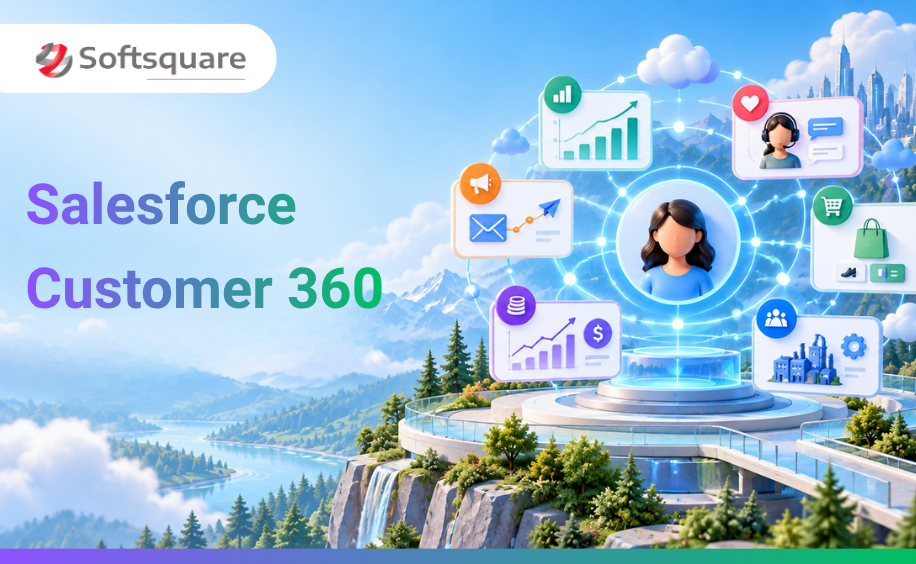
Table of Contents


Your business already runs on Salesforce. Your sales team uses Sales Cloud. Your service team uses Service Cloud. Your marketers use Marketing Cloud. These apps hold years of your business's processes, customer records, pricing rules, and institutional knowledge.
In the Agentic Enterprise, none of that changes. What changes is what those apps can now do.
Customer 360 is Salesforce's suite of business apps and in 2026, every one of them has been reimagined as an AI-ready platform where Agentforce agents operate alongside your people. The apps your teams already use every day are now the foundation that agents run on.
This blog explains what Customer 360 is, what each app does, how the 2025 rebrand changed the product naming, and most importantly what it means for your business when Agentforce agents can read from and write to these apps directly.
This blog is part of the Softsquare Agentic Enterprise series. Read the full overview → softsquare.biz/blogs/agentic-enterprise-salesforce-dreamforce-2026
What Is Salesforce Customer 360?
The Customer 360 platform Salesforce provides is not one standalone product. It is Salesforce's suite of deeply connected business applications that together give every team in your organisation a unified view of the customer.
The apps in Customer 360 cover every major business function:
- Sales : managing leads, opportunities, accounts, and pipeline
- Service : handling customer cases, queries, field service, and support
- Marketing : running campaigns, journeys, and customer communications
- Commerce : managing digital storefronts, orders, and checkout experiences
- Revenue : managing contracts, pricing, and revenue recognition
- Industries : pre-built processes for financial services, healthcare, manufacturing, retail, and more
What makes a Customer 360 Salesforce environment different from separate products is how the apps connect. Customer data flows between apps so your service team sees what your sales team sold, your marketing team sees what cases your service team resolved, and your sales team sees what the customer has been buying in your commerce channels. Every team works from the same underlying customer record.
The shift in 2026: Customer 360 apps are no longer just where your teams work. They are where your Agentforce agents work. Agents now read from these apps to get context, write to them to log outcomes, and trigger the workflows your teams have built inside them all automatically, in the background, while your people focus on what needs human judgment.
The 2025 Rebrand: What Changed and What Did Not
In 2025, Salesforce rebranded every Cloud product under the Agentforce umbrella. This caused significant confusion in the Salesforce ecosystem — so here is a clear breakdown of what changed and, just as importantly, what did not.
What Did Not Change
The rebrand is naming, not architecture. The underlying products, features, licenses, and APIs are the same. If your org runs Sales Cloud, it now runs Agentforce Sales — but nothing in your configuration, your workflows, or your data has changed. The new naming reflects Salesforce's intent to embed AI into every product — not a platform rebuild.
What did change: Agentforce agents are now more deeply integrated into each Cloud's native interface. Service cases can be handled by agents. Sales opportunities can be updated by agents. Marketing journeys can be triggered and personalised by agents. The apps have become AI-first without losing the functionality your teams rely on.
How Customer 360 in Salesforce Powers the Agentic Enterprise
To understand what Customer 360 does in the Agentic Enterprise, it helps to see where it sits in the overall platform architecture.
Salesforce organises the Agentic Enterprise into four layers:
- Slack : the engagement layer: supports Slack AI agent integration, where humans and agents interact
- Agentforce 360 : the agency layer: where agents are built and deployed
- Customer 360 apps : the work layer: where business processes and institutional knowledge live
- Data 360 : the context layer: where unified data is stored and made available to agents
Customer 360 is the work layer — the system of record for how your business operates. It holds your opportunity stages, your case escalation rules, your pricing logic, your service entitlements, and years of customer history. When an Agentforce agent needs to understand what to do in a given situation, it reads from Customer 360. When it has taken action, it writes the outcome back to Customer 360.
Why this matters: you do not need to rebuild your business processes to benefit from Agentforce. The processes you have already built in Salesforce — your flows, your record types, your case workflows, your opportunity stages — become the instruction set that agents follow. Your institutional knowledge becomes agent-accessible intelligence.
How Salesforce Customer 360 Apps Work With Agentforce
Agentforce Sales (formerly Sales Cloud)
Agentforce Sales is your complete CRM for managing the sales process — from first contact to closed deal. It holds your leads, accounts, contacts, opportunities, and activity history.
What agents add:
- SDR Agent : qualifies inbound leads against your ICP, reaches out with personalised messaging, handles objections, and books meetings. Your SDRs focus on warm conversations, not cold outreach volume
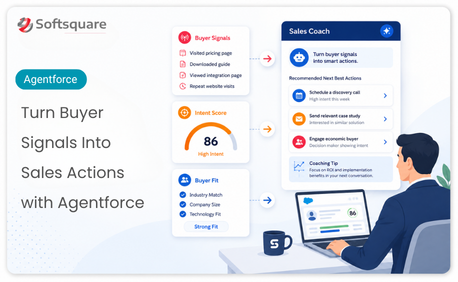
- Sales Coach : analyses deal conversations, identifies risk signals, and suggests the next best action based on similar won deals in your pipeline
- Pipeline updates : agents log call outcomes, update opportunity stages, and flag stalled deals automatically after each interaction
- Meeting briefs : before a customer meeting, the agent pulls the account history, open cases, recent purchases, and last conversation notes and delivers a brief to the rep in Slack
The result: your reps spend more time selling and less time updating the CRM. And your CRM data improves in quality because agents log every interaction consistently.
Agentforce Service (formerly Service Cloud)
Agentforce Service is your platform for managing customer support — cases, queries, field service, and the knowledge base your service team relies on.
What agents add:
- 24/7 case handling : agents resolve tier-one queries automatically, drawing from your knowledge base and case history. No human needed for common questions
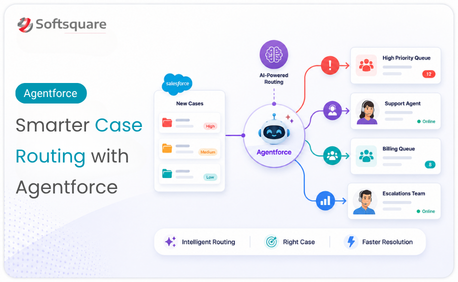
- Case routing : agents classify incoming cases by type, urgency, and complexity, then route them to the right team or individual based on your configured rules
- Escalation with context : when a case needs a human, the agent hands it off with the full case history, the customer's complete record, and a summary of what was already tried
- Proactive service : agents monitor case queues for SLA risks and alert the right team before a breach occurs
- Field service scheduling : agents optimise engineer schedules based on location, skills, parts availability, and customer priority, reducing travel time and increasing first-visit resolution rates
The result: your service team handles fewer repetitive queries and more complex cases. Resolution time drops. Customer satisfaction rises.
Agentforce Marketing (formerly Marketing Cloud)
Agentforce Marketing is your platform for managing customer journeys, campaigns, email programmes, and personalised communications at scale.
What agents add:
- Agentforce Campaigns : agents design campaign briefs, suggest audience segments, draft email content, and optimise send times based on engagement data
- Real-time personalisation : agents adjust journey steps in real time based on customer behaviour, moving a contact into a more relevant path when their engagement signals change
- Einstein Scoring : AI scores in Marketing Cloud predict which contacts are most likely to engage, purchase, or churn, allowing your team to prioritise the highest-impact activities
- Cross-cloud context : agents building marketing journeys can see what is happening in Service Cloud (open cases) and Sales Cloud (deal stage) and adjust communications accordingly
The result: your marketing team runs more personalised, more efficient campaigns without needing a data scientist for every segmentation decision.
Agentforce Commerce (formerly Commerce Cloud)
Agentforce Commerce is your platform for managing digital storefronts, product catalogues, promotions, and the end-to-end order experience.
What agents add:
- Agentforce Commerce agents : handle customer queries during the shopping journey: product questions, order status, return policy, delivery estimates all without human intervention
- Instant Checkout integration : through the Salesforce and OpenAI partnership, Agentforce Commerce now integrates with ChatGPT's Agentic Commerce Protocol, allowing customers to purchase through ChatGPT-powered experiences while your order management stays in Salesforce
- Abandoned cart recovery : agents identify abandoned carts, personalise the recovery message based on the customer's history, and trigger it at the right moment
- Cross-sell recommendations : based on purchase history and Data 360 unified profiles, agents surface the right product recommendations at the right moment in the journey
Industry Clouds
Salesforce's industry clouds Financial Services Cloud, Health Cloud, Manufacturing Cloud, Consumer Goods Cloud, and others are pre-built versions of Customer 360 configured for the specific processes, regulations, and data models of each industry.
Agentforce agents in industry clouds operate within the pre-built processes for that sector. A Financial Services Cloud agent knows what a client review looks like. A Health Cloud agent knows what a care plan contains. A Manufacturing Cloud agent knows what a service territory looks like. Industry-specific context is built in you configure the guardrails, not the domain knowledge.
What Agentforce Agents Can Access in Salesforce Customer 360
When an Agentforce 360 agent operates within Customer 360, it can:
- Read any record the configured user has permission to see accounts, contacts, cases, opportunities, orders, and custom objects
- Write to records via configured Actions updating fields, creating records, logging activities, changing status
- Trigger Salesforce Flows the automation logic your team has already built inside Salesforce becomes available to agents without reconfiguration
- Use Prompt Templates AI-generated responses and summaries grounded in the specific record the agent is working with
- Access knowledge articles agents can query your Service Cloud knowledge base to answer customer questions accurately
What agents cannot access without explicit configuration: records outside their permission scope, fields masked by the Einstein Trust Layer, and actions not included in their configured Action library. Agents operate within the governance boundaries your team sets.
Before Agentforce vs After Agentforce: A Day in Customer 360
Here is how a typical day changes for three teams when Agentforce agents operate inside Customer 360.
Sales Rep - Before
Arrives at the office. Opens Salesforce. Reviews the pipeline manually. Checks which deals have not moved in a week. Updates call notes from yesterday. Drafts follow-up emails for three accounts. Spends two hours in the CRM before the first customer call.
Sales Rep - After
Arrives at the office. Opens Slack. Sees a pipeline summary from the Agentforce Sales agent three deals flagged as at risk, two with recommended next actions. Reviews the pre-built account brief for the 10am call. The CRM is already updated from yesterday's activity. Spends thirty minutes on preparation. First customer call starts.
Service Agent - Before
Opens the case queue. Forty-two cases waiting. Reads through each one manually. Answers twelve common questions that all have the same answer. Escalates eight cases that need specialist help each handoff requires pulling the customer history and writing a summary for the next agent.
Service Agent - After
Opens the case queue. Twelve cases waiting the other thirty were resolved by the Agentforce Service agent overnight. The eight escalations already have full context attached. The agent handled the summaries. The service agent focuses on the complex cases that genuinely need human judgment.
Marketing Manager - Before
Briefs the campaign manually. Works with the data team to pull the right segment. Reviews the email draft. Schedules the send. Monitors engagement manually. Makes adjustments to the next send based on open rates a process that takes three days between each campaign send.
Marketing Manager - After
Reviews the campaign brief drafted by the Agentforce Marketing agent. Approves the suggested segment. Reviews the AI-drafted email. Adjusts the subject line. The agent schedules the send at the optimal time per contact. Journey steps adjust automatically based on engagement. The manager's time goes to strategy and creative direction.
Why Softsquare for Salesforce Customer 360 and Agentforce
Softsquare is a Salesforce Summit Partner with 15+ years of experience implementing Customer 360 apps across Sales Cloud, Service Cloud, Marketing Cloud, and industry clouds. Our 30+ certified Agentforce specialists have worked alongside our CRM delivery teams to help businesses move from standard Salesforce configurations to AI-ready platforms where agents operate alongside their teams.
The advantage of working with Softsquare is that we understand both sides the CRM processes that your Customer 360 apps contain, and the Agentforce configuration that makes agents useful inside those processes. Getting agents to work correctly in Customer 360 requires knowing both.
What we deliver:
- Customer 360 readiness assessment : reviewing your Salesforce org to identify which processes are agent-ready and which need refinement first
- Agentforce Sales implementation : SDR agents, Sales Coach, pipeline automation, and Slack integration
- Agentforce Service implementation : case routing, tier-one handling, escalation workflows, and SLA monitoring
- Agentforce Marketing : campaign agents, journey personalisation, and cross-cloud data activation
- Industry cloud specialisation : agents configured for the specific processes of your industry
- Training and managed services : helping your team work alongside agents from day one and improving agent performance over time
Conclusion
Customer 360 is not being replaced by Agentforce. It is being activated by it.
The processes your teams have built inside Sales Cloud, Service Cloud, and Marketing Cloud over years of Salesforce use are exactly what agents need to operate intelligently. Your opportunity stages, your case workflows, your journey logic these are the instructions that agents follow. Your institutional knowledge becomes agent-accessible intelligence.
For businesses already invested in Salesforce, this is the most important thing to understand: you do not start over. You build on what you have. Agentforce makes every Customer 360 investment more valuable, not obsolete.
Ready to Transform with AI?
Frequently Asked Questions
Salesforce Customer 360 is the connected suite of Salesforce business applications that gives teams a shared view of customers and business processes.
Customer 360 includes Salesforce apps for sales, service, marketing, commerce, revenue, and industry-specific business processes.
Agentforce can use Customer 360 data, workflows, and business rules to understand context, take approved actions, and write outcomes back to Salesforce.
No. Customer 360 is a connected set of Salesforce applications that work together around shared customer data and processes.
Yes. When configured with the right actions and permissions, agents can create or update records, trigger flows, and log activities.
No. Existing flows, record types, workflows, and business rules can continue to operate and become part of the context agents use.
Sales, service, marketing, commerce, and industry teams can use the same connected customer context while working in applications designed for their needs.
More Insights for you







Ready to Transform Your Business with Salesforce & AI?
