

What Is Salesforce Data Cloud? Understanding Salesforce's Customer Data Platform


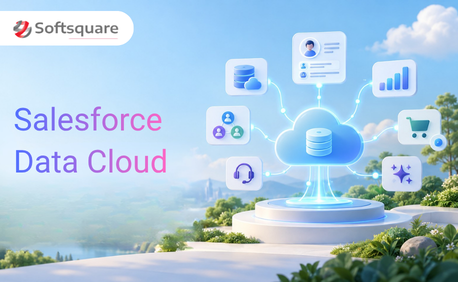
Table of Contents


Customer data rarely lives in one place. CRM records may sit in Salesforce, transactions in an ERP, behavioral data in websites and mobile apps, service interactions in support systems, and historical information in data warehouses.
The challenge is not simply collecting more data. Businesses need to connect that information, understand which records belong to the same customer, and make the resulting context available when sales, service, marketing, commerce, analytics, or AI needs it.
That is the problem Salesforce Data Cloud was designed to address.
Salesforce officially renamed Data Cloud to Data 360 in October 2025. The functionality remains the same, and Salesforce documentation may still contain both names during the transition. Data 360 serves as Salesforce’s data engine for connecting, harmonizing, unifying, analyzing, and activating enterprise data across Salesforce applications, workflows, analytics, and Agentforce.
This guide explains what Salesforce Data Cloud is, how it works, its major capabilities, common use cases, and where it fits within the broader Salesforce ecosystem.
What Is Salesforce Data Cloud?
Salesforce Data Cloud, now called Data 360, is Salesforce’s enterprise data platform for bringing together data from Salesforce and external systems and making it usable across applications, analytics, automation, and AI.
It can connect structured and unstructured information from sources such as Salesforce CRM, websites, applications, cloud storage, data warehouses, lakehouses, and third-party systems. Data can either be ingested into Data 360 or, for supported platforms, accessed through zero-copy integrations without duplicating the underlying data.
Salesforce Data Cloud evolved from Salesforce’s earlier Customer Data Platform products. Salesforce CDP was originally focused primarily on marketing use cases. Over time, Salesforce expanded the platform to support sales, service, commerce, analytics, AI, and broader enterprise data requirements. Data Cloud was introduced as the broader platform name in 2023 and was renamed Data 360 in 2025.
The important distinction is that Data 360 is no longer positioned simply as a marketing CDP. It is a data foundation integrated into the Salesforce Platform.
How Salesforce Data Cloud Works
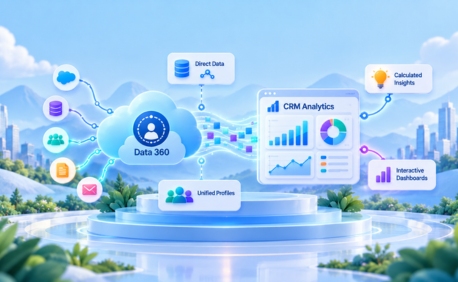
At a high level, Salesforce Data Cloud follows a process of connect, harmonize, unify, analyze, and activate.
First, data is connected from different sources. This may include CRM records, ecommerce transactions, web behavior, mobile engagement, loyalty activity, service interactions, cloud storage, or external data platforms.
Data Cloud supports batch, streaming, and real-time data patterns depending on the source and feature being used. Salesforce also supports zero-copy integrations with selected platforms, allowing organizations to work with external data without moving or duplicating it into Salesforce.
Next, the incoming data is mapped to Salesforce’s Customer 360 Data Model. This provides a standardized way to represent customers, accounts, engagement, products, orders, cases, privacy preferences, and other business information.
Identity Resolution can then apply matching and reconciliation rules to determine which source records represent the same individual or account.
The result is a unified profile that connects information from multiple systems. Importantly, Salesforce explains that this unified profile is not a golden record and does not overwrite source records. Instead, it provides a consolidated reference that links the source data together.
Once data has been unified, businesses can segment, analyze, automate, personalize, and activate it across Salesforce and supported external destinations.
Key Features of Salesforce Data Cloud
Real-Time Data Ingestion
Salesforce Data Cloud can work with data arriving through batch, streaming, real-time, and zero-copy patterns. Organizations can connect Salesforce applications as well as third-party databases, cloud storage, warehouses, lakehouses, APIs, and other enterprise systems.
Salesforce currently provides a broad connector ecosystem covering platforms such as Snowflake, Databricks, Google BigQuery, Google Cloud Storage, ecommerce systems, advertising platforms, and many others.
This allows businesses to incorporate both historical information and more recent behavioral or transactional signals into customer experiences.
Identity Resolution
A common customer-data problem is that the same person appears differently across systems.
For example, CRM may contain a customer’s business email while an ecommerce system contains a personal email and a loyalty application uses a phone number.
Identity Resolution uses configurable matching and reconciliation rules to connect source profiles that belong to the same person or account. Instead of simply deleting duplicate records, Data Cloud creates unified profiles that maintain links to the underlying source information.
This gives teams a more complete customer view while preserving source-system data.
Unified Customer Profiles
Once identities are resolved, Salesforce Data Cloud can bring together information from multiple touchpoints into unified customer profiles.
A profile might combine:
- CRM account and contact information
- Purchases and orders
- Website activity
- Marketing engagement
- Service interactions
- Loyalty information
- Product usage
- Calculated insights
This allows different teams to work with broader customer context instead of relying only on the information stored within their individual systems.
Data Harmonization and Data Model
Different systems rarely describe information in the same way. One application may use Customer ID, another Contact ID, and another an email address as its primary customer identifier. Fields, formats, and relationships also vary.
Salesforce’s Customer 360 Data Model provides standardized Data Model Objects, or DMOs, for representing common business concepts. Data imported or connected to Data 360 is mapped into this model before it can be used by capabilities such as identity resolution, segmentation, activation, and analytics. The model can also be extended using custom DMOs when standard structures do not fit the requirement.
This harmonization layer helps make data from otherwise unrelated systems usable together.
Segmentation and Activation
Unified data becomes valuable when teams can act on it. Data Cloud allows organizations to create audience segments based on profile attributes, calculated insights, transactions, engagement, and other available data.
For example, a retailer could identify customers who:
- Purchased within the last six months
- Frequently browse a particular product category
- Have high lifetime value
- Have not purchased recently
The resulting audience can then be activated through supported Salesforce applications and external destinations. Data 360 supports connectors that can send information to external activation targets as well as making unified data available throughout the Salesforce ecosystem.
AI and Einstein Integration
Data quality and context are critical to useful AI. Salesforce Data Cloud can provide unified enterprise and customer information to Salesforce AI capabilities instead of requiring AI to work only with isolated CRM records.
Salesforce supports predictive AI capabilities through Data 360 and Einstein Studio, including Salesforce models and supported external model integrations. Data 360 is also positioned as a data foundation for Agentforce, supplying business context that agents can use when generating responses or taking actions.
This is increasingly important because AI outcomes depend heavily on the relevance, accuracy, and accessibility of the data used to ground them.
Salesforce Data Cloud vs. Salesforce CDP
Salesforce Data Cloud did not begin as a completely separate product from Salesforce CDP. It represents the evolution and expansion of Salesforce’s customer data platform strategy.
Earlier Salesforce CDP capabilities focused heavily on helping marketers unify customer information for segmentation and engagement. Data Cloud expanded the scope beyond marketing by making unified data available across sales, service, commerce, analytics, automation, and AI.
The platform also evolved to support a wider range of data types, large-scale processing, real-time use cases, unstructured data, and zero-copy access to external data platforms.
In 2025, Salesforce renamed Data Cloud to Data 360 to reflect this broader role. Salesforce now describes Data 360 as more than a traditional CDP because it serves as an activation engine for enterprise data across the Salesforce Platform.
So, rather than viewing Salesforce CDP and Data Cloud as competing products, it is more accurate to think of Data Cloud and now Data 360 as the evolution of Salesforce’s original CDP capabilities.
Why Salesforce Data Cloud Matters for Modern Businesses
Most organizations do not have a shortage of customer data. They have a problem making that data useful. Sales may know what opportunities exist. Marketing knows which campaigns a customer engaged with. Service understands previous cases. Commerce tracks purchases. A website captures digital behavior.
When those systems operate independently, each team sees only part of the customer. Salesforce Data Cloud can connect these signals and make them available within business workflows.
This can support:
- More relevant personalization
- Faster responses to customer behavior
- Better-informed sales and service conversations
- More complete analytics
- Consistent audience segmentation
- Better grounding for AI and Agentforce
Privacy also needs to be considered as data becomes more connected. Data 360 includes capabilities for ingesting and storing consent preferences and using those preferences during segmentation and activation. However, businesses remain responsible for defining and enforcing their privacy and governance policies.
Unified data is therefore not just a marketing requirement. It is increasingly an operational and AI requirement.
Salesforce Data Cloud Use Cases
Salesforce Data Cloud can support use cases across different customer-facing teams.
Personalized marketing: Marketers can build audiences using combined purchase, engagement, demographic, and behavioral information rather than relying on a single marketing database.
Sales intelligence: Sales teams can access broader customer context, including transactions, engagement, and other relevant signals, to better understand an account before an interaction.
Customer service: Service teams can use recent customer activity alongside CRM and case history to understand what happened before the customer contacted support.
Commerce personalization: Purchase history, browsing behavior, product interests, and customer attributes can help deliver more relevant commerce experiences.
Customer journey analytics: Organizations can analyze customer interactions across multiple systems instead of evaluating marketing, sales, service, and commerce activity independently.
The exact value depends on the quality of the connected data and whether the organization has identified business actions that should follow from that information.
Salesforce Data Cloud and the Salesforce Ecosystem
One of Data Cloud’s main advantages is its native position within the Salesforce ecosystem. Unified data can support experiences and workflows across Salesforce products used by marketing, sales, service, commerce, analytics, automation, and AI.
Data 360 is integrated with Salesforce’s metadata framework, which helps make externally sourced information accessible in ways that Salesforce applications and workflows can understand.
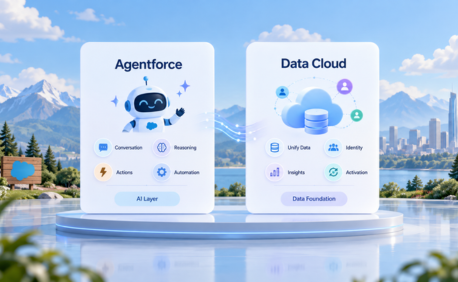
It also plays an increasingly important role in Agentforce.
Agentforce needs trusted business context to answer questions and perform actions accurately. Data 360 can bring structured CRM information together with external and unstructured enterprise data, giving agents access to a broader set of relevant information.
Outside Salesforce, organizations can connect Data 360 with third-party systems through prebuilt connectors, APIs, MuleSoft, and supported zero-copy integrations.
This makes Data Cloud an integration and activation layer rather than another isolated customer database.
Who Should Use Salesforce Data Cloud?
Salesforce Data Cloud is particularly useful when important customer information is distributed across several systems and bringing that information together supports measurable business use cases.
Typical candidates include:
- B2C organizations managing high volumes of customer interactions
- B2B businesses with complex account and buyer journeys
- Organizations using several Salesforce Clouds
- Companies with customer data stored in warehouses or lakehouses
- Businesses pursuing real-time personalization
- Organizations preparing Salesforce data for Agentforce and AI
- Companies needing consistent customer segmentation across channels
Industries such as retail, financial services, healthcare, manufacturing, communications, and consumer goods can benefit when customer or operational data is distributed across multiple platforms.
However, company size alone should not determine whether Data Cloud is appropriate.
A successful Salesforce Data Cloud implementation should begin with specific business outcomes such as improving service context, increasing marketing relevance, or grounding Agentforce rather than connecting every available data source simply because it can be connected.
How Softsquare Helps Businesses Implement Salesforce Data Cloud
Implementing Salesforce Data Cloud involves more than configuring data streams. Organizations need to determine which data matters, where it resides, how it should be modeled, how identities should be resolved, who can access it, and what business processes should ultimately use the unified information.
Softsquare can help organizations plan and implement Data Cloud across areas such as:
- Data-source assessment
- Data Cloud architecture
- Connector and data-stream configuration
- Customer 360 Data Model mapping
- Identity Resolution
- Unified profiles
- Segmentation and calculated insights
- Salesforce and external integrations
- Data activation
- Data Cloud-powered analytics
- Agentforce and AI use cases
- Governance and optimization
The goal is not simply to move more information into Salesforce. It is to make relevant enterprise data actionable where users, workflows, analytics, and AI need it.
Conclusion
Salesforce Data Cloud now officially Data 360 addresses one of the biggest challenges facing modern businesses: important customer and enterprise data is spread across too many systems. By connecting and harmonizing that information, resolving identities, creating unified profiles, and activating data across Salesforce and external systems, Data 360 can turn disconnected information into usable business context.
Its role has also expanded well beyond the traditional customer data platform. Today, Data 360 supports sales, service, marketing, commerce, analytics, automation, and increasingly Agentforce.
For organizations evaluating Salesforce Data Cloud, the best place to start is not with technology alone. Start with the business decision, customer experience, workflow, or AI use case you want to improve and then determine which data is required to make it possible.
Ready to Transform with AI?
Frequently Asked Questions
Salesforce Data Cloud, now called Data 360, is Salesforce’s enterprise data platform for connecting, harmonizing, unifying, analyzing, and activating data from Salesforce and external systems. It helps create unified customer profiles and makes trusted data available to Salesforce applications, automation, analytics, and AI.
Traditional CDPs primarily focus on collecting and unifying customer information for marketing and audience activation. Salesforce Data 360 extends these capabilities across sales, service, commerce, analytics, workflows, and AI while supporting structured and unstructured enterprise data.
Data 360 can connect data from Salesforce applications, cloud storage, databases, warehouses, lakehouses, websites, APIs, third-party applications, and other supported systems. Depending on the connector, data can be ingested through batch or streaming methods or accessed using zero-copy integration.
Data Cloud maps source information into the Customer 360 Data Model and uses Identity Resolution rules to match records that represent the same individual or account. The resulting unified profile links relevant source records without replacing or overwriting those original records.
Data Cloud originated from Salesforce’s customer data platform capabilities and has strong marketing use cases, but it is no longer positioned only as a Marketing Cloud capability. Data 360 is a platform-level data engine that supports Salesforce applications across marketing, sales, service, commerce, analytics, automation, and Agentforce.
Data 360 provides unified data that can be used by Salesforce AI capabilities. Salesforce supports predictive AI capabilities through Data 360 and Einstein Studio, while unified and unstructured enterprise data can also provide context for generative AI and Agentforce experiences.
Identity Resolution is the process Data Cloud uses to match source profiles that represent the same person or account. Matching and reconciliation rules connect those records into unified profiles, providing a more complete customer view without turning the unified profile into a master or golden record.
More Insights for you







Ready to Transform Your Business with Salesforce & AI?
