

What Is Salesforce Data 360?


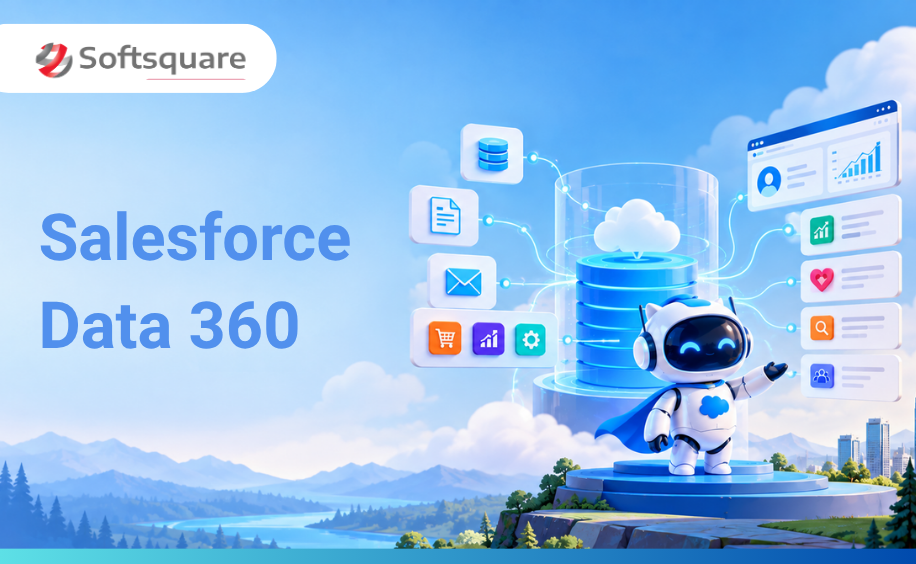
Table of Contents


Introduction
Your AI agents are only as smart as the data you give them.
This is the detail most businesses miss when they start their Agentforce journey. They invest in designing agents, scoping use cases, and planning workflows — and then hit a wall when an agent produces a response that is technically correct but practically useless, because it did not have the right context.
The agent did not fail because of a bad prompt. It failed because of bad data.
Data 360 is Salesforce's answer to this problem. The Salesforce Data 360 Agentforce foundation is the unified data layer that sits beneath every Agentforce 360 agent — connecting your CRM records, unstructured documents, external systems, and real-time data into one governed foundation that agents can access the moment they need it.
This blog explains what Data 360 is, how it works under the hood, what Zero Copy and identity resolution actually mean in plain language, and how to build a data foundation that makes your Agentforce agents genuinely reliable.
This blog is part of the Softsquare Agentic Enterprise series. Read the full overview → softsquare.biz/blogs/agentic-enterprise-salesforce-dreamforce-2026
What Is Salesforce Data 360?
Data 360 is Salesforce's unified data platform, the evolved successor to Data Cloud reimagined as the core intelligence layer for the Agentic Enterprise.
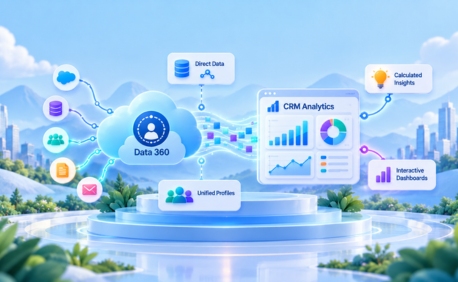
In plain terms: Data 360 takes data from every system your business uses your CRM, your emails, your documents, your data warehouse, your external platforms unifies it into a single trusted view of each customer, and makes it available to your AI agents in real time.
Without Data 360, an Agentforce agent can only see what is directly in that customer's Salesforce record at that moment. With Data 360, it sees the customer's full picture: every purchase, every support case, every email, every interaction from every system in your business, not just Salesforce.
The shift from Data Cloud to Data 360 signals a change in role. Data Cloud was a customer data platform, a place to store and unify customer records. Data 360 is an activation engine — it does not just hold data, it makes all business data actionable for AI agents, workflows, and analytics across your entire Salesforce platform.
How Does Data 360 Work? The Four-Step Process
Data 360 processes your data through four sequential steps. Understanding these steps is what separates businesses that build reliable agents from those that spend months debugging inconsistent outputs.
Step 1: Ingest - Connect Your Data Sources
Data 360 connects to data wherever it lives. This includes:
- Salesforce CRM data : accounts, contacts, cases, and opportunities
- External data warehouses : Snowflake, Google BigQuery, Databricks, Amazon Redshift
- Marketing platforms, commerce systems, and service logs
- Unstructured content : emails, PDFs, call transcripts, and case notes
- Real-time event streams : clickstream data, IoT signals, and transaction feeds
Two methods bring data into Data 360: direct ingestion (data is copied into Salesforce) and Zero Copy federation (data stays in its original system but is queryable by Data 360 without duplication). Both are covered in detail below.
Step 2: Harmonise - Build a Unified Customer Profile
Once data is connected, Data 360 maps it to a standard schema, Salesforce's Customer 360 Data Model so records from different systems can be compared and matched.
This is where identity resolution happens. Different systems refer to the same person in different ways. Your CRM has 'John Smith, john.smith@company.com'. Your commerce platform has 'J. Smith, jsmith@company.com'. Your support system uses a different email entirely.
Identity resolution applies matching rules to determine these three records represent the same person and merges them into one unified profile. That unified profile is what your agents work from a single, accurate, complete view of each customer built from every system in your business.
Step 3: Enrich - Build Segments, Insights, and Predictions
With unified profiles in place, Data 360 lets you build:
- Calculated Insights : derived metrics like customer lifetime value, churn risk score, or average order frequency
- Segments : dynamically updated groups of customers that match specific criteria
- Predictive models : AI-generated scores for likelihood to buy, likelihood to churn, or next best action
These enrichments become part of the context that agents draw on when taking action. An agent handling a renewal conversation can see that this customer has a high churn risk score and an upcoming contract date — and tailor its response accordingly, without a human prompting it to.
One feature worth noting here is Tableau Semantics. It translates your Tableau dashboards and analytics models into a format that Agentforce agents can use as context alongside these enrichments — so your analytics investment becomes part of your agent's intelligence rather than sitting in a separate silo. This is covered in depth in a dedicated Tableau Semantics guide.
Step 4: Activate - Make Data Available to Agents in Real Time
Unified, enriched data is activated across your Salesforce platform. Agentforce 360 agents retrieve it via RAG (Retrieval-Augmented Generation) when a request comes in, the agent pulls the most relevant, up-to-date data in real time rather than working from a static snapshot.
This is what makes your agents accurate. They are not reading cached data from yesterday's sync. They are reading your live records at the exact moment they respond.
Salesforce Data 360 Zero Copy: What It Means and Why It Matters
Zero Copy is one of the most discussed features in Data 360 and one of the most misunderstood. Here is what it actually is.
Zero Copy lets Data 360 query data from external systems your Snowflake warehouse, your Google BigQuery dataset, your Databricks lakehouse without copying that data into Salesforce.
Instead of creating a duplicate copy inside Salesforce, Data 360 stores a pointer a reference that tells it where the external data lives and how to read it. When an agent or a workflow needs that data, Data 360 queries it live from the source. No duplication. No sync delay. No second storage bill.
How Zero Copy Works in Both Directions
- Data federation (inbound) : external data from Snowflake, BigQuery, Databricks, or Redshift becomes queryable inside Data 360 without ingestion. The data stays in your warehouse; Data 360 reads it on demand
- Data sharing (outbound) : unified profiles, calculated insights, and segments from Data 360 become queryable inside your external warehouse, so your data teams can access enriched Salesforce data without extracting it
For businesses with large volumes of data already in a modern warehouse, Zero Copy means you can make that data available to your Agentforce agents without an expensive, time-consuming migration. Your Snowflake data stays in Snowflake and your agents can still read it.
What Zero Copy Does Not Cover
Zero Copy is not a reason to skip data modeling or governance. You still need to:
- Define how external tables map to your Data Model Objects inside Data 360
- Configure access controls and data spaces so agents only see what they are permitted to see
- Review query costs data federation bills per row scanned, not per row returned, so poorly structured queries can generate unexpected costs
- Run identity resolution on any data that feeds unified profiles , Zero Copy does not automatically resolve identity across federated sources
Used correctly, Zero Copy dramatically reduces the time and cost of connecting your data estate to Agentforce. Used without proper planning, it adds complexity without delivering the accuracy your agents need.
Intelligent Context: Giving Agents Unstructured Data
Structured CRM data field values, record statuses, opportunity stages — has always been accessible in Salesforce. What Data 360 adds is the ability to give agents access to unstructured data: emails, call transcripts, PDF documents, case notes, support tickets, and policy documents.
Intelligent Context is the Data 360 capability that makes this possible. It processes unstructured content, converts it into a vector format that the Atlas Reasoning Engine can search and retrieve in real time, and makes it available to agents alongside structured records.
What This Looks Like in Practice
- A service agent handling a complex complaint can read through notes from the last four support calls before responding not just the structured fields on the case record
- A sales agent preparing a follow-up can reference what was actually discussed in the last email thread, not just the opportunity stage in CRM
- An HR agent answering a policy question can pull the answer from the actual policy document, not a field that summarises it in one sentence
- A field service agent dispatched to a site can access the full maintenance history from a PDF service log, not just the structured asset record
Intelligent Context is the difference between an agent that knows what Salesforce stores about a situation and an agent that actually understands it.
Identity Resolution: The Foundation of Every Unified Profile
Identity resolution is one of the most important capabilities in Data 360 and one of the most underestimated when teams plan their implementation.
Most businesses have the same customer in multiple systems, entered slightly differently each time. A name with a different spelling. An email address that changed. A phone number that belongs to a company, not a person. These fragmented records are what agents draw from if identity resolution is not done well.
How Identity Resolution Works
Data 360 applies matching rules to compare records across your connected data sources and determine which ones represent the same real person or account. You define the rules name and email, name and phone, fuzzy matching for common name variations and Data 360 processes the records accordingly.
The output is a unified profile: one record per real entity, built from every fragment across every system. That unified profile is what agents access. That is why getting identity resolution right is the most important technical decision in your Data 360 implementation.
The Three Identity Resolution Mistakes to Avoid
- Running identity resolution before cleaning source data , matching rules applied to dirty data produce unreliable unified profiles. Clean first, then resolve
- Using only exact-match rules , real-world data has variations. A purely exact-match approach will miss a significant share of true duplicates and leave your agents working from fragmented records
- Skipping validation after resolution review a sample of matched profiles before scaling. Incorrect merges are harder to fix after activation than before it
Salesforce Data Cloud vs Data 360: What Actually Changed
For businesses already running Data Cloud, this is the question that matters most. For teams researching Data 360 Salesforce capabilities, here is a clear comparison of what changed and what it means for your Agentforce plans.
Why Data Quality Is the First Priority - Not an Afterthought
Data 360 gives your agents access to your data. It does not fix your data.
This is the point that causes the most expensive mistakes in Agentforce implementations. Teams build agents, deploy them into production, and discover the outputs are unreliable — not because the agent is misconfigured, but because the data it draws from is incomplete, inconsistent, or duplicated.
The Real Cost of Poor Data Quality on Agent Performance
- Duplicate customer records : an agent may pull from one record and miss critical context in another, producing a response that is technically grounded but factually incomplete
- Incomplete fields : an agent relying on fields that are 60% populated will produce responses that are roughly 60% accurate. There is no prompt engineering fix for missing data
- Inconsistent values : 'UK' in one system and 'United Kingdom' in another causes misclassification, incorrect routing, and wrong agent responses on any logic that depends on that field
- Stale data : an agent reading a customer record that has not synced in 48 hours may act on outdated information, eroding trust in every interaction
Identity resolution in Data 360 addresses the duplicate problem. The Informatica integration strengthens data quality management and governance at the source. But even with these tools, a data quality audit before you build is always faster and cheaper than debugging agent outputs after you launch.
The sequence matters: assess → clean → connect → build agents. Not the other way around.
Salesforce Data 360 and Agentforce in Practice: Use Cases by Industry
Financial Services
A wealth management firm connects its CRM, transaction history, document vault, and risk scoring system to Data 360. When a relationship manager's Agentforce agent prepares for a client meeting, it pulls the client's full portfolio picture — recent trades, open service requests, risk profile, and the last three conversation notes — in seconds. The meeting prep that used to take 45 minutes happens automatically before the calendar invite is accepted.
Healthcare
A health insurer connects claims data, member records, and clinical notes to Data 360 via both direct ingestion and Zero Copy from an external data warehouse. When a member contacts the service team about a denied claim, the agent has the full case: the original submission, the denial reason, the policy terms, and the member's prior claim history — and can resolve eligible appeals automatically without escalating to a human case manager.
Manufacturing
A manufacturer connects its ERP, field service records, and IoT sensor data to Data 360 via Zero Copy from Snowflake. When a field service agent is dispatched to a site, their Agentforce assistant has the asset's full maintenance history, previous fault codes, and recommended parts list — without the technician needing to call the office or search across three systems before the visit.
Consumer Goods
A retail brand uses Data 360 to unify purchase history, returns data, loyalty balances, and in-store interaction records. Agentforce agents handling customer contacts can see the complete relationship — not just the most recent order — and offer personalised resolutions that reflect the customer's actual history with the brand rather than a generic response based on a single data point.
How to Build Your Salesforce Data 360 Foundation: The Right Sequence
A Data 360 implementation done in the right order is the fastest path to reliable agents. Done out of order, it is months of rework.
Step 1: Audit Your Current Data State
Before connecting a single data source, understand what you have. Where does your customer data actually live? How complete are your key fields? How many duplicates exist across your CRM? Which data gaps will most affect the first agent use case you are building? Answer these questions first.
Step 2: Define Your Identity Resolution Model
Decide how Data 360 should determine that two records from different systems represent the same person. What matching rules will you apply — exact email, name and phone, fuzzy matching? Getting this right before you run identity resolution is significantly easier than correcting merged profiles after the fact.
Step 3: Decide Zero Copy vs Direct Ingestion for Each Source
For each external data source, decide which integration approach fits. Zero Copy is better for large datasets that change frequently and already live in a modern warehouse. Direct ingestion is better for datasets that need to run through identity resolution or be used in segmentation and calculated insights.
Step 4: Connect Your Highest-Value Data First
Do not try to connect everything at once. Identify the two or three data sources that will most improve your first agent use case. Connect them, validate the quality of the unified profiles produced, and prove the agent works before expanding your data footprint.
Step 5: Build Enrichments That Agents Will Actually Use
Define calculated insights and segments that are directly relevant to the agent use cases you are building. Churn risk for a renewal agent. Open case count for a service agent. Last purchase category for a commerce agent. Build what your agents need, not every possible metric.
Step 6: Govern Before You Scale
Before expanding to additional data sources or additional agents, establish your governance model which fields are masked, which profiles have access restrictions, which data spaces apply to which agent configurations. Retrofitting governance onto a large Data 360 implementation is significantly harder than building it in from the start.
Why Softsquare for Salesforce Data 360
Softsquare is a Salesforce Summit Partner with 60+ certified Data Cloud and Data 360 experts. We have built data foundations for businesses across financial services, healthcare, manufacturing, and consumer goods — including complex multi-source implementations involving Snowflake, MuleSoft, AWS, and external ERPs.
We understand that Data 360 is not a product you switch on. It is a foundation you build deliberately. And the quality of that foundation determines the quality of every Agentforce agent that runs on top of it.
What we deliver:
- Data source assessment : mapping where your data lives, its current quality, and how it connects to your agent use cases
- Identity resolution design : defining matching rules and unified profile architecture before any data is processed
- Zero Copy and ingestion planning : choosing the right integration approach for each data source in your estate
- Governance and masking configuration : field-level controls, access policies, data spaces, and consent management
- Informatica integration : leveraging enterprise MDM and data quality tooling now native to Data 360
- Agent data testing : validating that agent outputs are accurate and grounded before go-live
- Ongoing data quality monitoring : ensuring your agents continue to produce reliable outputs as your data evolves
Conclusion
Every Agentforce 360 agent is only as capable as the data it runs on. Data 360 is not a feature you add to make agents smarter. It is the foundation that determines whether your agents can be trusted to act at all.
The businesses getting real results from Agentforce treat data quality as a first-order priority, not an implementation step they will get to later. Clean data, unified profiles, governed access, and contextually rich grounding via Intelligent Context are what separate agents that work from agents that disappoint.
If you want to assess where your data foundation stands before you build your first agent, we are ready to start that conversation.
Ready to Transform with AI?
Frequently Asked Questions
Salesforce Data 360 is a unified data platform that connects CRM, external, real-time, and unstructured data so AI agents can work with trusted business context.
Data 360 follows four core steps: ingest data, harmonize it into unified profiles, enrich it with insights, and activate it for agents and workflows.
Zero Copy lets Data 360 query supported external data sources without duplicating the data inside Salesforce, reducing unnecessary data movement.
Identity resolution matches records from different systems and combines them into a unified profile so agents work from a more complete customer view.
Intelligent Context helps agents retrieve relevant information from unstructured content such as emails, PDFs, case notes, and policy documents.
Agentforce can use standard Salesforce data, but Data 360 provides broader unified context that supports more complex and data-rich agent use cases.
Data 360 can connect Salesforce data with external warehouses, marketing and commerce platforms, real-time streams, documents, and other enterprise systems.
More Insights for you







Ready to Transform Your Business with Salesforce & AI?
