

How Claude Snowflake MCP Turns Salesforce ISV Product Usage Data Into Customer Intelligence


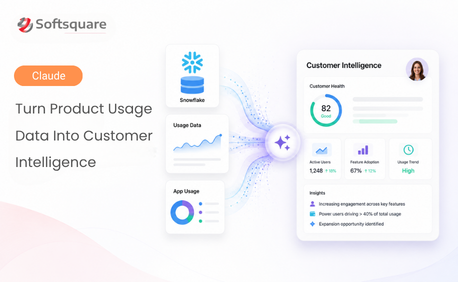
Table of Contents


Snowflake has the usage truth for Salesforce ISV product usage data.
But that truth often sits behind tables, views, SQL queries, AppAnalytics data, feature events and customer activity logs. Account managers do not always know where to look. Customer success teams do not always know which usage signal matters. Product teams may wait for analysts to pull adoption reports.
Claude Snowflake MCP changes the experience. With Claude Snowflake MCP, users can ask product usage questions in plain English.
One question. One governed data platform. One clear customer insight.
The Hidden Usage Data Problem Every Salesforce ISV Knows
For ISVs, Salesforce ISV product usage data is one of the strongest customer signals. It shows who is active, which features are adopted, when usage drops and where expansion may be possible.
But that data is often hard for business teams to access. Not every CSM, account manager or product leader knows SQL. Even when they do, they may not know the right table, customer identifier or filter.
So the signal stays hidden. Renewal risk is noticed late. Expansion opportunities are missed. Product adoption decisions wait for manual reporting.
How Claude works: Connect → Query → Explain
Claude Snowflake MCP connects Claude to Snowflake using approved tools, OAuth and Snowflake role-based access.
Connect: Claude connects to the Snowflake MCP server through a custom connector and OAuth authentication.
Query: Snowflake returns approved usage data from governed views, SQL tools or semantic views.
Explain: Claude turns product usage patterns into plain-English insights for customer, revenue and product teams.
Basic setup: Connecting Snowflake to Claude
To connect Claude to Snowflake through MCP, a small setup is required on both the Snowflake MCP server side and the Claude side. The goal is to make approved usage data available in a secure and governed way, while keeping access simple for business users.
Snowflake-side setup
- Create the MCP server: Set up the Snowflake MCP server that Claude will use to access usage data. This server should expose only the approved tools, views or semantic views needed for analysis.
- Create the integration: Configure the required integration so Claude can connect securely through OAuth. This ensures authentication is controlled and aligned with Snowflake security practices.
- Define approved access: Grant access only to the required roles, warehouses, databases, schemas, views or tools. Many teams start with read-only access so users can query usage data without changing anything.
Claude-side setup
- Add the Snowflake connector: In Claude, add the Snowflake connector and complete the OAuth connection flow to establish the Claude Snowflake integration.
- Review tool permissions: Choose which tools Claude is allowed to use. A safe first step is to allow only read-only tools for usage reporting and customer insight queries.
- Test with a simple question: Once connected, test the setup with a plain-English question such as "Which customers had declining usage in the last 30 days?" or "Which customers show high usage but low license count?"
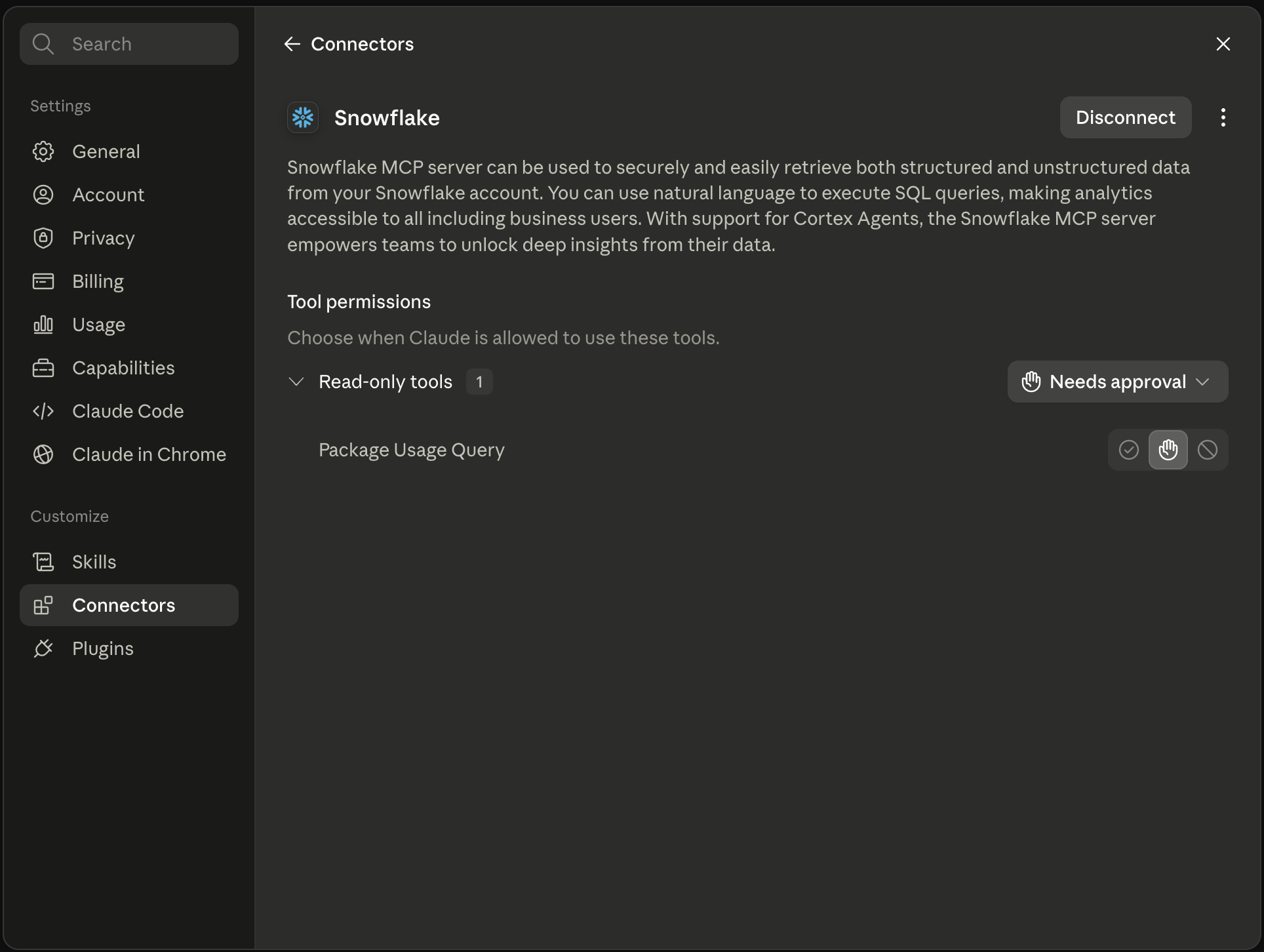
This gives teams a practical and governed way to turn Snowflake usage data into customer intelligence.
What Claude Snowflake MCP Actually Shows You
Here is how Claude Snowflake MCP turns hidden Salesforce ISV product usage data into clear customer intelligence.
Why Claude Snowflake MCP for Customer Intelligence
The table below shows why Snowflake MCP makes customer intelligence with Snowflake easier, safer and more useful for revenue teams.
“This helps our team move from raw usage tables to renewal-ready insights faster.” - Customer Success Lead, Salesforce ISV
The results Salesforce ISVs are seeing
With Claude Snowflake MCP connected to their ISV analytics, teams are reporting clear improvements in customer success and renewal workflows:
- Earlier risk visibility: CSMs can identify customers with declining usage before renewal discussions.
- Faster renewal preparation: Account managers can review usage, active users and feature adoption in one summary.
- Clearer expansion signals: Revenue teams can spot customers with high usage and low license count.
- Better product decisions: Product teams can understand which features are adopted, ignored or growing.
- Stronger governance: Snowflake access stays controlled through roles, approved views, OAuth and MCP tools.
Why Softsquare for Claude Snowflake MCP
Softsquare helps Salesforce ISVs connect Claude Snowflake MCP to their product analytics environment. We configure secure, governed Snowflake MCP server setups that make Salesforce ISV product usage data accessible to customer success, revenue and product teams without requiring SQL expertise.
If your team is ready to turn Snowflake usage data into customer intelligence, our Salesforce AI team can design and implement the right MCP workflow for your ISV.
Conclusion
Snowflake already holds valuable Salesforce ISV product usage data, but that value depends on how easily teams can access and understand it. When Claude connects to Snowflake through MCP, usage data becomes easier to explore, summarize and explain without requiring every user to write SQL or depend on manual reporting.
For customer success, revenue and product teams, this means faster visibility into active users, feature adoption, declining usage, renewal risk and expansion signals. At the same time, Snowflake remains the governed source of truth.
Claude Snowflake MCP does not replace Snowflake analytics. It makes Snowflake usage data easier for business teams to use in real customer conversations, renewal planning and product adoption decisions.
Ready to Transform with AI?
Frequently Asked Questions
Claude Snowflake MCP connects Claude to Snowflake through MCP, letting business teams ask product usage questions in plain English and receive governed, Snowflake-sourced answers — without SQL.
Snowflake roles, privileges, approved views, warehouse access, and OAuth all control what Claude can reach. Claude only sees what the authenticated user is permitted to access.
Claude surfaces active users, feature adoption rates, usage trends, declining activity patterns, and high-usage signals — all from the governed Snowflake environment, without manual reporting.
Yes. Most ISV teams start with read-only tools or approved views for usage reporting, then expand to additional data sets after validating the integration and confirming governance controls.
ISV product usage data is one of the strongest customer signals, but most CSMs and account managers cannot access Snowflake or write SQL. Claude removes that barrier with plain-English questions.
Claude connects through a custom Snowflake MCP connector and OAuth authentication. Snowflake setup involves creating the MCP server, configuring the integration, and defining role-based approved access.
Dashboards require knowing which metrics to look for. Claude lets users ask open-ended questions — such as "which customers had declining usage last month?" — and receive an interpreted plain-English answer.
More Insights for you









Ready to Transform Your Business with Salesforce & AI?
