

How Claude Turns Salesforce Context Into Customer Intelligence



Table of Contents


Salesforce has the absolute customer truth.
But that truth is often spread across Accounts, Opportunities, Contacts, Activities, Cases and renewal records. Sales teams open multiple tabs. Customer success teams prepare summaries manually. Leaders wait for someone to collect the context.
Claude changes this flow.
With MCP, Claude can connect securely to Salesforce and answer CRM questions in natural language.
One question. One response. Salesforce stays the source of truth. Claude becomes the conversational layer.
The scattered CRM context problem every revenue team knows
Before every customer call, teams need the same information.
Who is the customer? What did they buy? Which opportunities are open? What is the renewal status? Who are the key contacts? What happened recently?
The answers are usually available in Salesforce. But they are not always easy to gather quickly.
That creates manual work before meetings, renewal reviews, handoffs and escalations. Teams spend excessive time searching records instead of preparing better customer conversations.
How Claude works: Connect → Retrieve → Summarize
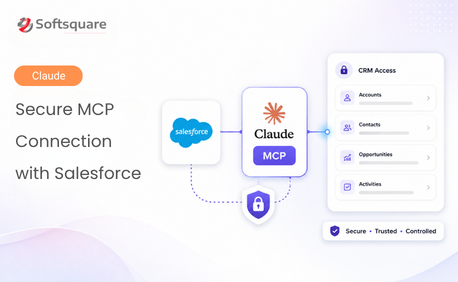
Claude connects to Salesforce through MCP, using approved Salesforce tools and authenticated user access.
- Connect: Claude connects to the Salesforce MCP server through a configured connector and External Client App.
- Retrieve: Salesforce returns only the records, objects and fields the logged-in user is allowed to access.
- Summarize: Claude turns Salesforce records into a clean account brief, renewal summary or customer intelligence view.
What Claude actually shows you
Here’s how Claude turns scattered Salesforce details into usable customer intelligence.
Why Claude and why Salesforce MCP
The table below highlights why MCP makes Claude’s Salesforce access more practical, controlled, and useful for revenue teams.
“This turns renewal preparation from record hunting into one focused customer briefing.” — Revenue Operations Lead, Salesforce ISV
The results revenue teams can see
Example Salesforce ISV renewal workflow
Impact: Claude helps teams prepare faster by turning Salesforce account, opportunity and activity data into a clear customer-ready summary.
- Faster preparation: Account managers can review customer context without opening multiple Salesforce tabs.
- Cleaner renewal reviews: Renewal stage, amount, close date and key contacts can be summarized together.
- Better handoffs: Customer success teams can understand account history before onboarding or adoption reviews.
- Safer AI access: Salesforce permissions, field-level security and sharing rules continue to control what Claude can access.
- Stronger customer intelligence: Salesforce data can later be combined with product usage and email context for deeper renewal insights.
Conclusion
Claude helps revenue teams turn Salesforce context into clear customer intelligence without changing Salesforce as the system of record. Instead of opening multiple records, related lists and activity histories, teams can ask one question and receive a focused summary based on the Salesforce data they are already allowed to access.
With MCP, this experience stays controlled and permission-aware. Claude retrieves approved Salesforce context, summarizes it in plain language and helps teams prepare for renewals, customer calls, handoffs and account reviews faster. For revenue teams, the key value is simple: less time spent searching for CRM details, and more time spent using that context to have better customer conversations.
Ready to Transform with AI?
Frequently Asked Questions
Claude connects to Salesforce through MCP using a configured connector and External Client App. This allows Claude to retrieve Salesforce context through approved tools instead of having unrestricted CRM access.
No. Salesforce remains the source of truth for customer data, records and permissions. Claude acts as a conversational layer that reads and summarizes Salesforce context.
Claude can access only the records, objects and fields the logged-in user is allowed to view. Salesforce permissions, field-level security and sharing rules continue to control access.
Claude can create account briefs, renewal summaries, opportunity summaries, customer intelligence views and handoff notes based on Salesforce records such as Accounts, Opportunities, Contacts, Activities and Cases.
MCP provides a controlled way for Claude to call approved Salesforce tools. This helps teams start with safer read-only use cases and expand carefully with the right permissions and governance.
Claude can summarize renewal opportunity details, account status, contract value, license count, key contacts and recent activities in one response. This reduces manual record hunting before renewal reviews.
Yes. The blog explains that Salesforce data can later be combined with product usage and email context for deeper renewal insights, while Salesforce remains the core CRM source of truth.
More Insights for you











Ready to Transform Your Business with Salesforce & AI?
