Salesforce Calendar View All Your Important Dates, One Calendar

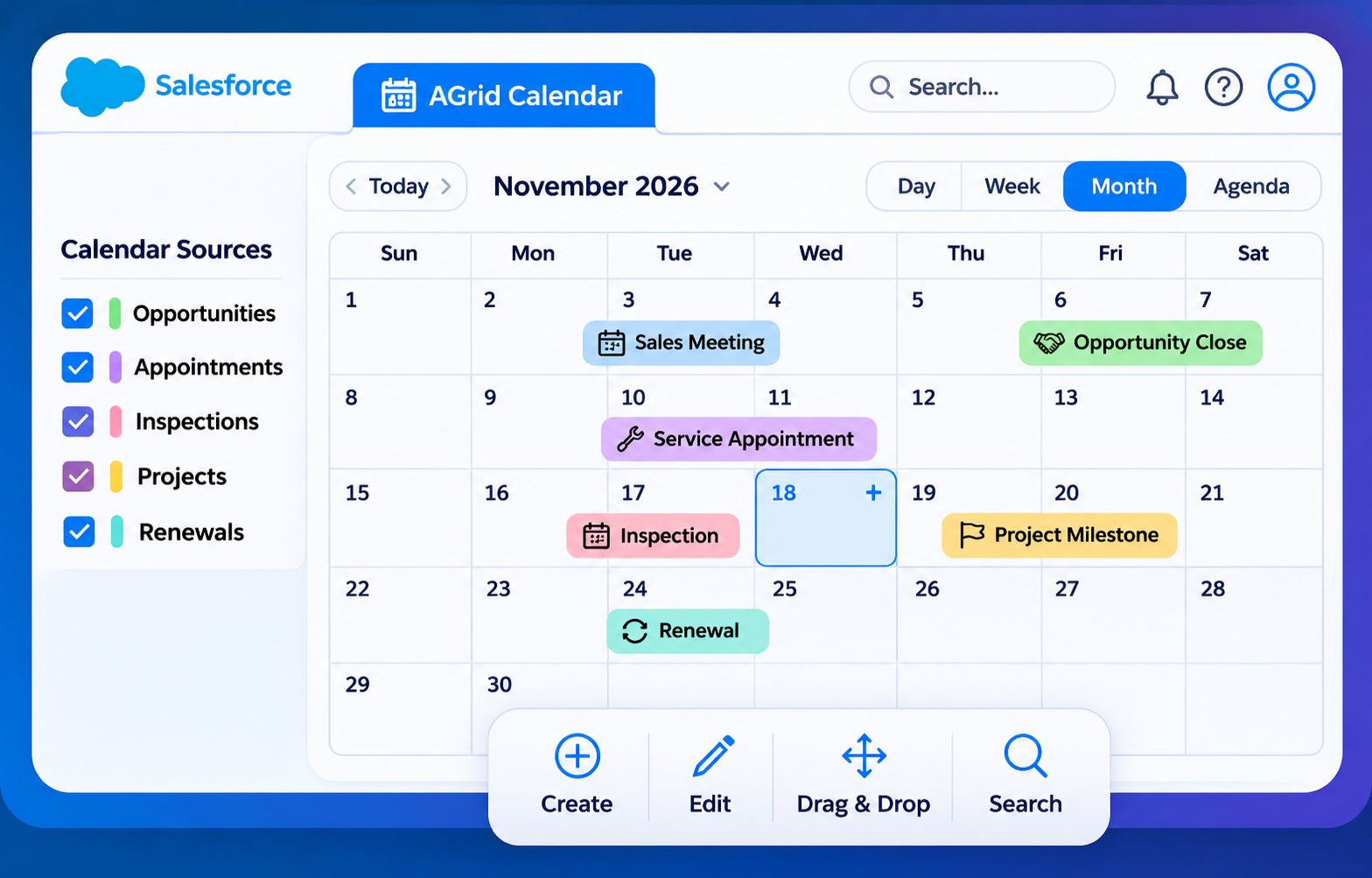
Bring Every Salesforce Date Together
One Calendar, Complete Visibility
Bring important dates from multiple Salesforce objects into a single view, making schedules easier to track and manage.
Built Around Your Workflow
Create standalone calendars or display related schedules within specific Salesforce records for better context.
Stay Ahead of Important Dates
Keep track of appointments, service visits, renewals, deadlines, and milestones without navigating multiple records.
Less Navigation, More Action
Create, view, and update Salesforce records directly from the calendar, helping teams manage daily activities faster.
Flexible for Every Team
Configure calendar sources, filters, and views to support different departments, business processes, and scheduling needs.
KEY FEATURE CAPABILITIES
Everything You Need to Manage Salesforce Dates Your Way
01
/ MULTI-OBJECT SUPPORT
Multiple Salesforce Objects, One Calendar
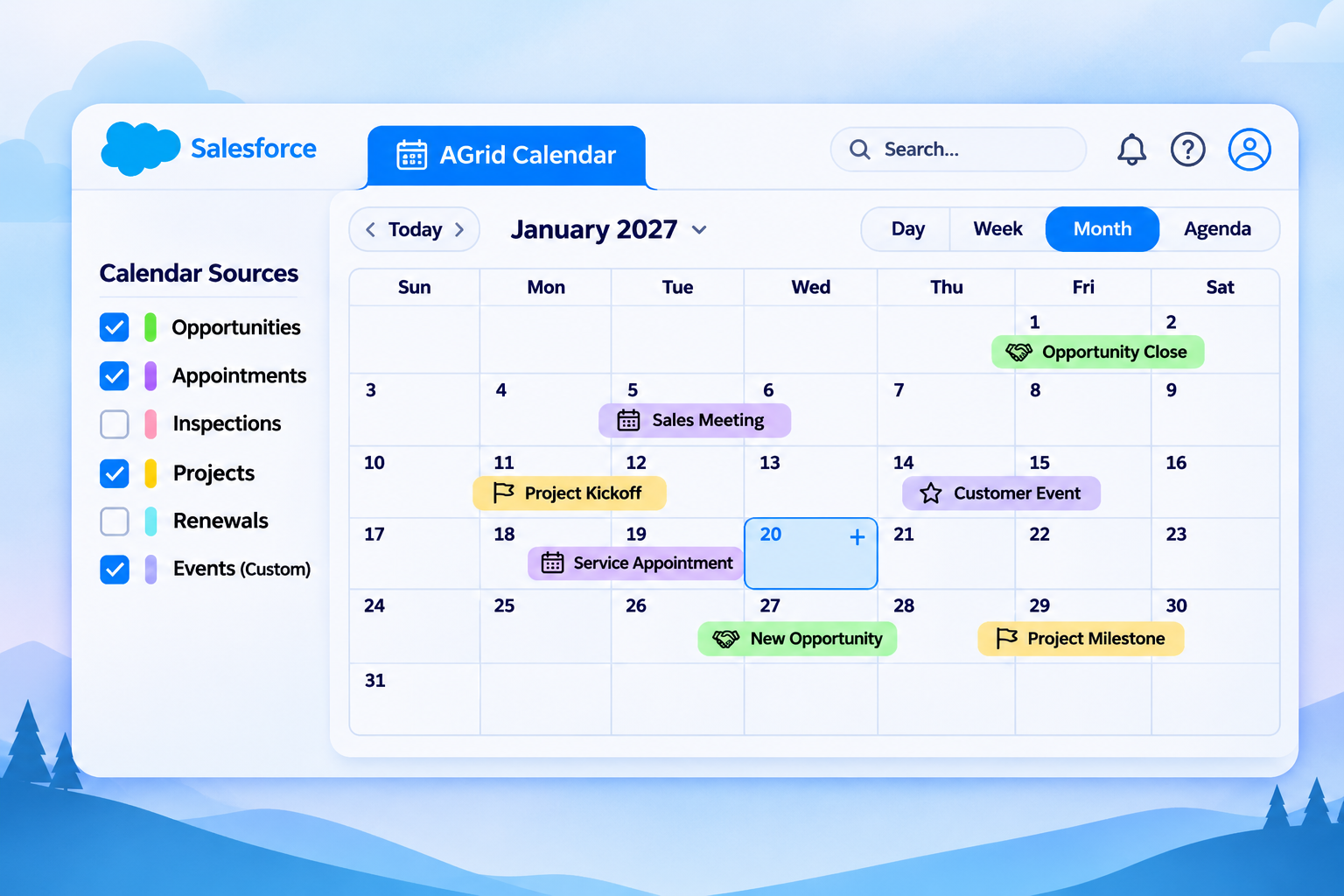
Bring important dates from different Salesforce objects into one calendar, giving your team a clearer view of upcoming activities.
View dates from multiple Salesforce objects in one place
Combine standard and custom object records
Use colors to distinguish different calendar sources
Show or hide sources to focus on relevant dates
02
/ CALENDAR TYPES
Standard and Related Calendars
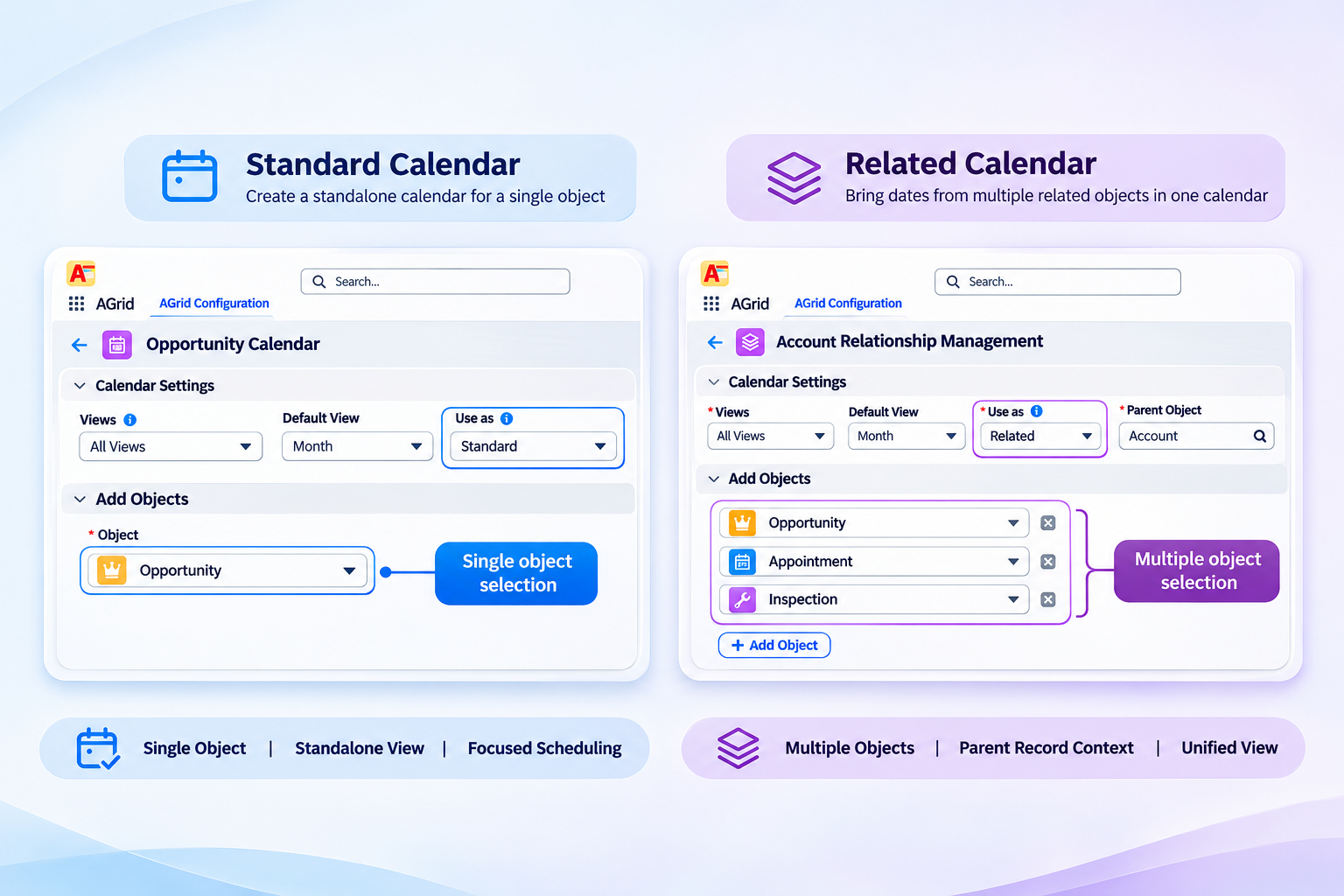
Create calendars for everyday scheduling or display date-based records related to a specific Salesforce record.
Build standalone calendars for different business needs
Display related dates within a parent record
Configure objects and relationships for each calendar
Keep important schedules connected to CRM records
03
/ FLEXIBLE VIEWS
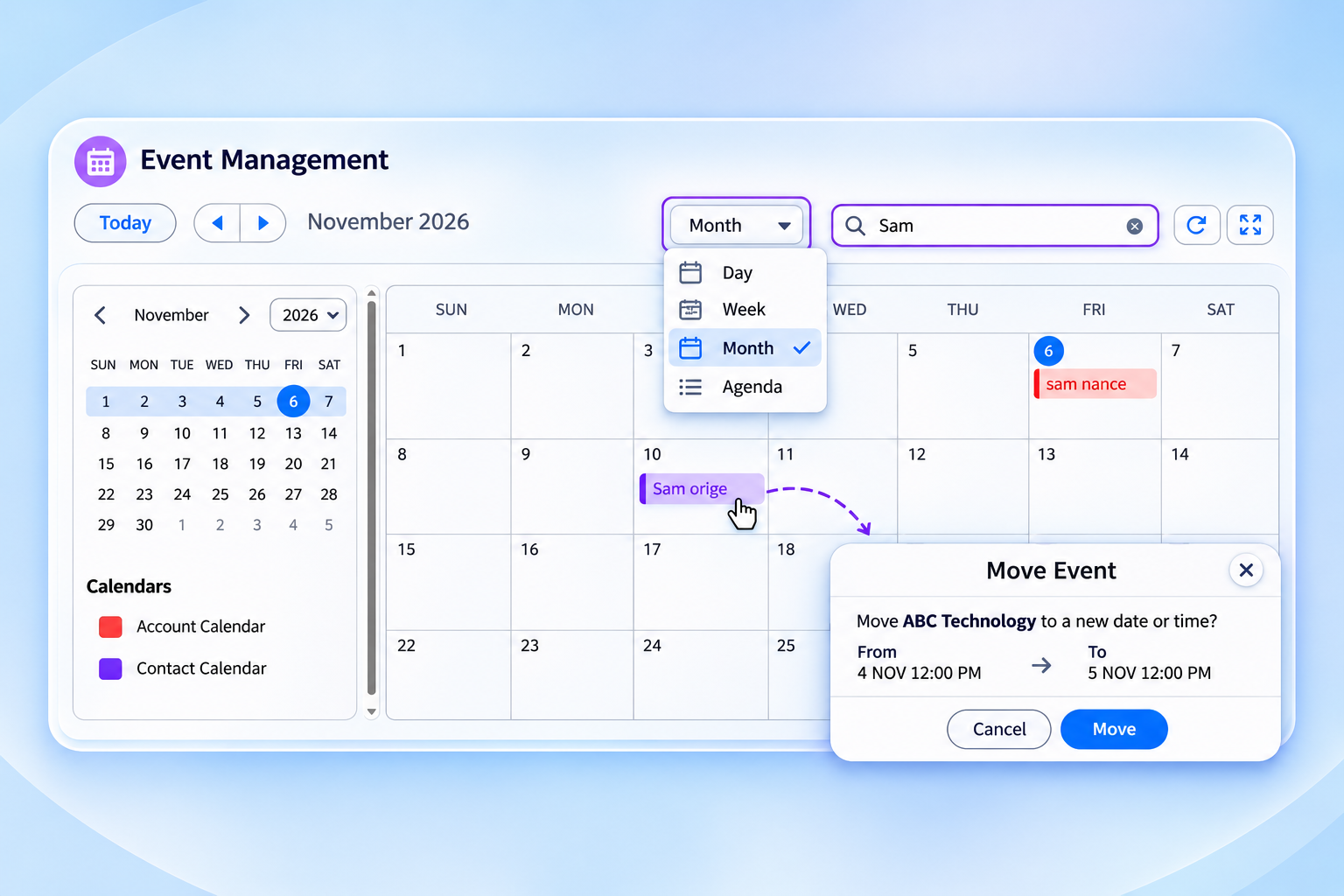
Flexible Calendar Views and Search
Switch between calendar views to track upcoming activities, manage schedules, and find important Salesforce records quickly.
Switch between Day, Week, Month, and Agenda views
Navigate dates to plan and review upcoming activities
Search calendar records to find what you need
Choose the calendar view that suits your workflow
04
/ INLINE RECORD MANAGEMENT
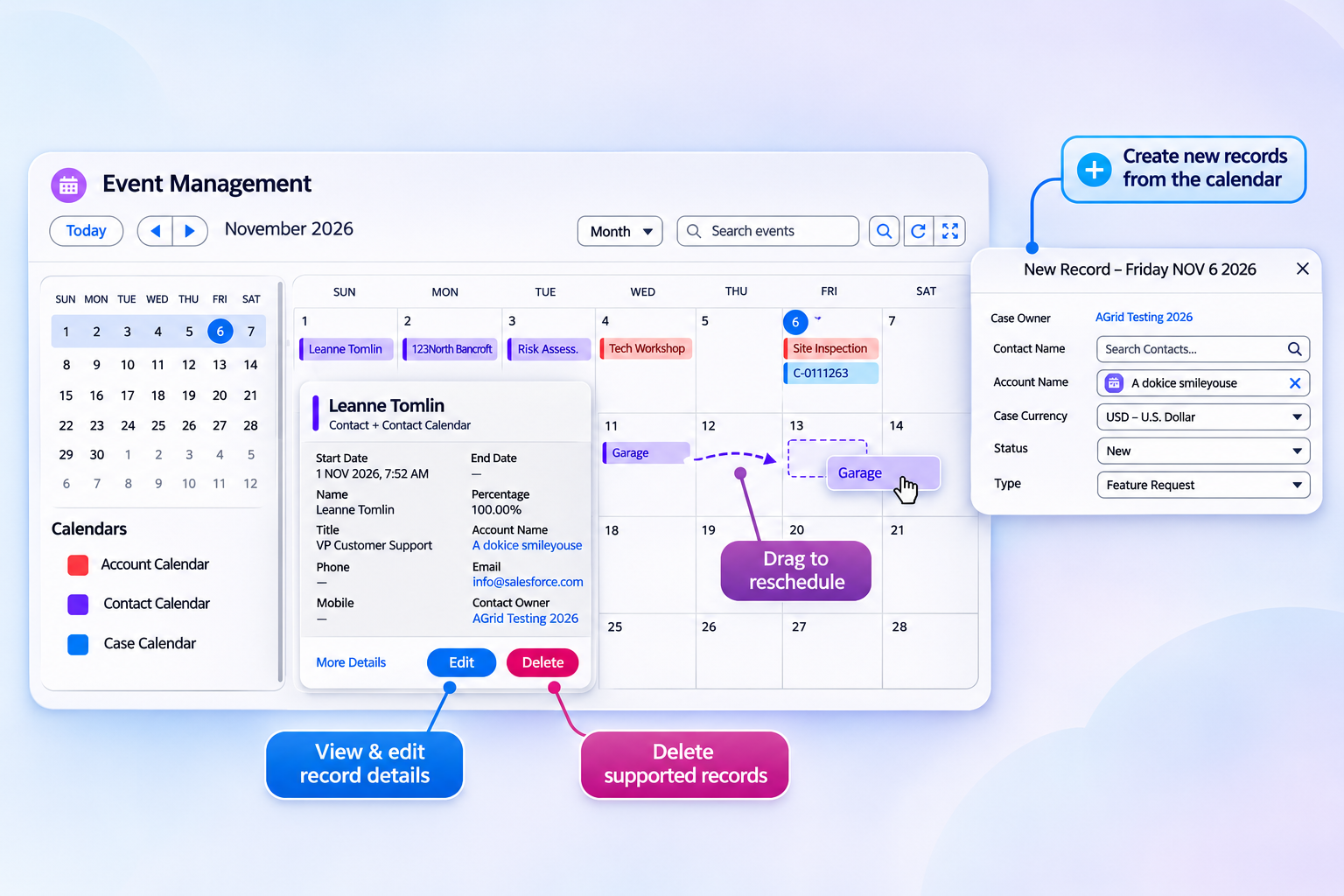
Manage Records Directly from the Calendar
Create, update, and manage Salesforce records directly from the calendar without switching between multiple screens.
Create new Salesforce records from the calendar
View and edit record details without extra navigation
Drag and drop records to reschedule dates on desktop
Delete supported records directly from the calendar
05
/ CONFIGURATION & ACCESS
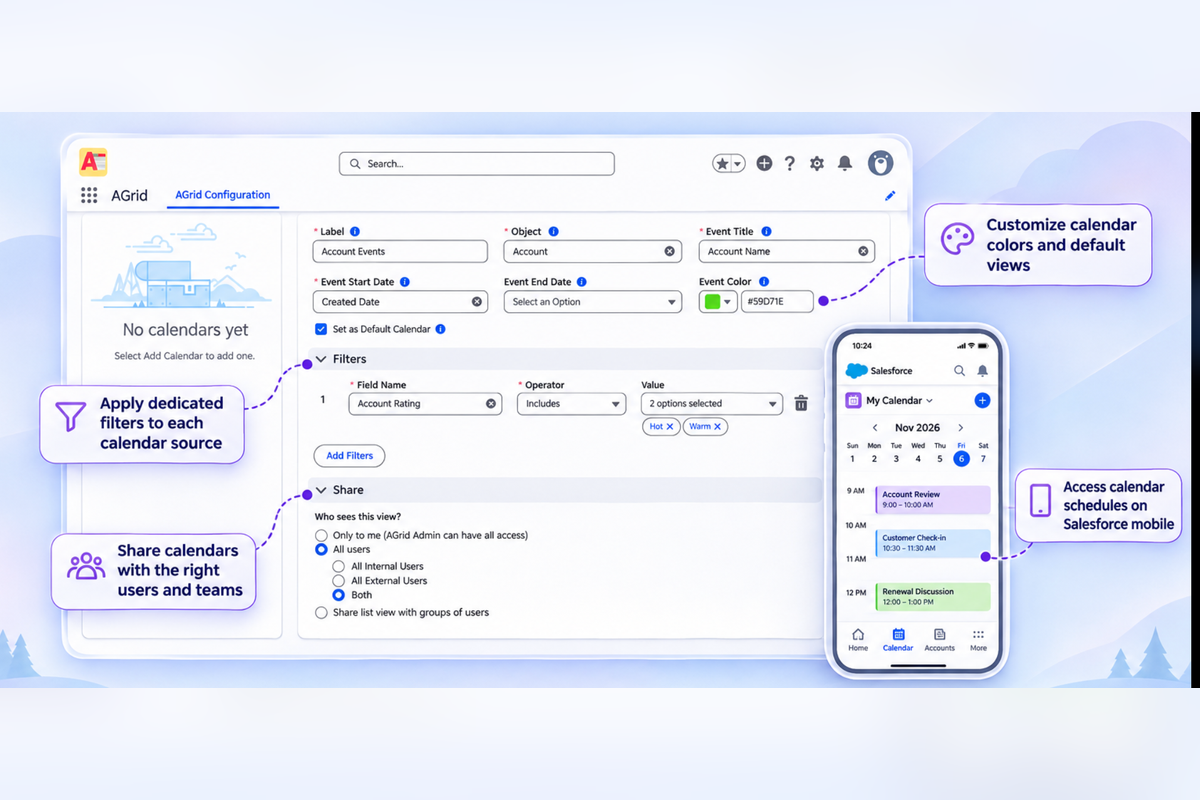
Configurable Calendars for Every Team
Configure calendars around different teams and business processes, with flexible filters, visibility, and access controls.
Apply dedicated filters to each calendar source
Customize calendar colors and default views
Share calendars with the right users and teams
Access calendar schedules on Salesforce mobile
Popular Features in AGrid

Got other Questions in mind?
What is AGrid Calendar in Salesforce?
AGrid Calendar is a configurable calendar feature that displays date-based Salesforce records in Day, Week, Month, and Agenda views. It helps users manage important dates from multiple Salesforce objects in one place.
Can I display records from multiple Salesforce objects in one calendar?
Yes. AGrid Calendar supports standard and custom Salesforce objects. You can configure multiple calendar sources, each with its own date fields, filters, event colors, and sharing settings.
What is the difference between Standard Calendar and Related Calendar?
Standard Calendar displays records across configured Salesforce objects independently of a parent record. Related Calendar displays records associated with a specific parent record, such as activities linked to an Account.
Can I create and update Salesforce records directly from AGrid Calendar?
Yes. Users can create records, view details, edit information, and delete supported records directly from the calendar, subject to Salesforce permissions.
Work Smarter Inside Salesforce
Manual processes and scattered data create bottlenecks across sales, ops, and support. Our Salesforce-native products eliminate the friction so your teams can focus on results — not workarounds.
AGrid

Media Manager