What is  Salesforce Service Cloud?

Service Cloud is Salesforce’s customer service platform for managing cases, SLAs, and support interactions across channels like email, chat, and phone.In real-world usage, agents still navigate across multiple tabs, related lists, and components just to understand and act on a single case. This fragmentation slows response time and impacts SLA adherence.
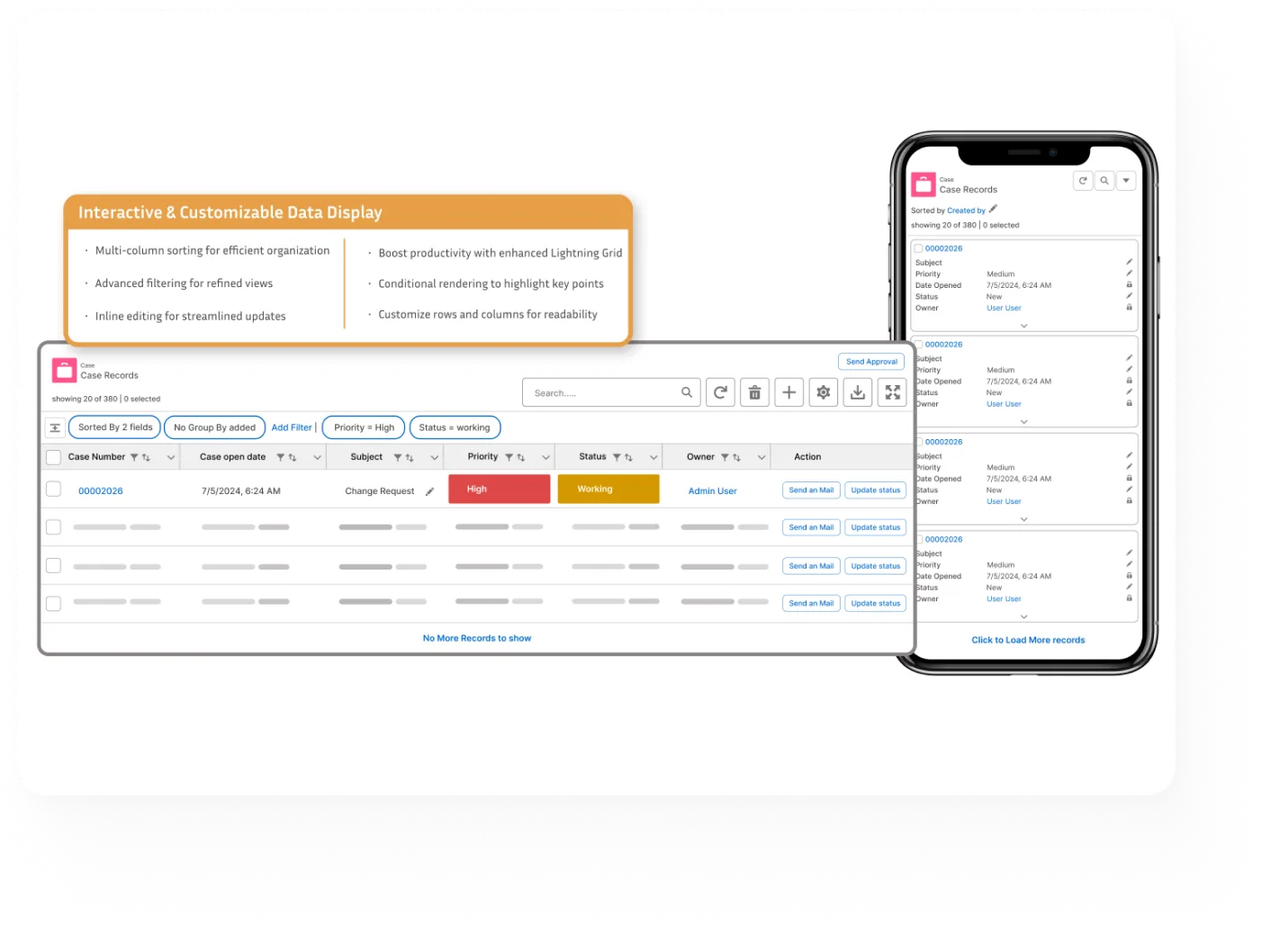
AGrid transforms this experience by bringing all related data into a single, actionable grid where agents can view, update, and manage everything without leaving the workspace.
Want to know more?

Data Management Challenges
in Service Cloud

Day-to-day service workflows still face friction that slows agents down and impacts resolution time.
Fragmented Case Context
Agents switch between cases, tasks, emails, and comments, slowing resolution and breaking workflow continuity.
Limited Inline Updates
Related lists don’t support direct editing, forcing agents to open records even for small updates.
Poor SLA Visibility
At-risk or breached cases aren’t clearly visible, making it easy to miss urgent priorities.
Manual Bulk Operations
Updating multiple records requires custom flows or admin support, slowing down high-volume case handling.
No Inline Insights
Agents lack real-time metrics within their workspace, relying on external dashboards for visibility.
No Saved Views
Users can’t save filtered views, leading to repetitive sorting and filtering in daily workflows.

How AGrid Helps Service Cloud Users

AGrid removes these execution gaps by turning Service Cloud into a single, actionable workspace.

Everything needed to resolve a case. In one place.

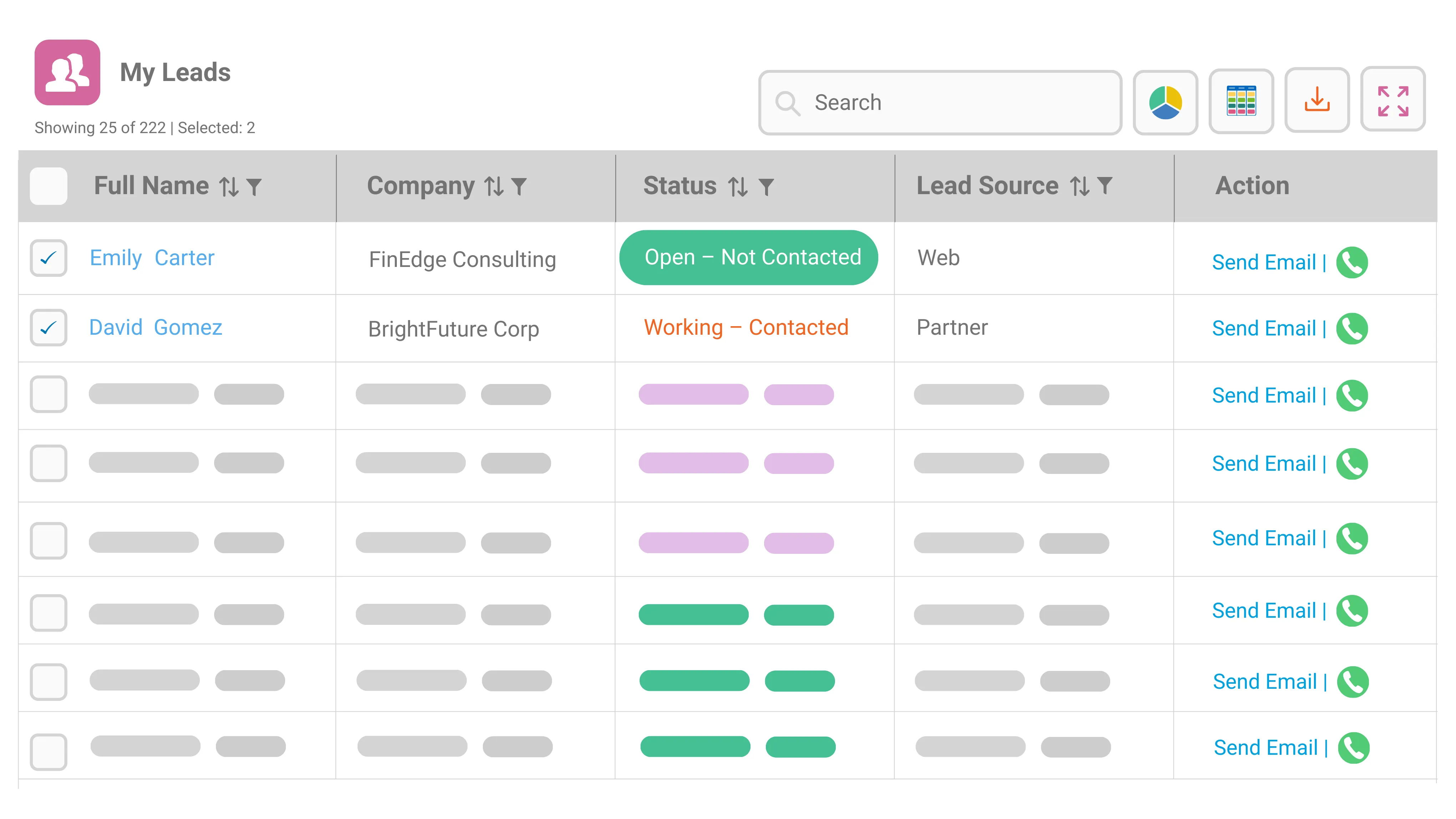
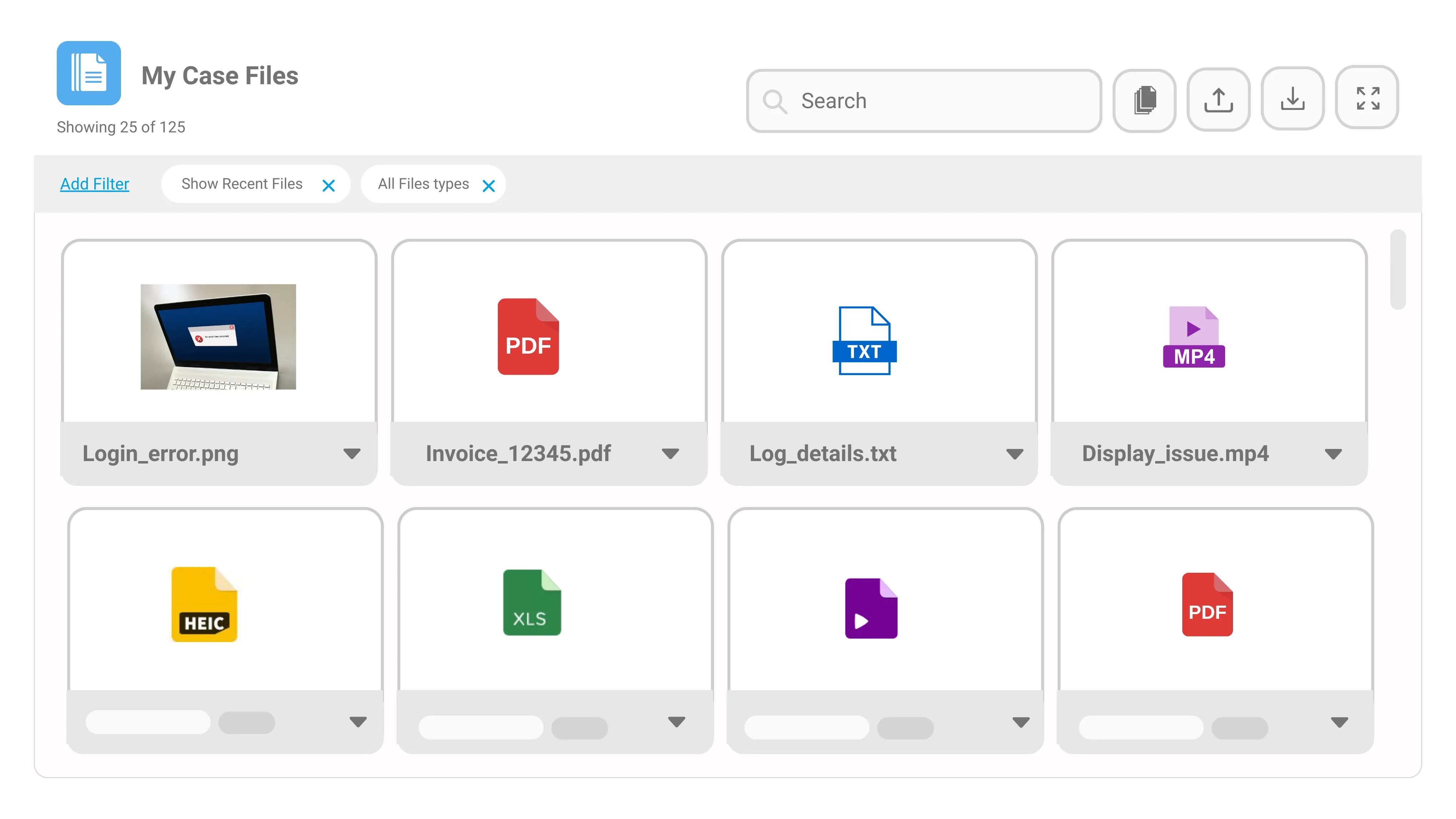
Bring Cases, Tasks, Work Orders, Contacts, and related records into one actionable grid so service teams can review context and update records without switching across console tabs.

  • View Cases, Tasks, and related records together
  • Access full case context without navigation
  • Reduce time spent switching between tabs
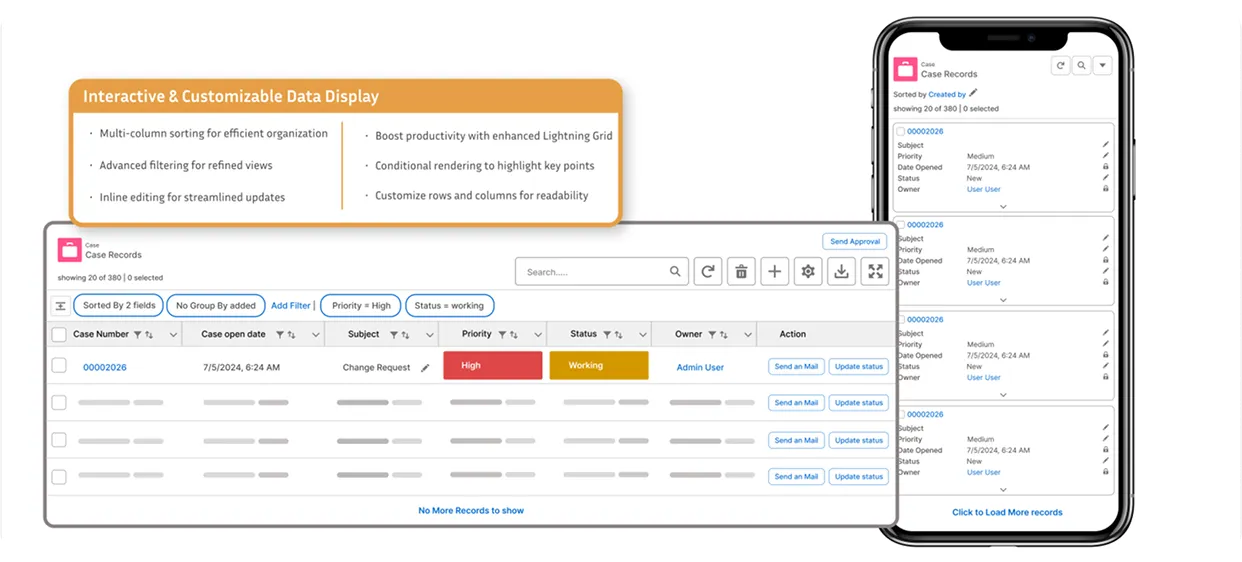
Save the views teams use every day.

Let users work from filtered, personalized views that match their role, queue, or daily responsibility without rebuilding the same setup repeatedly

  • Save reusable working views
  • Apply filters for role-specific workloads
  • Reduce repeated sorting and setup time

Understand workload by team, owner, and status.

Organize operational data into practical views that help teams manage queues, assignments, and work distribution more clearly.

  • Group records by owner, queue, or status
  • Use Kanban or card views for progress tracking
  • Review counts and summaries by work category

Update high-volume work without opening every record.

Help support teams and leads keep operational records current with inline editing and bulk
updates across configured objects.

  • Inline edit case and related fields
  • Perform bulk updates across records
  • Reduce manual effort in high-volume queues

Take action without leaving the case view.

Trigger configured actions directly from the grid so teams can move work forward without
jumping into separate flows, records, or components.

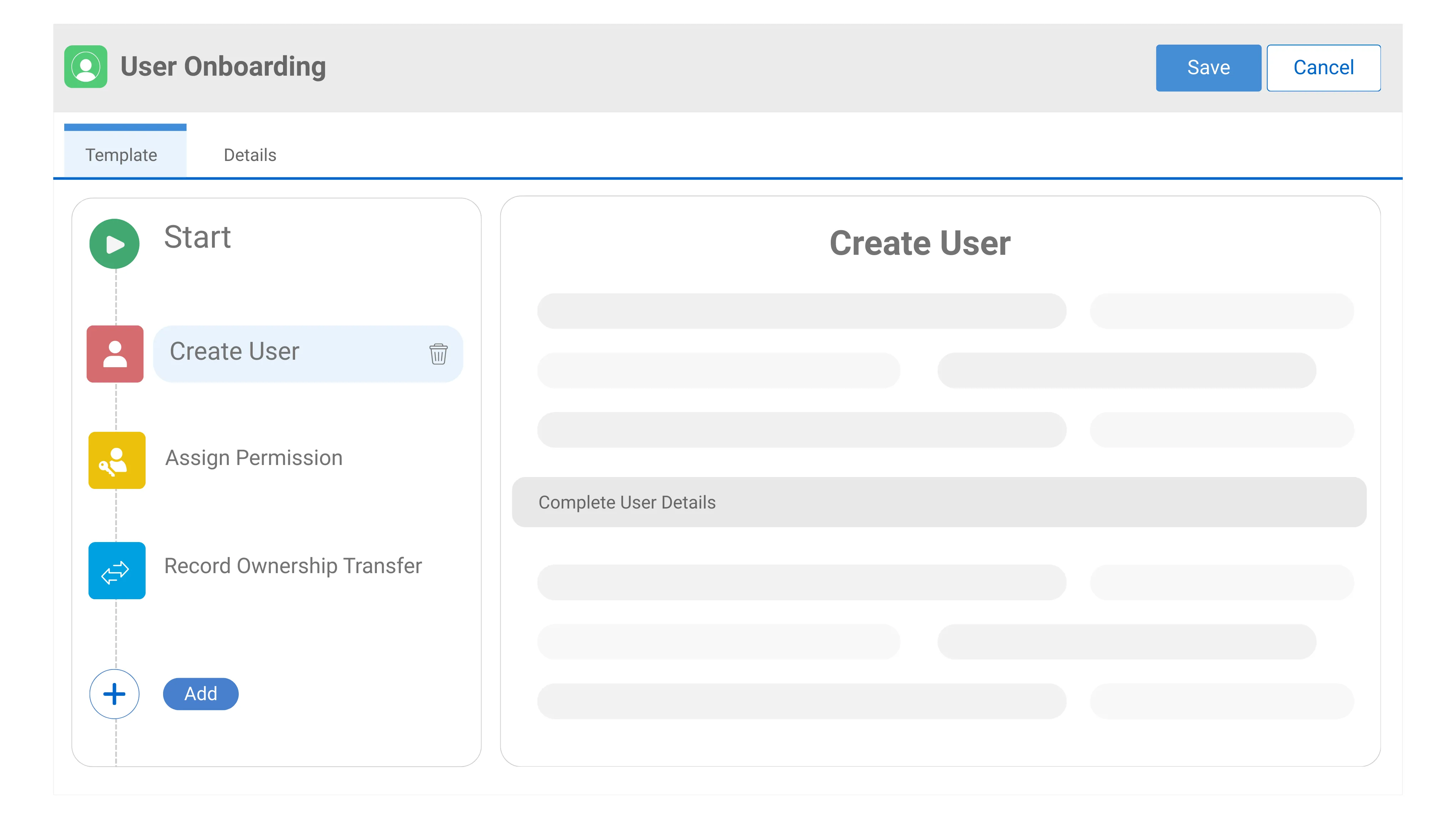
  • Launch flows, LWC and LC custom actions
  • Act on single or multiple records
  • Run row or list-level actions

Never miss a deadline or priority case.

Use conditional formatting and summary indicators to make SLA-sensitive work easier to identify before it affects customer experience.

  • Highlight at-risk and breached cases
  • Apply conditional formatting rules for priorities
  • Track SLA-sensitive work inside the grids

Proven Results with AGrid

Real improvements in how service teams work, respond, and resolve at scale.

3x
Faster case handling with one actionable workspace.
80%
Less manual effort in everyday service updates.
60%
Better visibility into breached and at-risk cases.
70%
Less time lost switching across service records.

What You Can Do with User 360

Experience the power of customizable grids in Salesforce.
what our customers say

AGRID is a fantastic tool that has completely transformed the way we manage and review our records in Salesforce. The visual clarity it provides is outstanding.

Sam  Rosenberg
Reside NY

AGrid is a great work facilitator and a big time saver with inline edit of related lists. The tool is very easy to use, no coding necessary, and the team is quick to respond.

Stefanie Scheucher
S.Spitz GmbH

Their support and product have been outstanding. They quickly respond and assist, often setting up meetings to solve issues. Highly recommend for day-to-day use.

Tim Trippel
Chem-Aqua, Inc. (NCH Corp)

Agrid components are intuitive, highly-customizable, and load quickly. We love the ability to see a child record's related list from the parent page—great for adoption.

Luisa Gelfand
World Resources Institute

Super easy to set up with filtering views based on logged in user, launching Flow buttons, and placing components on utility bar. Far more affordable than others.

Tom Connolly
Centuri Group

A total game-changer! Users can line-edit records, filter and save filters, run actions on selected rows, and see calculated values for each column.

Luison Lassala
Bedrock Success

Fastest load times and most responsive support. Integration with flows is a huge advantage. A superlative solution that exceeded expectations.

Michael Boyens
Streamline Edge

Fantastic experience with zero coding needed. Column selection, search, filter, sorting, and lazy loading work seamlessly with an intuitive UI built on Lightning.

Mahendran Sundarraj
Comcast Cable Communications
View all on appexchange
what our customers say

AGRID is a fantastic tool that has completely transformed the way we manage and review our records in Salesforce. The visual clarity it provides is outstanding.

Sam  Rosenberg
Reside NY

AGrid is a great work facilitator and a big time saver with inline edit of related lists. The tool is very easy to use, no coding necessary, and the team is quick to respond.

Sam  Rosenberg
Reside NY

Their support and product have been outstanding. They quickly respond and assist, often setting up meetings to solve issues. Highly recommend for day-to-day use.

Sam  Rosenberg
Reside NY

Agrid components are intuitive, highly-customizable, and load quickly. We love the ability to see a child record's related list from the parent page—great for adoption.

Sam  Rosenberg
Reside NY

Super easy to set up with filtering views based on logged in user, launching Flow buttons, and placing components on utility bar. Far more affordable than others.

Tom Connolly
Centuri Group

A total game-changer! Users can line-edit records, filter and save filters, run actions on selected rows, and see calculated values for each column.

Luison Lassala
Bedrock Success

Fastest load times and most responsive support. Integration with flows is a huge advantage. A superlative solution that exceeded expectations.

Michael Boyens
Streamline Edge

Fantastic experience with zero coding needed. Column selection, search, filter, sorting, and lazy loading work seamlessly with an intuitive UI built on Lightning.

Mahendran Sundarraj
Comcast Cable Communications
View all on appexchange

Resources & Support

Find everythink you need to setup, manager, and troubleshoot Agrid with a line to quick support when needed
What is the difference between Create from Scratch Import, Salesforce List View and Import Salesforce Related List?
Option
Create from Scratch
Import Salesforce List View
Import Salesforce Related List
Description
Start fresh and manually define every element of the configuration.
Automatically pulls fields and filters from an existing Salesforce List View for faster setup.
Imports columns from a related Salesforce object, based on parent-child relationships.
Customization
Full control over columns, filters, actions, and layout.
Customization allowed after importing fields and filters.
Modify and adjust imported columns and details as needed.
Why does my AGrid show "No columns to display"?
This occurs if you forget to add at least one column while creating the configuration. Fix: Always click "Add Column" after filling in the Configuration Details to ensure columns are added.
Can AGrid admin select fields from related parent objects for display in the list view?
Yes, AGrid admin can select fields from the primary object or related parent objects for display in the list view. Currently, AGrid supports up to 5 parent object levels.
What is Inline Edit Support for Parent level?
Inline Edit Support for Parent level refers to the ability for users to edit fields on the first level parent record of a related object directly from the AGrid List View. For example, if a user has a Configuration for Contacts, they can edit fields on the parent Account record directly from the AGrid List View. This feature can save time and improve efficiency for users who need to make quick updates to related records without having to navigate to the parent record's detail page.
Can users reset a grid to its original setup?
Yes! The Enable Quick Reset option allows users to reset changes (grouping, sorting, kanban, column width, text wrap, etc.) and revert to the base configuration.
What types of fields support column filtering in AGrid?
Supported fields include: Text, Picklist, Multi select picklist, Reference (lookup), Number, Date/Datetime, (Some fields like Rich Text, Text Area are not supported for direct column filtering.)
Can I build related lists for objects without direct relationships in AGrid?
Yes, AGrid's Intelligent List feature enables you to build related lists for objects without direct relationships, visualize complex relationships with sibling records, sibling objects, grandchild objects, and unrelated objects.
How do I pass values to Custom Actions in AGrid?
You can pass values to Custom Actions in AGrid using the Value field or the Global Variable field. In the Global Variable field, you can select a value based on the current AGrid List View or the context of the selected object in the configuration.
Frequently Asked Questions
Can AGrid be added to the Service Console layout?
Yes, AGrid is fully Lightning-compatible and can be placed on Case, Account, or Contact pages in the console.
Does AGrid support bulk updates for cases or related records?
Yes, AGrid allows support teams to select multiple records and perform updates in bulk, including triggering flows or changing field values—based on how it's configured for your org.
How does AGrid highlight SLA breaches or urgent cases?
Through conditional formatting rules—define logic like Status = Open AND Age > 48 hrs to apply visual alerts.
Is AGrid scalable for large customer support teams?
Yes. It’s optimized for high-volume use and supports advanced filtering, auto-refresh, and better visibility.
Can I use AGrid to view related Tasks, Emails, and Case Comments in one place?
Yes, AGrid’s intelligent related list configuration allows cross-object views in a single layout.
Does AGrid replace reports for service managers?
It complements them. Managers can use embedded charts and summaries to get at-a-glance insights without navigating to dashboards
Can I build related lists for objects without direct relationships in AGrid?
Yes, AGrid's Intelligent List feature enables you to build related lists for objects without direct relationships, visualize complex relationships with sibling records, sibling objects, grandchild objects, and unrelated objects.
How do I pass values to Custom Actions in AGrid?
You can pass values to Custom Actions in AGrid using the Value field or the Global Variable field. In the Global Variable field, you can select a value based on the current AGrid List View or the context of the selected object in the configuration.