

Salesforce Integration: Patterns, Approach and Architecture

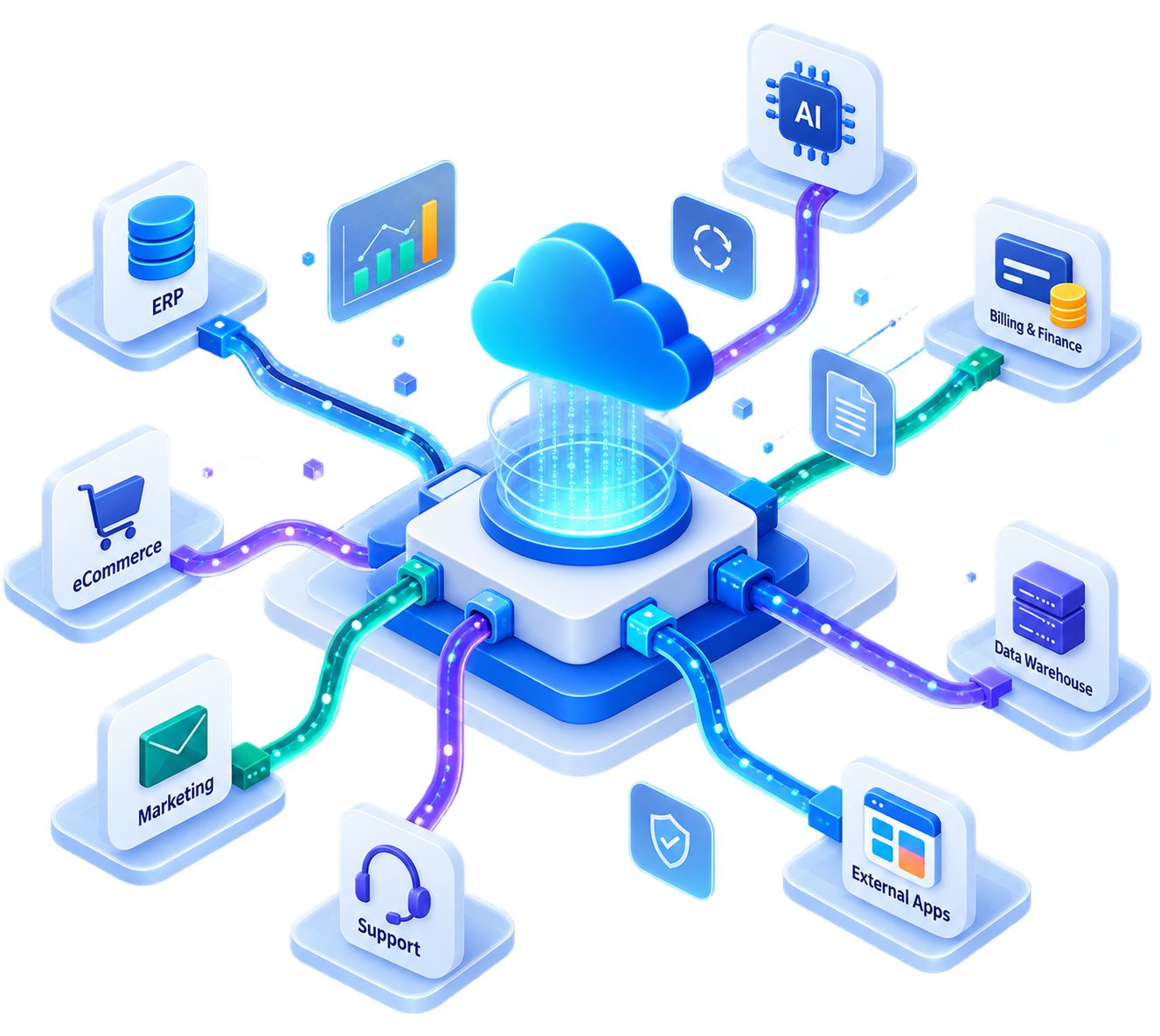
Table of Contents


Salesforce becomes more powerful when it is connected to the systems that run your business.
For most organizations, Salesforce is not a standalone CRM. It needs to exchange data with ERPs, billing platforms, marketing tools, customer portals, data warehouses, external applications, and AI-powered systems. When these systems work together, teams get better visibility, faster processes, and a more complete view of the customer.
But Salesforce integration can quickly become complex without the right architecture. Poorly planned integrations can create duplicate data, slow performance, brittle dependencies, security risks, and support-heavy processes.
This playbook explains how to approach Salesforce integration with the right patterns, architecture, tools, and delivery model so your integrations are scalable, secure, and easier to manage over time.
Salesforce Integration Goals and Business Outcomes
A successful Salesforce integration is not just about moving data between systems. It is about improving how your business operates.
The right Salesforce integration architecture helps teams connect customer data, automate cross-system processes, reduce manual work, and create a reliable foundation for growth.
Key Business and Technical Goals
Unified customer data
Bring customer, sales, service, billing, and operational data together so teams can work with a more complete Customer 360 view.
Process automation across systems
Automate handoffs between Salesforce and external systems such as ERP, finance, support, marketing, fulfillment, and third-party applications.
Real-time data visibility
Give users access to the right information at the right time, whether it is order status, payment updates, inventory availability, support history, or account health.
Scalable and secure integrations
Build integrations that can support growing data volume, user activity, security requirements, and future system changes.
Success Criteria for Salesforce Integrations
A well-designed Salesforce integration should deliver more than technical connectivity. It should be reliable, measurable, and aligned with business needs.
Key success criteria include:
- Consistent and accurate data across connected systems
- Clear ownership of system-of-record rules
- Reliable performance for real-time and batch processes
- Defined SLAs for response time, processing time, and failure recovery
- Secure authentication, authorization, and data access
- Proper error handling, retries, logging, and monitoring
- Architecture that can scale as transaction volume increases
Common Anti-Patterns to Avoid
Many Salesforce integrations fail because the architecture is selected too quickly or built only for the immediate requirement.
Common anti-patterns include:
- Over-synchronizing data: Copying too much data into Salesforce can increase storage usage, create duplicate records, and make governance harder.
- Tightly coupling systems: Direct point-to-point integrations may work initially, but they become difficult to maintain when business logic, APIs, or systems change.
- Ignoring error handling and retries: Without proper retry logic, exception handling, and reconciliation, failed transactions can silently create business risk.
- Lack of monitoring and observability: If teams cannot track integration status, payload failures, latency, and system availability, support becomes reactive instead of proactive.
- Using one pattern for every scenario: Not every integration needs to be real time. Not every dataset needs to be stored in Salesforce. Pattern selection should depend on data volume, latency, dependency, and business impact.
Choosing the Right Salesforce Integration Pattern
Salesforce integration patterns help teams decide how systems should communicate. The right pattern depends on what needs to happen, how quickly it needs to happen, and which system owns the process.
Remote Process Invocation
Remote Process Invocation is used when Salesforce needs to call an external system to complete a process.
For example, Salesforce may call an ERP to create an order, check product availability, calculate tax, generate a payment link, or validate customer information.
This pattern is useful when Salesforce initiates the transaction and the external system performs part of the business process. It can be synchronous when Salesforce needs an immediate response, or asynchronous when the process can complete later.
Best suited for:
- Order creation
- Payment validation
- Inventory checks
- External service requests
- Tax or pricing calculations
- AI or automation service calls
Batch Data Synchronization
Batch Data Synchronization is used when large volumes of data need to move between Salesforce and another system on a scheduled basis.
This pattern works well when real-time updates are not required. It is commonly used for nightly syncs, data warehouse updates, master data updates, or large historical data movements.
Best suited for:
- Customer data synchronization
- Product catalog updates
- Invoice and payment history
- Data warehouse loads
- Legacy data migration
- Scheduled reporting datasets
Data Virtualization
Data Virtualization allows users to view or access external data from Salesforce without fully storing that data in Salesforce.
This is useful when the data is large, changes frequently, or should remain in the external system. Instead of duplicating everything, Salesforce can surface the information when needed.
Best suited for:
- External order history
- Large document repositories
- Transaction records
- Inventory data
- Product availability
- External case or claim history
Remote Call-In
Remote Call-In is used when an external system calls Salesforce to create, update, retrieve, or trigger data and processes.
For example, an eCommerce platform may update Salesforce when a customer places an order. A support system may create a case. A data platform may enrich account records. A partner portal may retrieve customer or opportunity details.
Best suited for:
- External applications updating Salesforce
- Customer portals
- Partner portals
- Middleware-driven synchronization
- Mobile or web applications
- Third-party system automation
Types of Salesforce Integrations
Salesforce integrations can be grouped into different types based on what they connect and how users interact with them.
Data Integration
Data integration focuses on moving, synchronizing, or exposing data between Salesforce and other systems.
Examples include syncing accounts from ERP, sending opportunities to a data warehouse, importing product catalogs, or updating invoice status in Salesforce.
Common tools and approaches include Salesforce APIs, MuleSoft, ETL tools, middleware platforms, Data Cloud, Bulk API, REST API, and Change Data Capture.
Process Integration
Process integration connects business workflows across systems. For example, a closed opportunity in Salesforce may trigger contract creation, billing setup, provisioning, fulfillment, and customer onboarding. The goal is to automate the end-to-end process instead of relying on manual handoffs.
Common tools and approaches include Salesforce Flow, Apex callouts, MuleSoft, Platform Events, External Services, and orchestration layers.
Application Integration
Application integration connects Salesforce with business applications such as ERP, finance, HR, marketing, support, eCommerce, and industry-specific platforms. The focus is to ensure applications work together as part of a connected operating model.
Examples include Salesforce integration with NetSuite, SAP, QuickBooks, HubSpot, ServiceNow, Stripe, AWS, Snowflake, or custom applications.
User Interface Integration
User interface integration allows users to access external data, components, or experiences from within Salesforce. This improves productivity by reducing context switching. Instead of opening multiple systems, users can view relevant information inside Salesforce record pages, portals, or custom interfaces.
Examples include embedded external screens, Lightning Web Components, Salesforce Canvas, Experience Cloud integrations, external file previews, and custom UI extensions.
Salesforce Integration Pattern Selection Framework
Choosing the right integration pattern requires both business and technical evaluation. Before selecting an architecture, teams should answer five key questions.
1. What is the data volume?
Small, event-based updates may work well with APIs or events. Large datasets may require Bulk API, batch processing, ETL tools, or data virtualization. If the data volume is high, the architecture must account for API limits, processing time, retries, and monitoring.
2. How quickly does the data need to be available?
Not every integration needs to be real time.
Some use cases require immediate visibility, such as payment validation or inventory availability. Others can run hourly, daily, or on demand, such as reporting syncs, historical updates, or data warehouse loads.
Latency requirements should guide whether the integration is synchronous, asynchronous, batch-based, or event-driven.
3. Does Salesforce depend on the response?
If Salesforce needs an immediate response to continue the process, synchronous integration may be required.
If the process can continue without waiting, asynchronous integration is usually more scalable and resilient.
For example, payment authorization may require an immediate response, while sending customer activity to a data platform can be asynchronous.
4. What is the error tolerance?
Some failures can be retried automatically. Others need immediate user feedback or support escalation.
A strong integration design should define:
- What happens when the external system is unavailable
- Which errors should retry automatically
- Which errors need manual review
- How failed records are tracked and reconciled
- Who owns resolution
5. How will the integration scale?
A design that works for a small dataset may fail when transaction volume increases.
Scalability planning should include API limits, batch size, queueing, event volume, platform limits, security model, and long-term maintainability.
Salesforce Integration Implementation Blueprint
A successful Salesforce integration needs more than code. It needs standards, governance, and a repeatable delivery approach.
At Softsquare, we approach Salesforce integrations with a blueprint that balances business outcomes, platform best practices, scalability, and long-term supportability.
API Design and Architecture Standards
We start by defining how Salesforce and external systems should communicate.
This includes:
- Source and target systems
- System-of-record ownership
- API endpoints and payload structure
- Authentication and authorization model
- Synchronous vs asynchronous processing
- Middleware or direct integration approach
- Data transformation rules
- Platform limits and performance considerations
The goal is to create an architecture that solves the current requirement without creating unnecessary technical debt.
Naming Conventions and Structuring
Clear naming conventions make integrations easier to maintain, monitor, and troubleshoot.
We define naming standards for APIs, flows, platform events, custom metadata, logs, named credentials, integration users, permission sets, and middleware assets.
This helps administrators, developers, and support teams understand how each integration works and where to look when changes are needed.
API Versioning Strategy
Integration APIs evolve over time. Without versioning, even a small change can break dependent systems.
A strong API versioning strategy helps teams introduce changes safely while maintaining backward compatibility where needed.
This is especially important for partner integrations, customer-facing portals, mobile apps, and AppExchange products.
Error Handling Framework
Error handling should be designed from the beginning, not added at the end.
A reliable Salesforce integration should include:
- Standard error messages
- Retry logic
- Failed transaction logging
- Alerting and escalation rules
- User-friendly exception handling
- Reconciliation reports
- Support ownership and resolution steps
This reduces business disruption and helps support teams resolve issues faster.
Observability and Monitoring
Integrations need visibility. We design monitoring around transaction status, response time, API failures, payload issues, retry attempts, and system availability.
Depending on the architecture, this may include Salesforce custom logs, Platform Event monitoring, MuleSoft logs, external monitoring tools, dashboards, alerts, and reconciliation reports.
Observability helps teams move from reactive troubleshooting to proactive support.
Salesforce Integration Partner Delivery Model
A Salesforce integration partner should bring more than development capacity. The right partner should help you make architecture decisions, reduce risk, and deliver integrations that are easier to operate after go-live.
Delivery Phases
Our integration delivery model typically includes:
- Discovery and Assessment: We review business goals, systems involved, data ownership, integration volume, security needs, and operational risks.
- Architecture and Solution Design: We define the integration pattern, data flow, API strategy, middleware approach, authentication model, error handling, and monitoring plan.
- Build and Configuration: We configure Salesforce, build APIs or middleware flows, implement transformation logic, set up security, and prepare reusable components where appropriate.
- Testing and Validation: We test happy paths, failure scenarios, volume handling, retries, permissions, API limits, and end-to-end business processes.
- Deployment and Go-Live Support: We support release planning, deployment, monitoring, issue resolution, and post-go-live stabilization.
- Optimization and Managed Support: We help improve performance, reduce failures, refine automation, and support future changes as systems evolve.
Roles and Responsibilities
A strong delivery model requires clear ownership.
Typical roles include:
- Business owner
- Product owner
- Salesforce architect
- Integration architect
- Salesforce developer
- Middleware developer
- QA engineer
- System owner
- Security reviewer
- Support owner
We define responsibilities early so decisions are faster, dependencies are clear, and risks are managed throughout delivery.
Key Deliverables
A structured Salesforce integration project should produce practical deliverables that support both implementation and long-term maintenance.
Key deliverables may include:
- Integration architecture diagram
- Data flow diagram
- API specification
- Field mapping document
- Error handling design
- Security and authentication design
- Test plan and test scenarios
- Deployment plan
- Monitoring and support plan
- Admin and technical documentation
Governance and Risk Management
Integration governance helps teams avoid rework and production issues.
We focus on governance areas such as data ownership, security, API limits, change management, release planning, access control, monitoring, and support handoff.
This is especially important for organizations with multiple Salesforce clouds, external systems, business units, or integration vendors.
Salesforce Integration Architecture and Tools
The right architecture depends on your systems, scale, budget, security needs, and operating model.
API-Led Connectivity Architecture
API-led connectivity creates reusable layers for system, process, and experience APIs. This approach helps organizations avoid brittle point-to-point integrations and makes it easier to reuse services across multiple applications.
For example, a customer API can serve Salesforce, a mobile app, a customer portal, and an AI assistant without rebuilding the same logic multiple times.
Middleware Platforms
Middleware platforms help orchestrate integrations, transform data, manage APIs, apply security, and monitor transactions.
Common middleware and iPaaS tools include:
- MuleSoft
- Boomi
- Workato
- Jitterbit
- Informatica
- Azure Integration Services
- AWS integration services
Middleware is often the right choice when multiple systems are involved, business logic is complex, or the integration needs centralized governance and monitoring.
Native Salesforce Tools
Salesforce provides several native tools and capabilities for integration, including:
- REST API
- SOAP API
- Bulk API
- Composite API
- Streaming API
- Platform Events
- Change Data Capture
- External Services
- Named Credentials
- Apex callouts
- Salesforce Flow
- Salesforce Connect
- Data Cloud
- MuleSoft connectors
The right combination depends on the use case, latency requirement, volume, and system ownership.
Event-Driven Architecture
Event-driven architecture is useful when systems need to react to business changes without tight coupling.
For example, when an opportunity is closed, an event can trigger downstream actions such as provisioning, billing, onboarding, customer communication, and reporting updates.
Salesforce Platform Events, Change Data Capture, middleware event brokers, and external message queues can support scalable event-driven integration.
Integration Readiness Checklist
Use this checklist before starting your next Salesforce integration project.
Business Readiness
- Have we defined the business outcome?
- Do we know which process the integration supports?
- Have we identified the system of record?
- Are business owners aligned on data ownership?
- Have success criteria and SLAs been defined?
Architecture Readiness
- Have we selected the right integration pattern?
- Do we know whether the process should be real time, near real time, batch, or event-driven?
- Have we reviewed Salesforce limits and API usage?
- Is middleware required?
- Have we documented the data flow and dependencies?
Data Readiness
- Are field mappings defined?
- Are required fields, validation rules, and transformations documented?
- Is there a data quality plan?
- Have duplicate handling and reconciliation rules been defined?
- Do we know which data should be stored, synchronized, or virtualized?
Security Readiness
- Is the authentication model defined?
- Are integration users and permission sets planned?
- Are Named Credentials or secure connection methods configured?
- Have we reviewed data access and compliance requirements?
- Is sensitive data protected in transit and at rest?
Delivery Readiness
- Is there a test plan?
- Are failure scenarios included in testing?
- Is there a deployment and rollback plan?
- Are monitoring and alerts configured?
- Is support ownership defined after go-live?
Build Salesforce Integrations That Scale With Your Business
Salesforce integration is not just a technical task. It is an architecture decision that affects data quality, user productivity, customer experience, and operational efficiency.
The right integration approach helps your teams work faster, trust the data they see, and scale processes across systems without creating unnecessary complexity.
Whether you need to connect Salesforce with ERP, finance, marketing, support, data platforms, AI systems, or custom applications, Softsquare can help you design and deliver integrations that are secure, scalable, and built for long-term success.



Ready to Transform Your Business with Salesforce & AI?
